

-
Content
The impact of credit card processing outages on your business
If you have ever experienced or are currently experiencing a credit card processing interruption, you know how frustrating and stressful they are. Disruptions to your payments can impact your checkout experience, potentially resulting in a loss of revenue and, ultimately, hurting your bottom line.
Depending on what caused the outage, for example, if your business and operations depend on the Internet and it goes down, your business could be down for hours.
In some cases, such as hardware and power outages, which may also cause your system to fail, the outage might be a quicker and easier fix.
This blog will go over common reasons for credit card processing outages, how to troubleshoot and identify the cause, and a must-have checklist for the three most vital steps to take when your payment processing system goes down.
The ultimate guide to accepting credit cards.
Discover essential knowledge and industry insights to increase your bottom line.
What is a credit card outage?
A credit card outage is an unexpected disruption in service for credit card customers. It can cause difficulties in making purchases, checking balances, or accessing funds. In some cases, it may also affect e-commerce sites or the payment processing system used by a merchant. Although these outages are inconvenient, they can often be resolved quickly by payment processors and credit card companies if they are alerted to the problem promptly. Understanding the potential causes of credit card outages and reporting them to your provider, which we will explain more about later, may help you prevent frustrating situations and get your finances and payments back on track as quickly as possible.
What causes credit card processing outages to occur?
If your payment system fails, it doesn't necessarily mean an outage. Payment processors can check internal systems to help identify what caused the failure and rule out other issues, such as technical failures or internet connectivity issues. However, credit card processing outages do happen. The cause of these payment processing failures often comes from widespread power outages (typically weather), internet interruptions, and technical failures.
Why aren't my transactions going through? (Is an outage to blame?)
There are many reasons why your credit card transactions might not be going or are coming back with messages indicating they can not be processed. Here are some reasons a transaction may not go through:
- The card being processed can not be approved due to various reasons such as:
- Suspected fraud
- Insufficient funds
- Incorrect CVV
- Incorrect PIN
- Incorrect or unexpected card details such as the cardholder’s address
- Card use limits or purchasing limits
- You have processed a card which has already been declined multiple times
- The transaction method or amount is quite unusual
- There was a service interruption
- Your power supply or Wi-Fi has gone down or was interrupted
- The card brand network is down
- Your payment processor is down
It can be hard to narrow down the exact reason why a card declines, but the receipt from the transaction may provide a reference point. For example, it may read that the cardholder must contact their bank, there are insufficient funds, or there needs to be more credit available for the transaction to be approved. In any of these cases, it may be best to ask the cardholder for an alternative payment method, as the decline is something they will need to rectify on their end and investigate further with their card issuing bank.
Other clues, such as multiple declined transactions from numerous customers, cards, and card brands, may indicate you have something else, like an outage on your hands. This is when you may want to call up your payment processor and get to the bottom of things.
The role of payment providers and card brand networks
What may seem like a simple solution on your end— after all, your payments aren’t working, and you need a fix— and fast— isn’t always as straightforward as it seems.
Payment processors fall under a larger umbrella of payments and the card processing cycle. While sometimes they can fix it, there are other times when an overarching issue is not something they can resolve immediately.
It may involve piecing together numerous pieces of the puzzle, such as acquiring and issuing banks, card brand issues, card brand networks, or your payment processor specifically. Helcim can only resolve problems specific to us while continuing to communicate and give updates to merchants for upstream issues.
Plan B: What do do when your payments go down
A credit card processing outage can wreak serious havoc on your business. The problem may only last a few hours, but a few hours can affect businesses in the long run. During outages, many businesses can only accept cash payments which have become less common for customers since the pandemic. When the payment services you depend on go down it can be hard to know what to do next and how to serve your customers. That's why we have compiled a must-know checklist below to help you quickly get your ducks in a row while your processor resolves the underlying issue.
1. Communicate outages with your customers
You will want to first communicate the situation with your customers to create transparency and trust – ultimately, buy yourself goodwill and time.
If you do have timelines and answers, share them with your customers, but don't make promises. Be bold and communicate if you are still determining the cause or how long it will take. Ask them if they are okay with paying another way or waiting for ten minutes or so while you look into the problem further to determine the cause.
If your customers are not happy to wait or pay another way, you can redirect them to your site or ask them to visit another day. You can even give them a coupon code, a small gift, a sample, or a discount code for their trouble. Make sure you communicate with other customers by putting temporary signs at the doors and announcing outages via social media and your website. Ask them to email if they have an urgent or pressing concern that you can get back to them about. Afterward, make sure to announce that your payment processing is back up to keep your customers in the loop.
2. Create a backup plan to accept payments from your customers
The next step is to set up a backup plan to keep your business operations running. One of the benefits of Helcim is access to all our tools at no extra cost. Unlike other legacy processors who charge set up fees or additional monthly fees for online processing and tools like invoicing, you have options when it comes to accepting payments. When your POS equipment or in-person payments are down, here are some other places to start:
-
Hotspot your card reader: If your credit card reader enables it, try to use your phone to hotspot your card reader with cellular data to accept credit card payments. You can use your phone to open the mobile app and use it as the POS screen. Of course, this is only a temporary solution, but it can help you run some of those customers through the checkout.
-
Go old-school: Use and offer traditional non-digital payment methods such as cash or cheque. Of course, this requires you to have change on hand for the former, and the latter does run a higher risk of fraud than credit card payments.
-
Get their number and give them a call later: When your systems are back up you will be able to run a transaction online by keying in their credit card details for them.
-
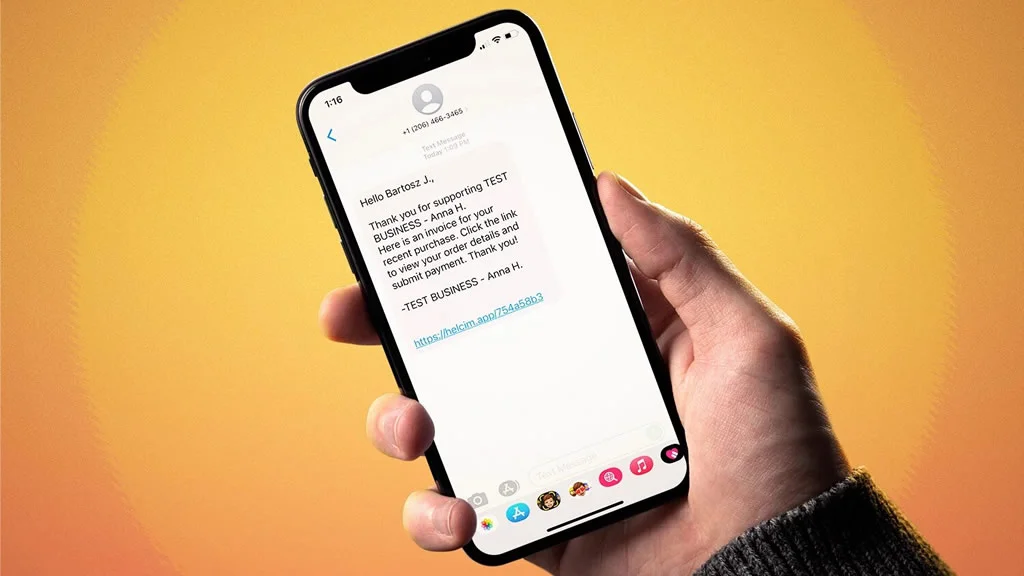
Send them an invoice: This might be a perfect buy now, pay later setup for some of your regulars with whom you already have an established relationship. They may even appreciate the convenience in the future as well. Simply create a customer profile, add the products, and send them an invoice with multiple payment options for them to fulfill the payment. You can even send them a text message with a Pay Now link. Having a payments company that offers this added feature for free is also a bonus, of course.
-
Set items aside for online purchase and deliver or ship it to your customer free of charge: While shipping comes out of your pocket and is still a bit more inconvenient than letting your customer take it home now, it might be enough to salvage a sale or two. Your customers may even see this as helpful, especially on larger items.
-
The caveat with many of these options above is the element of trust. Of course, you will want to use discretion when letting customers walk away with your goods and services using the honor system. These methods may only work when you know the customer, you can verify their identity, or you trust that they will follow through and settle their tab.
3. Communicate the credit card outage with your payment processor
Effective internal and external communication is vital to maintaining customer satisfaction and resolving outages efficiently. While customer service is a top priority since payment card issues directly impact your customers, you should also be in contact with your payment processor to notify them of the credit card processing outage and help to determine the cause.
Your payment processor may even have a status page that you can visit to learn if the outage you are experiencing is related. Another option may be to ask about subscribing to outage and status-related emails, so you are always included in the loop.
Payment processors have greater visibility on more significant issues, so letting them know the specific details of the problem you are running into could help them with their investigation and better determine the root cause. They can be a helpful resource for providing and determining the next steps to take to protect your customer's credit card data during an outage. They can also serve as a liaison to communicate with financial institutions and card network brands.
They may also give you greater insight into the cause and expected timelines for reparations, which you can then pass on to your customers. Suppose there is no credit card processing outage. In that case, a good customer service team can assist you in identifying and troubleshooting whether the failure is due to your credit card machine, Wi-Fi, software, or something else.
How to determine the root cause of payment processing failures
If you have not yet contacted your payments company and are waiting to speak with them, here are some troubleshooting steps you can take in the meantime — It may be a simple fix you are able to solve yourself to get your business back on track even sooner.
Step 1: Check for a power outage
It might be evident that this is the cause, as it may have affected other electrical outputs at your business; however, if it only appears to be affecting your payments, it is advantageous to determine the source.
For example, it may affect a specific outlet, or your old credit card reader might have finally bit the dust. It could be that a breaker has been turned off for a specific room — potentially where the Wi-Fi is — or a particular light switch that affects power to specific outages has been flipped off, for example. Hardware issues could also prevent your credit card reader from turning on. Of course, a power outage will kill your Wi-Fi and hardware, so that will be the first concern. If your POS system is not turning on, identifying the source is a good starting point for troubleshooting the next steps.
Step 2: Check your internet connection
There is never really a good time for the Wi-Fi to go down. Whether you are frozen in a Zoom call, your teenager is yelling that his game won't load, or, much worse: you can't connect to your payment processor through your POS or credit card terminal to accept payments. This situation becomes more pressing when your payment processor only uses Wi-Fi, and you can't create temporary solutions such as using a hotspot through your phone to continue accepting payments.
So what do you do?
First, check you are connected to the correct Wi-Fi network. Sometimes you can solve the problem by restarting the router, but if that fails, you may have to call your internet service provider to resolve it. While this is not ideal, as it will require waiting for a fix, it may serve as a temporary solution.
Step 3: Check your hardware and software
If hardware errors occur or the system cannot support a software install, the card reader will stop the transactions mimicking a credit card outage. Thus, if your equipment is damaged, you can expect a sudden outage. To prevent interruptions, make it a habit to inspect your hardware for damage and keep on top of software updates to prevent interruptions and to remain PCI compliant.
You can troubleshoot hardware issues and determine whether a computer problem is purely hardware dependent by giving your card readers and POS equipment a once-over and turning it off and on again. Ensure you have checked all other terminals to determine whether this is a systemwide problem or one faulty piece of equipment along the line.
As for software, check if you missed any software updates, and in the case that your system is having problems after a reboot, contact your processor. Consider buying POS systems that are operational without Wi-Fi or power cords to be more resilient for future Wi-Fi blackouts.
Contact your payment provider for support in the case of an outage
Whether a small or more significant problem, choosing a payment provider with an outstanding customer service team is your ticket to navigating challenges such as credit card processing outages tactfully and efficiently. At Helcim, we aim to avoid these scenarios but navigate them as smoothly as possible if they arise by supporting you and providing you with a roadmap to serve your customers, troubleshoot, and ultimately keep your business operations running.
Contact our customer service team if you are having trouble processing transactions suddenly, expect an outage, or need assistance determining and troubleshooting the cause.
FAQS
Are there other ways Helcim Merchants are notified of an outage?
Another way we notify merchants when we are experiencing technical issues is through the answering machine on our phone system. This is an excellent way to get a quick update without being tied down to your phone waiting in the queue while you manage the other aspects of communicating with your customers during an outage.
You can also quickly look up updates to our status page and dashboard banner in your Helcim merchant account.
This way you can quickly identify that we are experiencing an issue without wasting too much time and focusing your efforts on plan B to continue operating and accepting payments.
How long do outages typically last? When can I expect my payments to be up and running?
Given that outages vary drastically, it's tough to give exact timelines. We encourage merchants to use the status page for the most up-to-date status of the issue while we work to resolve it as quickly as possible.
Do I need to do anything once an outage is resolved?
After resolving an outage, you will want to communicate with customers to let them know everything is up and running again.
This is also an opportunity to review batches before settling to ensure accuracy and resolve any mistakes.
Depending on the outage, you may also expect logout and potential equipment restarts.
You may need to restart your equipment, redownload our app, and/or log back into your account.
If any issues arise, contact our customer service for assistance.
Related Articles
-
How To Get Paid By Text Message
Danny Randell | October 12, 2021
-

How to accept credit card payments over the phone
Robert Luong | May 31, 2021
