
-
Content
Ever feel like you're paying for things you don't even use? It’s a common frustration, especially with monthly subscriptions or services that charge a flat rate. Think about that gym membership you barely touch, or the software you only use once a month. It just feels wasteful, right?
Well, that's where the ‘pay as you go’ idea swoops in to save the day!
‘Pay as you go’ is not a financing option, and it's not a standard monthly plan. It means no flat monthly cost and you only pay when you use the service. For example, think about prepaid phone plans. You don't pay a fixed bill every month; you just add credit when you need to make calls or send texts. This model is becoming hugely popular because it gives you more control over your money.
What is a pay as you go payment machine?
As a business owner, you need to accept card payments. Global data shows that non-cash payments, like cards and mobile wallets, account for over 80% of all transactions in many major economies. But getting a payment machine often means complicated contracts, upfront fees, or expensive monthly leases. It feels like you're paying for the terminal even on slow days!
That’s why the pay as you go payment machine is such a game-changer.
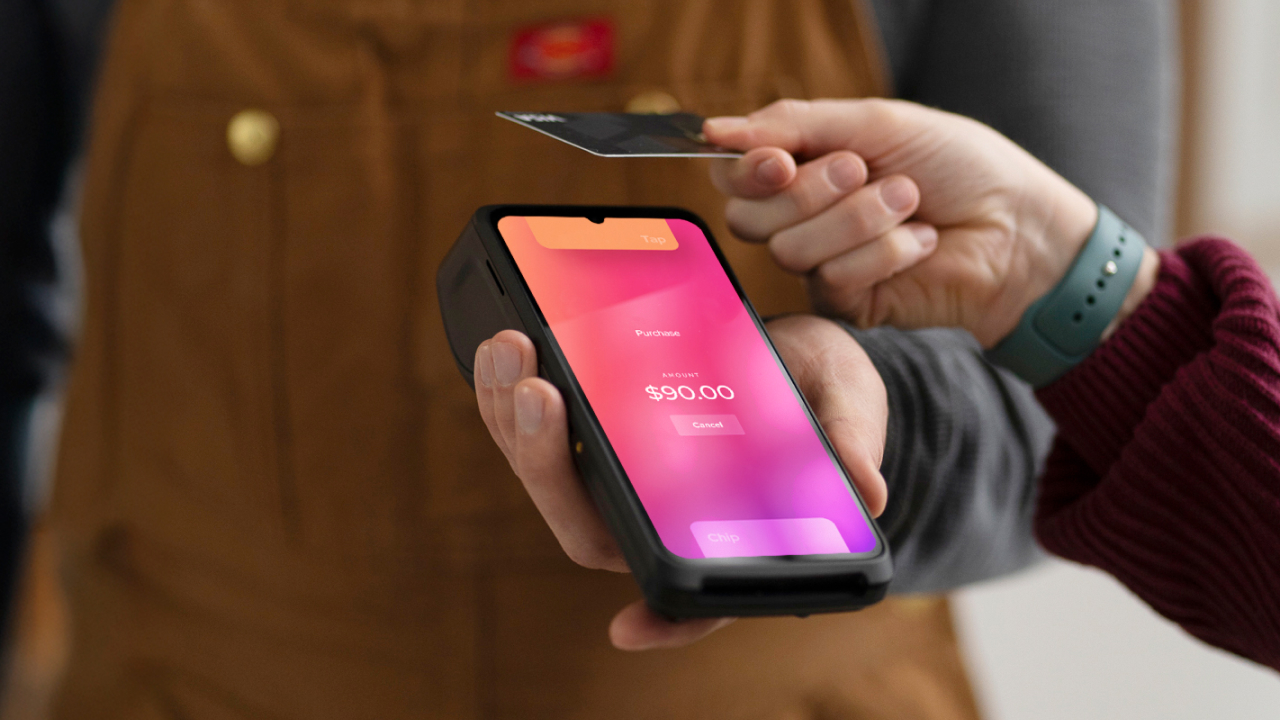
Simply put, a pay as you go payment machine is a card terminal or point-of-sale (POS) device that a business purchases upfront, and the only ongoing charge is a per-transaction fee.
It means $0 monthly rental fees and zero long-term leasing contracts for the machine. You pay a small percentage only when a customer actually swipes, taps, or inserts a card. This gives your business more control because your payment processing cost always matches your sales volume and you're never stuck paying for equipment during a slow month.
What are different types of pay as you go payment machines?
When you’re looking to buy a payment terminal, you'll find that these machines come in a few key styles. The different types of pay as you go payment machines are defined mostly by how portable they are and how much business software they run.
Here are the main types of payment machines you will find:
- Mobile card readers: These are the most affordable option for businesses starting out.
- Standalone POS devices: These are all-in-one portable machines that run without being connected to a phone.
- Countertop terminals: These are fixed machines that sit in one spot at your checkout.
1. Mobile card readers
These are devices that connect to your phone or tablet via Bluetooth or WiFi to accept payments using the screen of your mobile device as the main point of sale (POS) interface.
They are perfect for businesses that move around a lot, like home services, pop-up shops, or service professionals who bill clients right on the spot. Because they are so simple, they usually have low upfront costs for the device. For example, the Helcim Card Reader is known for being extremely affordable to buy and just charge a per-transaction fee.
2. Standalone POS devices
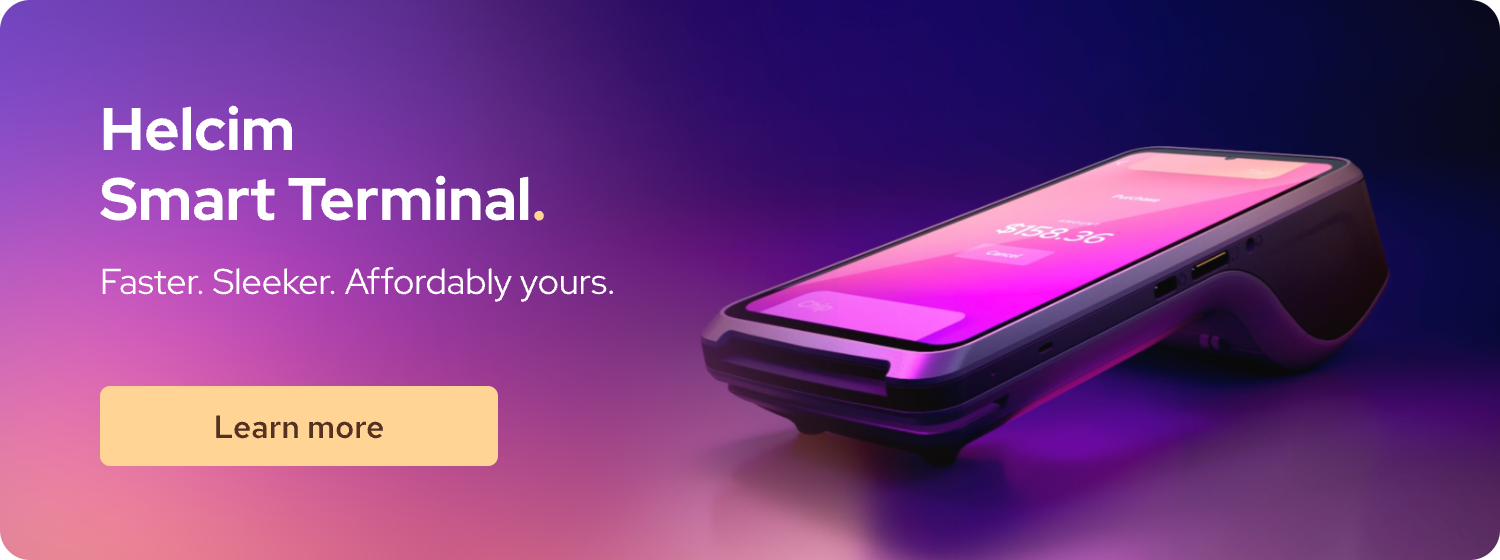
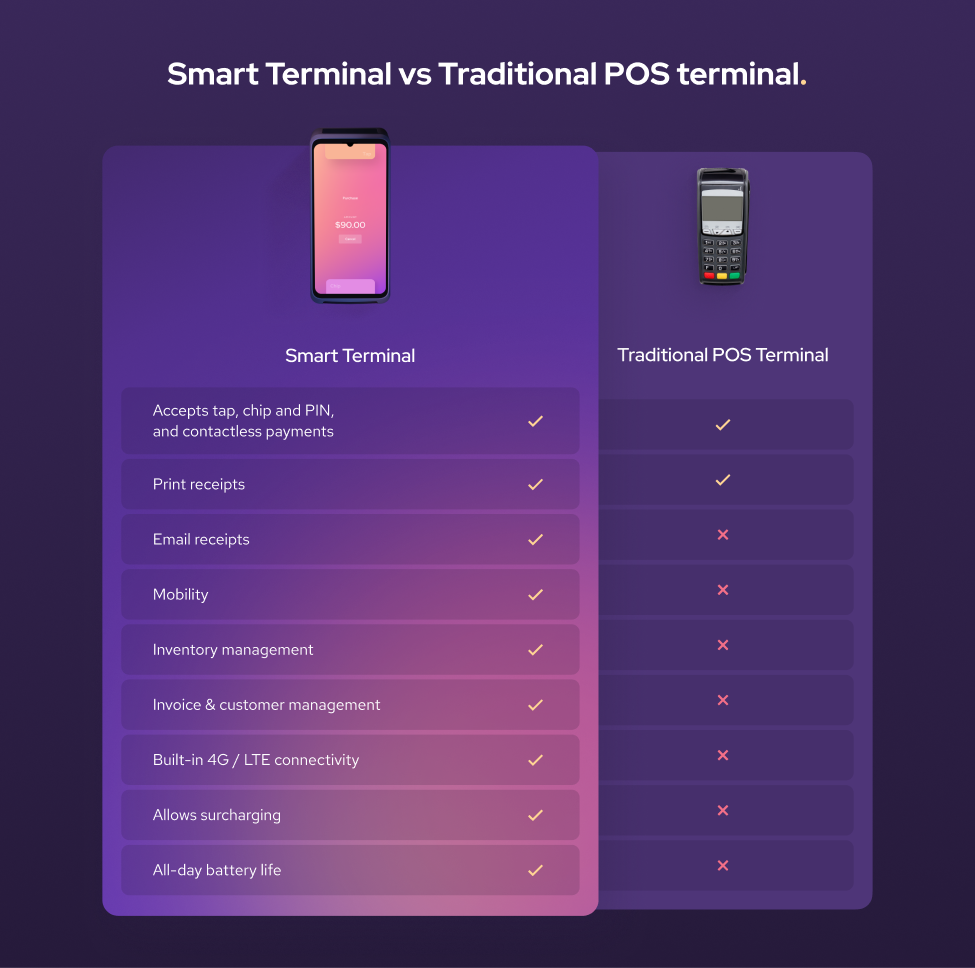
This type is the powerhouse of the "pay as you go" world. A standalone POS device is a handheld machine that operates entirely on its own, with a built-in POS app and often a receipt printer. You don't need a separate phone or tablet to run it, making it fast and reliable. They are great for checking out customers away from a main counter or for any business where you need to take the payment to the client.
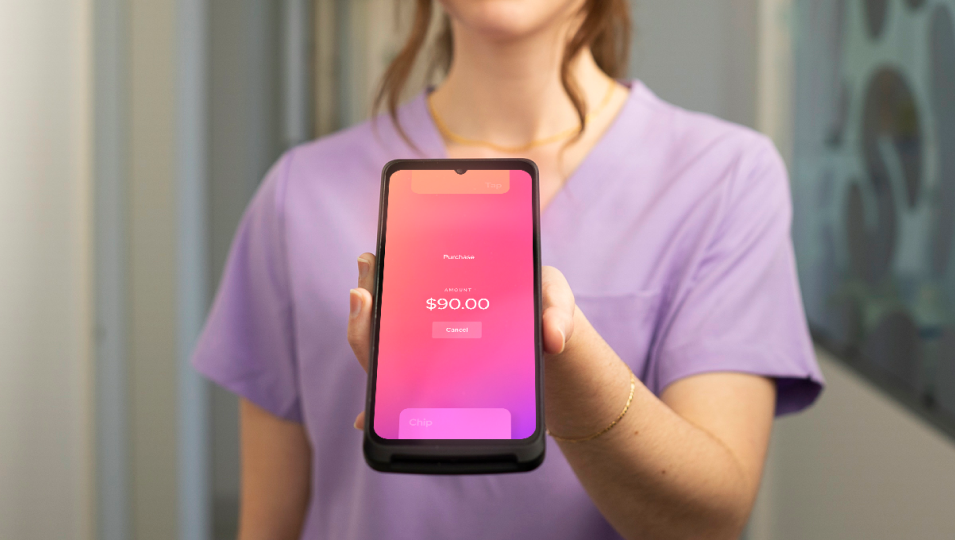
Both the Helcim Smart Terminal and the Square Terminal fall into this category. Other options like the Clover Flex offer a similar experience for the customer, but would not be considered a pay as you go option with the monthly fees associated with the device.
3. Countertop terminals
Sometimes, you need a fixed station for high-volume checkouts. A countertop terminal is a dedicated fixed machine that stays connected to the internet at a single point of sale.
However, the ‘pay as you go’ model is more rare for this type of hardware. Because these machines are typically more expensive and powerful, providers often charge monthly software fees or a monthly lease fee for the terminal itself. If you are offered a countertop terminal by a provider like a bank, it will often come with additional fixed monthly costs that go beyond the simple ‘pay as you go’ structure of the smaller, mobile machines.
How much does a pay as you go payment machine cost?
The true cost of a pay as you go payment machine is actually split into two parts: the one-time cost to buy the hardware, and the ongoing cost to process transactions. Here is a breakdown of the two key cost areas for using a pay as you go payment machine:
1. Hardware and Financing Cost (Upfront)
This is the cost to put the device in your hand. Since ‘pay as you go’ is not a financing option, you generally buy the machine outright. This can range from around $70-$200 depending on the device.
2. Transaction Fees (Ongoing):
This is the main cost of a pay as you go model. It's the small fee you pay to the processor every time a customer uses a card and it can be structured in two main ways: Flat Rate or Interchange Plus. Understanding the difference is key to saving money as your business grows.
Flat Rate Pricing: Simple and Predictable.
- Flat-rate pricing is exactly what it sounds like. You pay one single percentage and one small fixed cent amount for every transaction, regardless of the type of card (Visa, Amex, personal, or corporate). Flat rate is the simplest model to understand and budget for. It's like having a fixed rate for shipping every single package you send, regardless of whether you're sending a light envelope or a small box. You might pay a little more for that light item, but you never have to worry about complicated weight tiers. This simplicity is why providers like Square are so popular with entrepreneurs just starting out.
- Example: You pay $2.6% + 10 cents per tap, swipe, or insert.
- Best For: Small businesses with low sales volumes.
Interchange Plus Pricing: Transparent and Cheaper for High Volume
- Interchange Plus Pricing is the most transparent pricing model available. It breaks the transaction fee down into the actual wholesale cost of the card (the "Interchange fee") plus a small, fixed mark-up added by your payment processor (the "Plus"). Every card (like a premium rewards Visa versus a basic debit card) has a different Interchange cost. Interchange Plus passes that exact cost to the business plus the processor's tiny fixed fee and ensures your processor can't hide high fees behind an unclear flat rate. This model generally becomes significantly cheaper than the flat rate once your monthly sales volume is over a few thousand dollars.
- Example: You pay Interchange rate + 8 cents per transaction.
- Best For: Growing businesses or established small businesses with a high sales volume.
Who is a pay as you go payment machine good for?
A pay as you go payment machine is not the best fit for every single business out there, but it shines brightly for certain types of entrepreneurs. A pay as you go payment machine is good for any small business that values flexibility, has fluctuating sales volume, or wants to avoid long-term debt and contracts.
Here are the main groups who benefit the most:
1. Seasonal Businesses
If you’ve just launched your business or if your sales spike only during certain times of the year, pay as you go is your best friend.
Imagine running a highly successful pumpkin patch in October, but sitting idle the rest of the year. If you had signed a traditional three-year lease on a payment terminal, you'd be paying for 11 months of unused service! Because pay as you go means $0 monthly fees, this saves your business money during the slow times.
2. Mobile or Service-Based Businesses
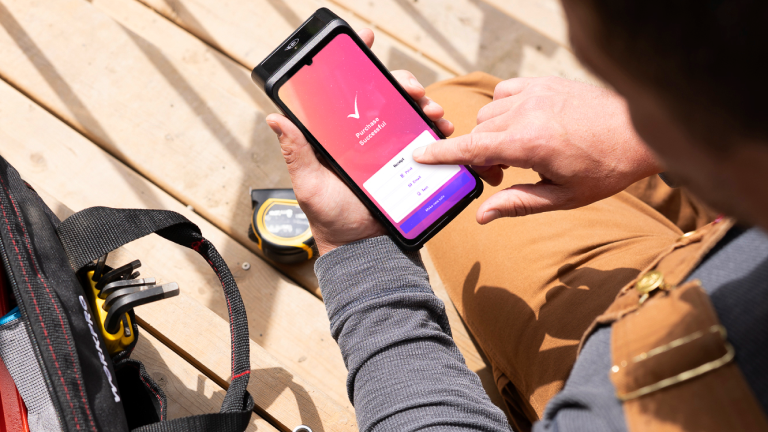
If your business doesn't operate from a fixed counter, you need a solution to accept mobile payment without relying on Wi-Fi or cables. This includes contractors, plumbers, photographers, and mobile vets.
Since these devices are often affordable to buy upfront, they are immediately profitable for your mobile operation. You can take the small standalone POS device right to your client's location and process payments on the spot.
3. Low-Volume Sellers
Do you sell your handmade goods at the farmer's market every Saturday? Do you run a small online shop that processes only a handful of orders a week?
If your monthly sales volume is low, pay as you go providers are often the most cost-effective solution. You save money by avoiding the high monthly fees that traditional processors can charge if you don’t meet minimum volume requirements.
The main benefit is clear: It gives you back the power to run your business without unnecessary fixed expenses dictating your budget. Any business should not be tied to an expensive monthly charge just to accept payments.
How to get a pay as you go payment machine?
Getting set up with a pay as you go payment machine is usually much simpler and faster than dealing with traditional payment processors with leases and contracts. You can get a pay as you go payment machine by choosing a provider, signing up online, purchasing the hardware, and then activating the device. The entire process is designed to be quick so you can start taking card payments right away.
Here are the simple steps to follow:
- Step 1: Research and select the best pay as you go provider for your business
- Step 2: Complete the online merchant account application
- Step 3: Purchase the specific hardware you need.
- Step 4: Set up your device and start accepting payments.
Step 1: Research and select the best pay as you go provider
Your first job is to shop around and find the best payment processor fit. Payment processors like Helcim focus on giving growing businesses the cheapest possible credit card fees through transparent pricing. Remember, ‘pay as you go’ often means two different pricing models:
But if you expect to grow quickly or process over $10,000 a month, a transparent Interchange Plus provider like Helcim will save you significant money in the long run. Take the time to explore Helcim credit card pricing, compare your rates with Helcim and look at the POS hardware options they offer.
Step 2: Complete the online application
Since these providers are focused on convenience and simplicity, the merchant account application is usually done entirely online. Unlike a traditional bank, there are often no long waiting periods or complicated forms.
You will need to provide information about your business, then the provider will run a check to approve your business and get you ready to process payments. This verification usually happens within a day or less.

Step 3: Purchase the specific hardware you need
Once approved, you can typically buy your hardware directly from the payment providers online store. You won't be signing a lease or a rental agreement.
- If you need a reliable, all-in-one checkout that doesn't need a separate phone, you might choose the Helcim Smart Terminal.
- If you just simpler way accept cards in person, you may opt for a Helcim Credit Card Reader
This is a one-time purchase, which is the cornerstone of the pay as you go commitment. Remember, you might pay $100 to $500 here, but you won't see a monthly hardware fee after this.
Step 4: Set up your device and start accepting payments
When your new machine arrives, the setup process is typically very simple and takes just a few minutes. You will connect the device to your Wi-Fi or cellular network and log into your merchant account to start collecting payments.
Pay as you go: The smart choice for small business control
The old way of getting payment machines (with long contracts, hidden fees, and expensive monthly leases) is quickly fading away and doesn’t benefit the small business owner. The rise of the pay as you go payment machine changes everything.
By choosing a merchant service provider that offers affordable, no-contract hardware and flexible transaction fees, you gain ultimate control over your payment processing expenses. If you are a new, seasonal, or growing small business, adopting a pay as you go system is one of the quickest and easiest ways to increase your profitability and simplify your operations. It’s time to stop paying fixed fees and start paying only when you make money!
Learn how the Helcim Smart Terminal and Helcim Card Reader help you process credit card payments with no monthly fees, contracts, or hidden fees. If you already have a payment provider and want to switch, our Merchant Buyout Program waives up to $500 of your processing fees to cover your hardware and contract cancellation costs.
Break up with bad rates.
Feeling stuck with your provider? We'll waive $500 of your processing fees when you switch to Helcim.
FAQs
Do pay as you go payment machines mean free machines?
Not usually, no. ‘Pay as you go’ means you pay for the service when you use it, not the hardware. You can buy the payment machine upfront as a one-time purchase which means no monthly fees or lease contracts. Ultimately, you own the machine, and you only pay processing fees when you actually make a sale.
Do you have to sign a contract for pay as you go payment machines?
You do not have to sign a contract with a pay as you go provider. The whole point of this model is freedom and flexibility, meaning you are not locked into a typical multi-year contract and can stop using the service at any time without paying early termination fees. However, you will sign a Terms of Service agreement. This is a standard legal document but it is not a restrictive, long-term contract designed to trap you.
What happens if I don’t use pay as you go payment machines for a few months?
If you don't use a pay as you go payment machine for a few months, typically nothing happens, and that is the main advantage. Because there are no monthly fees for the machine and no long-term contracts, you simply stop incurring the processing fees until you start selling again.
Related Articles
-
Your guide to EFTPOS machines
Kaitie Weaver | December 2, 2025
-
Cloud based POS systems vs. credit card machines: What’s the difference?
Jared Slemp | December 10, 2024
-
Best Wireless Credit Card Machine
Humayun Farooq | July 26, 2024
-
What is a credit card machine?
Jared Slemp | July 23, 2024