

-
Content
You did it - you had a record month with the clinic! But despite the increase in business, your final account balance seems lower than you expected. Where did that extra profit go? Most of the time, it’s been nibbled away by a complex web of healthcare billing software costs that stayed hidden while you were busy growing.
It’s a common trap that the "small" fees that didn't matter much at first, suddenly scale into massive expenses. If this sounds familiar, you aren’t alone. Most clinic owners in the US and Canada choose a billing software based on the monthly cost, only to get blindsided by hidden fees and expensive credit card processing fees.
This guide breaks down the different costs associated with healthcare billing, where the hidden "gotchas" are, and how you can take back control of your clinic's margins without switching your entire software stack.
How much does medical billing software cost?
On average, medical billing software costs between $50 and $600 per provider, per month for cloud-based systems. While some "free" or low-cost options exist, most growing clinics end up paying around $200 to $400 a month for a robust platform.
This wide range exists because vendors price their products differently based on your practice size and how many additional features you need. In fact, many clinics find that their Total Cost of Ownership (TCO) actually increases by 15% to 20% once these 'convenience' markups and manual reconciliation hours are tallied up.
Summary of typical medical billing software costs
| Cost Category | Frequency | Typical Price Range |
|---|---|---|
| Implementation & Setup |
|
|
| Software Subscription |
|
|
| Additional "Seats" |
|
|
| Claim Scrubbing |
|
|
| Payment Processing |
|
|
There are five main categories of costs associated with medical billing software:
1. Implementation and setup costs
These costs cover system configuration, moving your old patient data over, onboarding and payment hardware for in-person payments. This is a one-time fee to get you started and usually can cost anywhere from $1,000 to $20,000. The cost will heavily depend on the size and complexity of your practice.
2. Software subscription fees
This is the base cost to use the software on an ongoing basis. Most cloud-based healthcare software platforms charge between $200 and $700 per provider, per month. Some entry-level plans start as low as $50, but they often strip out essential features like insurance eligibility checks that often end up costing more in manual labor later.
3. "Seat" and user costs
Most software is priced per provider, meaning the doctors or specialists. However, many healthcare softwares also charge for administrative seats. These typically cost $20 to $50 per month for any additional users. If you have a high staff-to-doctor ratio, your $300/month software can quickly turn into $500/month.
4. Claim scrubbing and clearinghouse fees
Claim scrubbing is an automated process that checks your insurance claims for errors before they are sent to the insurance company. These errors could include a missing ICD-10 code or a typo in a patient’s ID. Expect to pay either a flat fee of $30 to $100 per month or a per-claim fee ranging from $0.35 to $1.00.
5. Payment processing fees
The payment processing fees (a.k.a merchant discount rates) are charged whenever a patient pays using a credit or debit card for any amounts not covered by insurance, or the full balance for private-pay services. These costs are variable but can range from an additional 1.67% + 8¢ - 2.65% per transaction. Learn more about the lowest credit card processing fees here.
Because these fees are a percentage of your total transaction volume, they often represent the largest variable cost in your billing workflow, making it the most important area to optimize for better margins.

What are the different ways to bill patients with medical billing software?
There are 3 common methods to billing patients with your medical billing software: You can collect patient payments through the built-in payment processing system, manual workarounds, or with the Helcim Payment Extension. Each of these methods changes how much you pay in fees and how much time your staff spends on admin work.
Built-in payment processing system
This is an "all-in-one" setup where your healthcare software provider partners with a payment processor to create payment functionality in your billing software.
- How it works: When a patient pays, the software automatically marks the invoice as "paid" and updates your ledger instantly.
- The Catch: You pay a premium for that convenience. The built-in processors bake the cost of their "simple workflow" into their rates, which is why they often charge around 2.9% + $0.30.
- The Reality: While it’s easy for your staff, it’s usually the most expensive way to run a clinic. The "true cost" of processing those card transactions (interchange fees) is often much lower, meaning the software company is pocketing the difference as a convenience fee.
Manual "off-platform" payments
You use a completely separate payment processing company to avoid the high fees of using the integrated payments in your billing software.
- How it works: When a patient pays, you process the card on your connected credit card machine, then manually go into your billing software to mark that invoice as "paid."
- The Catch: Your software and your terminal don’t talk to each other. This creates a "data gap" that your admin staff has to fill by hand.
- The Reality: While you save money on transaction fees, you often lose in staff time and manual errors. Reconciling your books at the end of the month becomes a much bigger headache when you have to hunt down typos or missing entries.
Helcim Payment Extension
A Chrome browser extension that gives you the best of both worlds: the automated sync of an integrated system with Helcim’s transparent rates.
- How it works: You install the Helcim Chrome extension, which ‘reads’ the page of your billing software. It will detect the patient names, invoice numbers, and balances directly from your screen. Once the data is captured, you have two ways to get paid: Firstly, you can trigger the Helcim Virtual Terminal so you can type in card details for a patient over the phone. Secondly, you can push the invoice amount directly to the Helcim Smart Terminal or Helcim Card Reader. The patient uses their physical card or mobile wallet and the transaction is complete.
- The Catch: It’s not currently available with all medical billing softwares. Browse the available softwares or request yours in the Integration Library.
- The Reality: You get the speed and "hands-off" workflow of an expensive integrated system without the high price tag.
What are hidden payment processing costs of medical billing software?
When you are looking at a software quote, it’s easy to focus on the big numbers. But the real killers are the ones that hide in the fine print of your contract or show up as a random $15 spike on your monthly statement.
The most common hidden costs are PCI non-compliance fees, non-refundable dispute charges, and statement "minimums." These aren't always part of your monthly software subscription. Instead, they are tacked onto your merchant account, often adding an extra $20 to $100 per month in administrative waste.
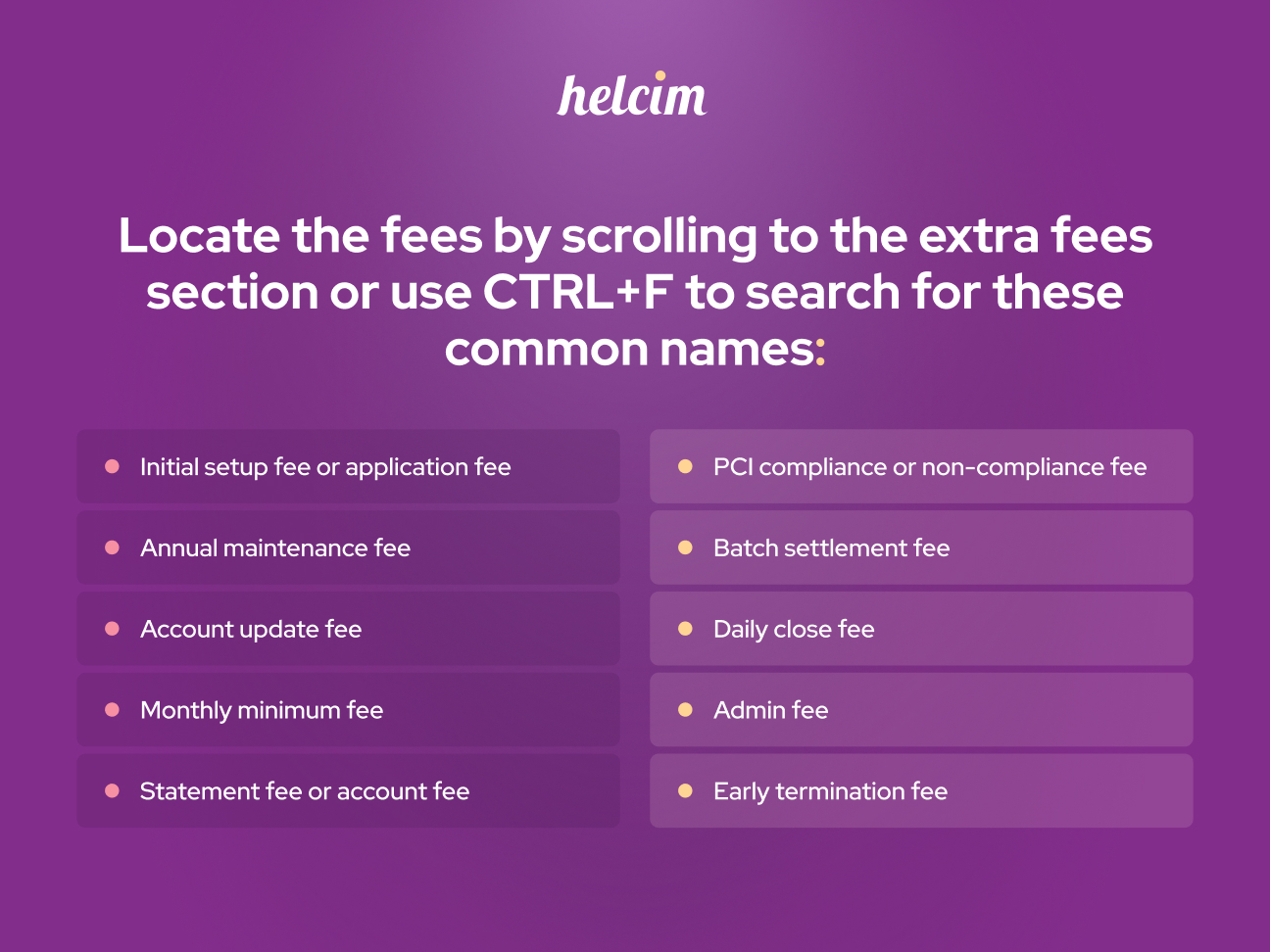
In fact, our 2026 data shows that Healthcare businesses that use "flat-rate" bundled processors often pay 26% more in total fees. The high payment processing fees, incidental charges and other hidden fees have increased the overall fees significantly.
1. PCI compliance fee
Some processors charge you an annual or monthly fee just to give you access to the portal where you fill out your Self-Assessment Questionnaire (SAQ). Essentially, they are charging you for the "privilege" of proving you are safe to do business with.
- The Cost: Typically $100 to $200 per year, or a monthly charge of about $10 to $15.
- The Reality: While processors claim this covers the "cost of monitoring," they aren't actually performing an audit or providing security, they’re just hosting a digital form.
- The Helcim Way: Helcim provides all the tools you need to complete your SAQ at no extra cost. You shouldn't have to pay a fee just to tell us you’re following the rules.
2. "Assisted" SAQ fees
If you find the questionnaire confusing, some processors or third-party "security partners" will offer to walk you through it for an additional fee.
- The Cost: $75 to $300 per session.
- The Reality: For most small clinics, the SAQ is relatively straightforward once you understand the lingo. You shouldn’t have to pay hundreds of dollars for a 10-15 minute phone call.
- The Helcim Way: If you get stuck on a question in the questionnaire, we have resources on our learning centre, or you can always call our human support team. Helcim wants to help you understand the requirements and finish your SAQ without charging you an extra fee.
3. PCI non-compliance fees
If you haven't filled out your annual security questionnaire (SAQ), your processor will likely charge you a "non-compliance fee”.
- The Cost: Usually $20 to $40 per month.
- The Reality: This isn't a government fine; it's a penalty from your processor. Many clinics pay this for years without realizing they could stop it just by completing a 15-minute security survey.
- The Helcim Way: Helcim doesn’t charge PCI non-compliance fees. Instead, our team helps you stay compliant and offers the SAQ for free.
4. Non-refundable dispute fees
When a patient disputes a charge, (even if it's a mistake) the bank charges a fee to handle the paperwork and the payment processor usually passes on that cost to the business.
- The Cost: Between $15 and 30 per chargeback.
- The Reality: Even if you win the dispute and the bank returns the money, the chargeback fee is gone and is typically kept by the payment processor.
- The Helcim Way: Helcim charges $15 for any chargebacks, because banks will always charge a fee for the dispute. However, if you win the chargeback dispute, Helcim refunds the chargeback fee back to you.
5. Monthly minimums and statement fees
Some processors charge you just for the "privilege" of receiving a monthly statement or for not processing "enough" volume.
- The Cost: $10 to $25 per month if you don't hit a certain transaction threshold.
- The Reality: For small or seasonal practices, you might end up paying $25 in fees for a month where you only saw a handful of patients. It’s a fee for doing nothing.
- The Helcim Way: We have no monthly fees and no minimums. You only pay for the transactions you actually process.
6. Hidden "tier" markups
If your software uses "tiered pricing," they categorize transactions as "qualified" or "non-qualified."
- The Cost: 1.9% might be advertised, but "premium" cards (like high-end travel or rewards cards) often get bumped to 3.5% or higher.
- The Reality: Since most healthcare patients use rewards cards to earn points on treatments, almost none of your transactions actually "qualify" for that low advertised rate.
- The Helcim Way: We use Interchange-Plus pricing for every single transaction. You pay the actual cost from the bank plus a small, transparent margin. There are no "tiers" or "non-qualified" surprises - just the real price of the card being tapped or swiped.
How the Helcim Payment Extension cuts your medical billing software costs
Most clinic owners think they have to pick between high 'convenience' fees or the headache of manual reconciliation. The Helcim Payment Extension proves you can have both. It’s a tool that plugs right into your existing workflow, providing the affordability of Interchange-Plus pricing without the 'manual' baggage.
Here is exactly how it helps you keep more of your bottom line:
1. It breaks the "integrated" price lock
Most medical billing platforms with integrated payments use flat-rate pricing models (typically 2.9% + $0.30 or higher). The Helcim Payment Extension lives in your Chrome browser and "talks" to your software from the outside, so this allows you to take advantage of Helcim’s transparent Interchange-Plus pricing.
2. It eliminates "double data entry"
The biggest cost of using a non-integrated processor is the additional administrative time. Manually reconciling payments at the end of the day can lead to accounting headaches or expensive human errors. The extension automatically "reads" the patient’s invoice and, once paid, pushes that data back into your billing software. You get the convenience of an integrated system for $0 in extra software fees.
3. No hidden junk fees
Hidden fees like PCI non-compliance, monthly minimums, and statement fees can add $200–$500 in annual costs. By using the Helcim Payment Extension, you are processing payments with no monthly fees and no hidden penalties. You only pay when you process, and you get all the billing tools (like the Virtual Terminal and Invoicing) included in one free account.
The bottom line: reclaiming your clinic’s margins
At the end of the day, the best medical billing setup is the one that stays out of your way and keeps your margins high. Whether you are a solo practitioner or a multi-provider clinic, your goal is the same: spend less time on admin and more time on patient care, without overpaying for the privilege.
Stop letting "bundled" fees eat into your bottom line. Transitioning to a smarter, more affordable option, like the Helcim Payment Extension, allows you to keep the software you love while keeping more of the money you earn. You've worked hard to build your practice; you shouldn’t have to hand over a massive slice of that success just to keep your billing simple.
FAQ’s
Why is it expensive to bill clients using medical billing software?
If you are using the integrated payment solution within your medical billing software, you’re often paying a premium for that convenience. Your rate is high because it has to cover the actual transaction cost plus a processor’s margin that is intentionally inflated to pay for the 'all-in-one' experience.
Does medical billing software charge extra for invoicing and billing features?
It depends on your specific plan, but many software providers hide their best tools behind a more expensive "pro" or "enterprise" tier. You might find that features like digital invoicing, or a Virtual Terminal require a monthly subscription upgrade.
If you use a provider like Helcim, these tools don't cost anything extra. You get access to the full suite of billing and invoicing features included — you only pay when you actually process a payment.
Can I use my own payment processor with medical billing software?
If you want to use a third-party processor directly inside a medical billing software, the answer is usually no. Medical billing software allows you to only use their integrated payment solution. You have two other ways to handle this:
The manual way: You can use your own processor and a separate credit card terminal, but you’ll have to manually reconcile payments in billing software.
The extension way: You can use a browser extension as a workaround. This allows you to use your own processor (like Helcim) and get lower rates, while the extension handles the data sync back to your software for you.
Related Articles
-
How to reduce practice management software payment processing fees
Robert Luong | February 5, 2026
-

How to reduce Jane App payment processing fees
Robert Luong | February 4, 2026
-

What are the lowest credit card processing fees?
Robert Luong | September 11, 2024
-

How to reduce your credit card processing fees
Ryleigh Stangness | November 1, 2022
-

Credit Card Processing Fees Ultimate Guide
Ryleigh Stangness | July 1, 2022