
-
Content
EFTPOS machine. It is a confusing word.
If you are running a business in North America, you have probably never used this term. But the technology is one you rely on every day.
EFTPOS stands for Electronic Funds Transfer at Point Of Sale. It is simply the name for a credit card machine or payment terminal that processes debit, credit, and tap payments. The term is most popular in the southern hemisphere.
The name may be regional, but the need is global. Your scaling business needs a payment terminal that is reliable.
We will explain what an EFTPOS machine is, how to get one, and how to use it to fuel your business.
What is an EFTPOS machine?
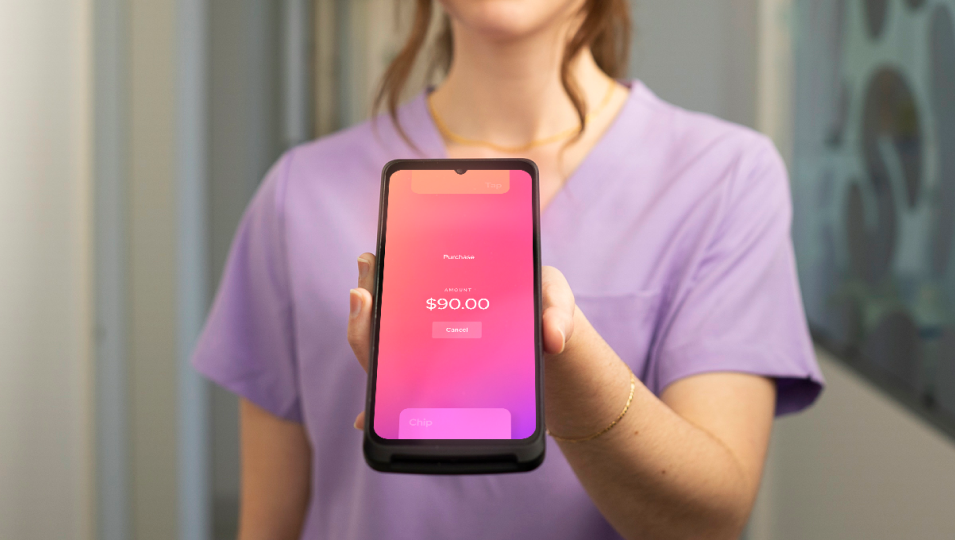
An EFTPOS machine is a payment terminal used to process electronic, cashless transactions at the point of sale. The name is an acronym for Electronic Funds Transfer at Point Of Sale. It is the physical device that lets a customer insert, swipe, or tap their card or mobile wallet to pay for goods or services.
While the EFTPOS machine is the standard, everyday term in places like Australia and New Zealand, in North America, we simply call it a credit card reader or payment terminal. For a business owner, the key takeaway is that the EFTPOS machine is the crucial tool for accepting money without handling cash. Over the last few years, digital payments have become the norm for consumers worldwide. If you want to accept all available sales, you must have an EFTPOS machine (or payment terminal) that is reliable, fast, and secure.
What is the difference between an EFTPOS machine and a POS machine?
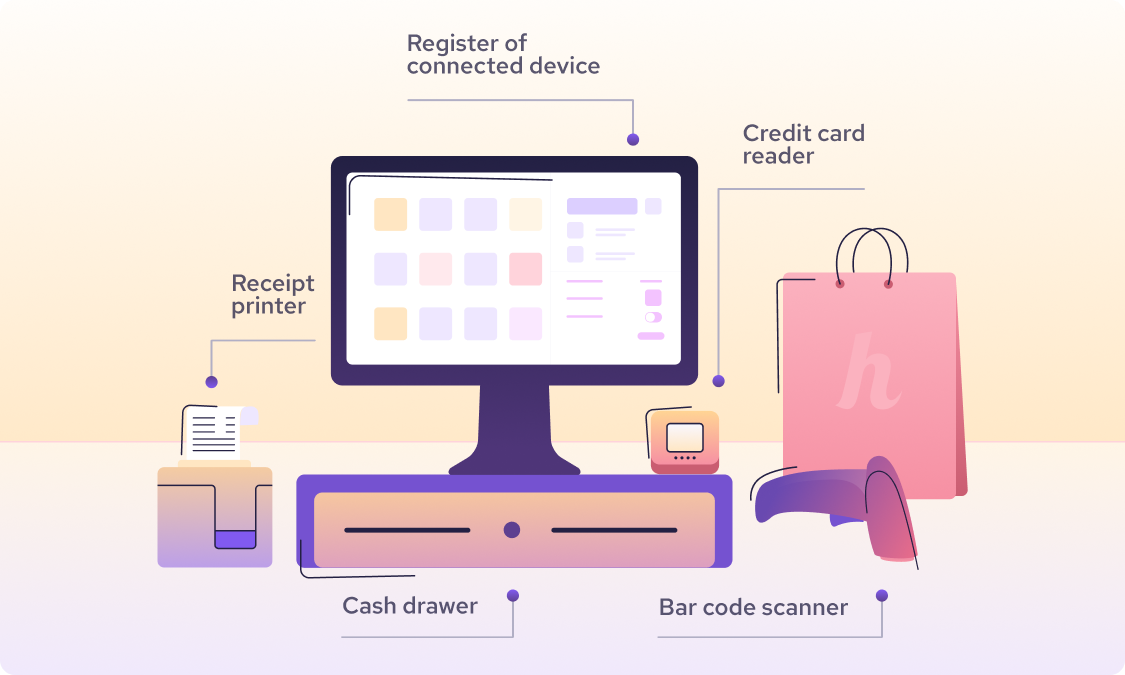
The main difference is that an EFTPOS machine is the hardware that accepts the customer’s payment, while a POS machine is the overall system that handles and records the entire sales process. In simple terms, the EFTPOS terminal takes the money, and the POS system is the brain that manages where that money came from and what was sold.
The EFTPOS terminal: A focused tool
An EFTPOS terminal is a highly focused tool. Its job is to facilitate the Electronic Funds Transfer at Point Of Sale, which means securely sending the transaction data to the bank for approval.
Your EFTPOS machine handles all the physical card actions. This includes:
- Accepting credit, debit, and contactless payments.
- Processing refunds and split payments.
- Ensuring the payment data is encrypted during the transaction.
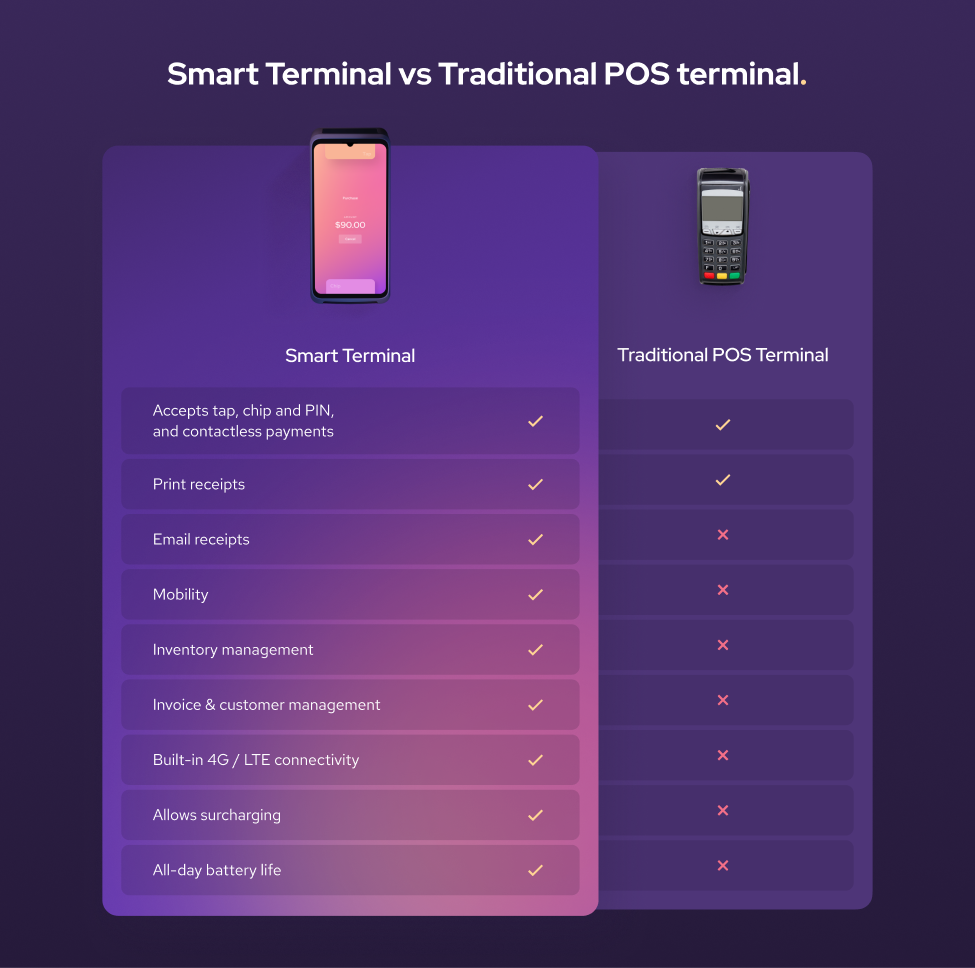
Helcim’s payment devices, like the Smart Terminal or Card Reader, are your EFTPOS machines. They focus on the core job of payment so you can get paid quickly.
The POS machine: The brains of the operation
The Point of Sale (POS) system is much bigger than just the terminal. A POS includes both hardware and software that turn any device (like a tablet or phone) into a central hub for your business. Learn more about iPhone credit card readers.
For a scaling business owner, the POS software is what lets you take control of your operation. It manages the details that fuel growth:
- Inventory management (tracking stock, setting up variants).
- Customer management (storing customer purchase history).
- Sales reporting (identifying best-sellers and profit margins).
Helcim’s platform is built around the idea of combining the two seamlessly: the free Helcim POS app provides the powerful software, and the Helcim EFTPOS devices facilitate smarter in-person payments.
What are the advantages and disadvantages of an EFTPOS machine?
The benefits of accepting electronic payments are now non-negotiable for any business owner. However, not all payment terminals are built the same, which leads to distinct advantages and disadvantages.
The advantages: why in-person payment acceptance is essential
The EFTPOS machine is essential because it aligns your business with how modern customers prefer to pay, which directly increases your profitability.
- You capture more sales. Today, credit and debit cards account for over 60% of all monthly payments. If you only accept cash, you are actively turning away a majority of potential sales.
- You meet customer expectations. Consumers under age 55 used cash for only 12% of their payments in 2023. When a business accepts card payments, it meets the standard expectation for speed and convenience.
- You see a higher average spend. Data suggests that people are more likely to spend more money when using a card compared to cash, boosting your average transaction value.
- Transactions are secure and trackable. EFTPOS transactions go straight into your bank, reducing the risk of theft and eliminating the time spent counting, recounting, and depositing cash.

The disadvantages: the hidden costs of poor providers
It would be dishonest to say that EFTPOS machines have no disadvantages. The truth is that the drawbacks are usually caused by choosing the wrong payment provider. The biggest risks are cost and complexity.
- High fees and hidden costs. Many traditional providers charge high fees that eat into your profits, including terminal rental or purchase fees, monthly service fees, and high, opaque transaction fees. This is the problem Helcim solves with our transparent Interchange Plus pricing, no hidden fee and no monthly fees.
- Reliance on technology. EFTPOS machines need a stable internet connection or power to work. If your Wi-Fi drops or your machine relies on bulky hardware, you can lose sales during peak hours.
- Steep learning curve. Some systems are complex and require significant time to train staff on troubleshooting, refunds, and bill splitting. A complicated system can slow down checkout and frustrate customers.
The best EFTPOS machine is designed to minimize these disadvantages, offering clear pricing and simple, reliable technology.

How much to buy or rent an EFTPOS machine?
You have two main options for getting an EFTPOS machine: renting or buying. In most cases, buying the terminal outright is the smarter and more transparent option. The overall cost is not just the terminal price. It’s a combination of the hardware cost, monthly software fees, and the long-term processing fees.
The hidden costs of renting an EFTPOS machine
Traditional payment providers, including most banks, prefer that you rent or lease a terminal. This model keeps your upfront costs low but hides high fees over time.
- High monthly fees: Typical terminal rental fees range from $20 to over $60 per month, per terminal. These fees are a recurring cost that eats into your monthly profit.
- Long, expensive contracts: Leasing is often tied to non-cancellable multi-year contracts (e.g., 12 to 36 months). Over the life of the contract, you usually end up paying much more than the terminal is actually worth.
- Hidden payment fees: Rental plans often come with extra charges for network connectivity, non-return fees, or steep penalties for early cancellation.
If you're a business owner focused on growth, renting creates an operating cost and liability you don't need. Learn more about if you should rent a POS system.
The power of buying your EFTPOS machine outright
The transparent way to get an EFTPOS terminal is to buy it outright. This simple, one-time purchase eliminates all monthly rental fees and ensures you own the equipment.
- Lower long-term cost: You avoid overpaying for the hardware you use every day.
- No contracts or penalties: You are not locked into long-term hardware leases with expensive cancellation fees.
Helcim’s model is built on this transparency. You simply buy the hardware you need for a clear price:
- Helcim Smart Terminal: A one-time purchase of $349 USD (or $429 CAD). This is an all-in-one terminal, so you get the screen, printer, and reader in one device.
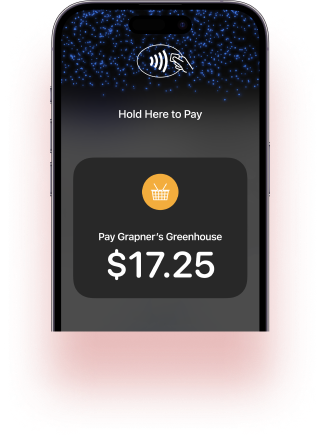
- Tap to Pay on iPhone (US only): $0 hardware cost by using the device you already own.
The biggest savings, however, come from combining low hardware costs with Helcim’s Interchange Plus pricing. This transparent model reduces your payment processing fees as your business grows, helping you truly keep more of what you earn.

How to get an EFTPOS machine?
The process for getting a payment terminal has dramatically improved in recent years. Instead of lengthy paperwork and waiting weeks for a merchant account, modern providers let you sign up and start processing quickly.
Here are the four simple steps for how to get an EFTPOS machine (payment terminal):
- Step 1: Create your free, digital merchant account instantly.
- Step 2: Verify your business for security and compliance.
- Step 3: Choose the right hardware for your operation.
Step 1: Create your free, digital merchant account instantly
The journey starts by signing up with a provider that offers simple terms. The old way required extensive paperwork and a long application process. The modern way is completely digital.
With Helcim, you can create your account instantly online with no contracts or monthly fees. This immediately sets your business up on the platform to set up your permission while you wait for account approval (1-3 business days). Learn more on how to qualify for a merchant account.

Step 2: Verify your business for security and compliance
During the account creation process, most providers will need to provide basic information to verify your identity and your business's legal standing. This process is known as Know Your Customer (KYC).
This step is essential because financial services companies are required to verify your identity and assess risk factors. You will typically need to provide details like:
- Your legal business name and address.
- Your owner information and tax ID (EIN/SSN/SIN).
- A brief description of the products or services you offer
After signing up, a provider like Helcim will complete this review quickly, often without needing to ask for further paperwork.

Step 3: Choose the right hardware for your operation
With your account approved, you can select the EFTPOS machine that best fits your business model. This is where your choice in a system defines how flexible and mobile you can be.
- Helcim Smart Terminal: If you need an all-in-one counter solution with a built-in printer and screen.
- Helcim Card Reader: If you need a mobile option that pairs with your existing tablet or desktop.
- Tap to Pay on iPhone (US only): If you want a zero-hardware solution for quick, contactless payments anywhere you go.
Because Helcim sells the equipment outright, you avoid being locked into long, expensive hardware leases.
How to set up and use EFTPOS machines
Getting your new payment terminal up and running should be a fast, simple process. The best systems are designed to be intuitive, allowing you to go from unboxing to accepting payments in minutes.
Here are the key steps for setting up and using your EFTPOS machine:
- Step 1: Power the terminal and connect to your Wi-Fi.
- Step 2: Sync with your POS software and business data.
- Step 3: Start processing and track your sales.
Step 1: Power the terminal and connect to your Wi-Fi
The first step is always to ensure your machine is charged and connected to your network. This is where your EFTPOS machine links itself to the internet to communicate with the payment network.
- Initial Power-up: If you are using an all-in-one device like the Helcim Smart Terminal for the first time, plug it in to ensure the battery is charged and power it on. Helcim Smart Terminal can work wirelessly so when it’s fully charged, you can unplug it.
- Connecting to Wi-Fi: Go to the terminal's settings menu and find the network or Wi-Fi option. Select your business's network and enter your password. A reliable internet connection is critical to avoid slow processing speeds or lost sales.
Step 2: Sync with your POS software and business data
Your EFTPOS machine is only a payment reader; it needs to be synced with the "brains" of your operation—your POS software. This step ensures your terminal knows what products you sell, what prices they are, and where to send the transaction data.
- Log In: Log into the Helcim POS app on your terminal or companion device (like a tablet).
- Connect Devices: If you are using a separate device, such as the Helcim Card Reader, you will typically pair it via Bluetooth to your tablet or phone running the POS app.
- Data Sync: Once logged in, your terminal syncs your entire inventory, customer lists, and pricing automatically from the cloud.
Step 3: Start processing and track your sales
With your terminal connected and synced, you are ready to accept payments and start tracking your success.
- Processing a Sale: Within the POS app, select the items the customer is buying, then hit the "Pay" button. This pushes the total amount instantly to your EFTPOS terminal.
- Customer Pays: The customer can then tap, insert, or swipe their card.
- Tracking and Reporting: The transaction is recorded in the POS software, giving you a clean, real-time picture of your sales, inventory levels, and cash flow. This hands-off reporting is a key benefit of using a fully integrated platform.
How to add a surcharge on EFTPOS machine
For scaling businesses, offsetting the cost of accepting card payments can make a significant difference to the bottom line. Helcim’s technology makes this process transparent and easy. We call this our Fee Saver feature and it allows you to easily pass your credit card fees to customers via surcharging.
Here is how you can set up surcharging on your payment terminal:
- Confirm compliance with local regulations.
- Enable the one-click fee-saver setting in your POS.
- Ensure the fee is disclosed clearly to your customers.
Step 1: Confirm your local surcharging regulations
Before you enable any surcharging features, you must check your local rules. Laws regarding how much you can charge and how you must disclose it vary widely by region. For example, some jurisdictions have limits on the percentage you can charge, while others require specific signage at the checkout. Make sure you know the rules so you stay compliant and avoid any unexpected fees or penalties.
Step 2: Enable the fee saver feature in your POS settings
The technology behind surcharging should be straightforward—you shouldn't have to hire a developer to turn it on. With Helcim, you can enable the Helcim fee-saver feature directly inside your POS software. This process is a simple one-click option that automatically calculates the allowed surcharge amount and applies it only to credit card transactions. The automation ensures the surcharge is calculated correctly every single time, giving you back control over your profits and making your EFTPOS machine work smarter for you.
Step 3: Ensure clear customer disclosure
Transparency is key, especially when passing a cost to the customer. When the fee-saver is enabled, your EFTPOS machine and POS system must clearly display the surcharge amount. The customer should see the line item fee and have the option to pay with a non-surcharged payment method, such as a debit card or ACH, before they complete the transaction. Being honest about pricing at the point of sale builds trust and prevents surprise, which is essential to keep loyal customers.
Why Helcim is the smarter choice for your EFTPOS machine
Your EFTPOS machine should fuel your ambition, not limit it.
You don't need to choose between powerful tools and honest pricing. Helcim is the smarter platform where growing businesses graduate. Stop dealing with the expensive terminal leases and long contracts imposed by legacy providers. Instead, you get transparent, volume-based Interchange Plus pricing that automatically ensures you keep more of what you earn as you scale. This all-in-one software and hardware platform is built to amplify your business workflow, delivering the honesty and power you deserve.
FAQs
How much does an EFTPOS machine cost per month?
The cost varies based on the provider. Traditional providers often charge high monthly rental fees that range from $20 to over $60 per month. With Helcim, you pay $0 per month for the EFTPOS machine software and platform. You only pay a one-time purchase price for the hardware.
Can you buy your own EFTPOS machine?
Yes, you can, and buying outright is the smarter choice. Buying avoids expensive, long-term rental contracts and unexpected fees. Helcim sells its terminals outright, so you own your hardware and are never locked into a lease.
Does an EFTPOS machine need the internet?
Yes, an EFTPOS machine must have an internet connection (Wi-Fi, cellular, or cable). The machine needs this connection to instantly and securely communicate with the payment networks to approve or decline the transaction. A stable connection is critical for speed and reliability.
Is using an EFTPOS machine better than accepting cash?
Yes, for a scaling business, using an EFTPOS machine is far superior to relying on cash. Credit and debit cards account for over 60% of all monthly payments. Accepting card payments helps you capture more sales and can even lead to customers spending more money per transaction.
Can I use my phone as an EFTPOS machine?
Yes, modern payment platforms allow you to use your smartphone as a payment terminal. Helcim offers Tap to Pay on iPhone (US only), which enables you to accept contactless payments directly on your phone using the Helcim POS app. This solution requires no additional hardware.
Do banks provide EFTPOS machines?
Yes, traditional banks and legacy processors provide EFTPOS machines. However, this is usually done through expensive leasing or long-term rental agreements. These contracts often involve hidden fees and rigid terms that limit your ability to switch providers.
Related Articles
-
Best Wireless Credit Card Machine
Humayun Farooq | July 26, 2024
-
What is a credit card machine?
Jared Slemp | July 23, 2024
-

iPhone Credit Card Reader: Take Payments On-the-Go
Robert Luong | August 30, 2023