
-
Content
When you run a business that sells directly to customers, getting paid should be the easiest part. But as shoppers expect multiple ways to pay, it can quickly turn into a headache. This guide breaks down how to accept B2C payments for your business, step by step. You’ll learn about the best tools to use, how much it really costs, and how to secure your system.
What are B2C payments, and why do they matter?
B2C payments (business to consumer) are simply the transactions where your customers (not a business) pay you for your products or services. It could be in person at your store, on your website, or even through an invoice link you send them by email.
For example, you walk into your favorite local shop. You find the perfect pair of shoes, head to the counter, and pay with your credit card. That’s B2C payments.
Why does B2C payment matter so much? If paying is easy, your customers walk away happy with their products. If it’s a clunky experience, they might never complete the purchase. In fact, studies show that nearly 17% of online shoppers abandon their carts because of a poor checkout experience.
So making your B2C payment process smooth isn’t just about collecting money. It’s about giving people a reason to come back.
Top 5 B2C digital payment processing solutions for small businesses?
So what’s the best digital solution for B2C payments? It depends on your business, but let’s break it down.
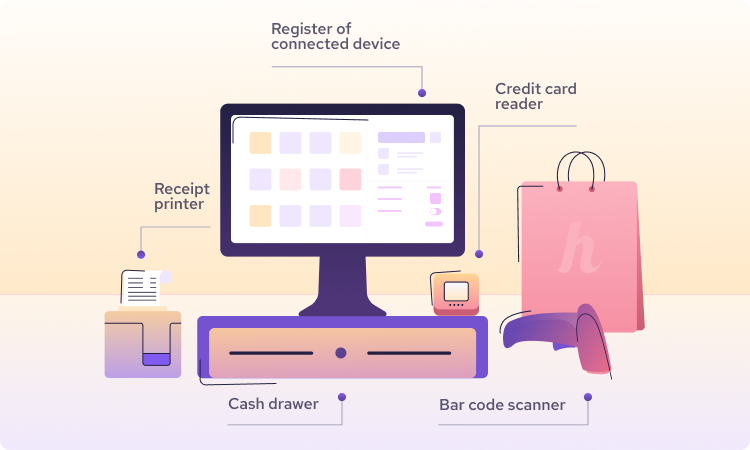
- POS system: Ideal for retail stores, cafés, salons, and any business that takes most payments in person. A POS system helps you manage inventory, customers, business info (like taxes and bank accounts), and gives you helpful analytics. With a POS system, you can connect your barcode scanner, cash register, monitor, and payment terminal to process debit and credit card purchases smoothly (learn more about what the POS system is here).
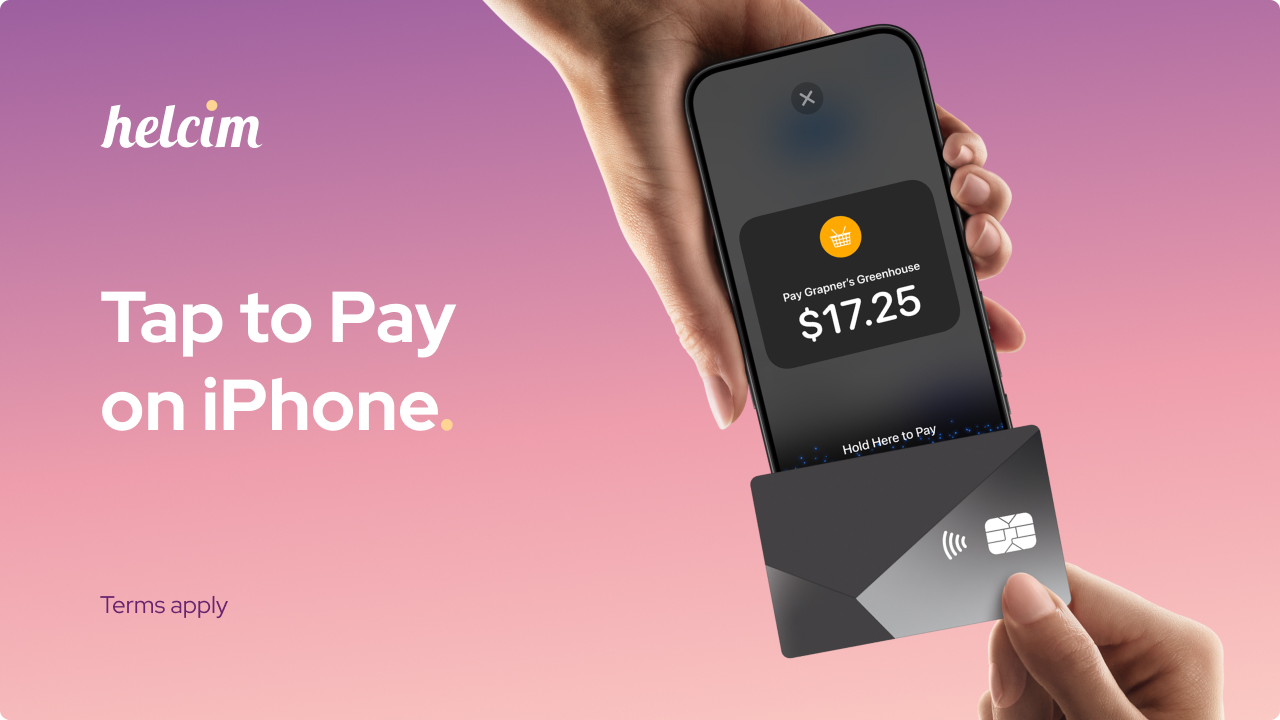
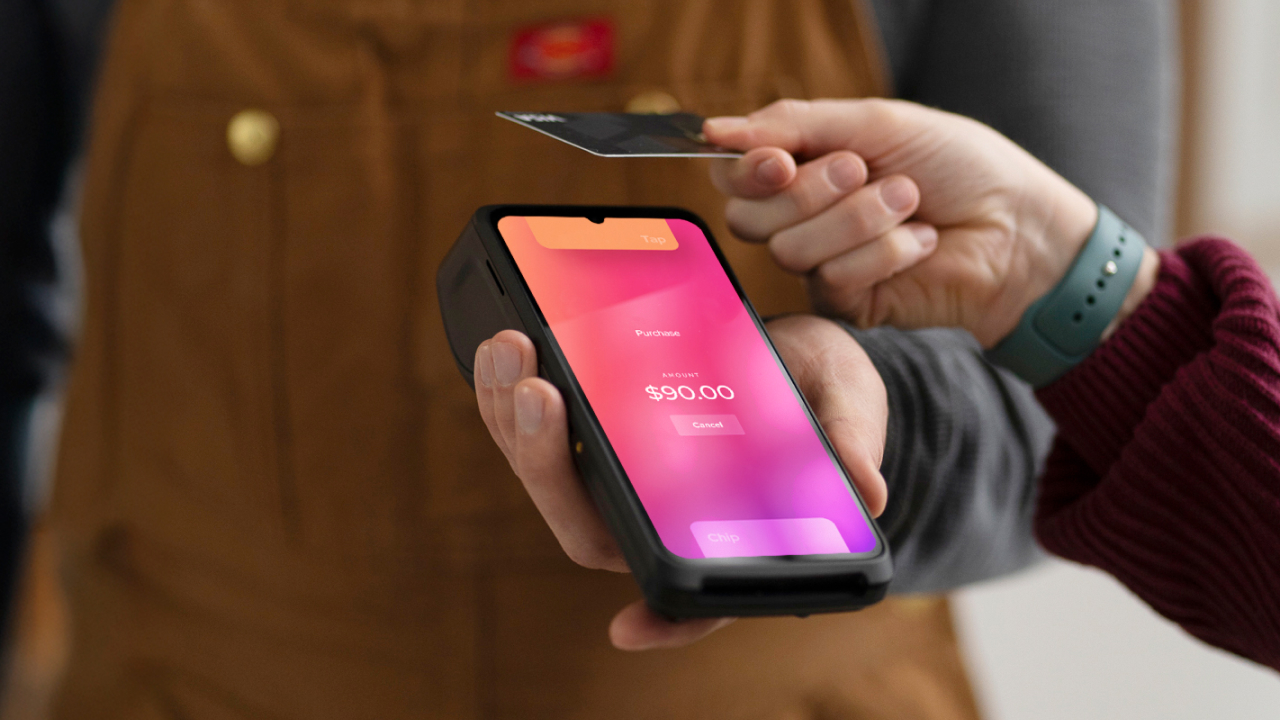
- Tap to Pay on iPhone or Android: Ideal for mobile businesses, trades, pop-ups, and local deliveries. If you don’t want to invest heavily in a POS system or you prefer a compact way to get paid on the go, Tap to Pay is perfect. It lets you collect contactless payments right from your iPhone or Android. Your customer simply taps their debit or credit card to your phone, and the payment is done.
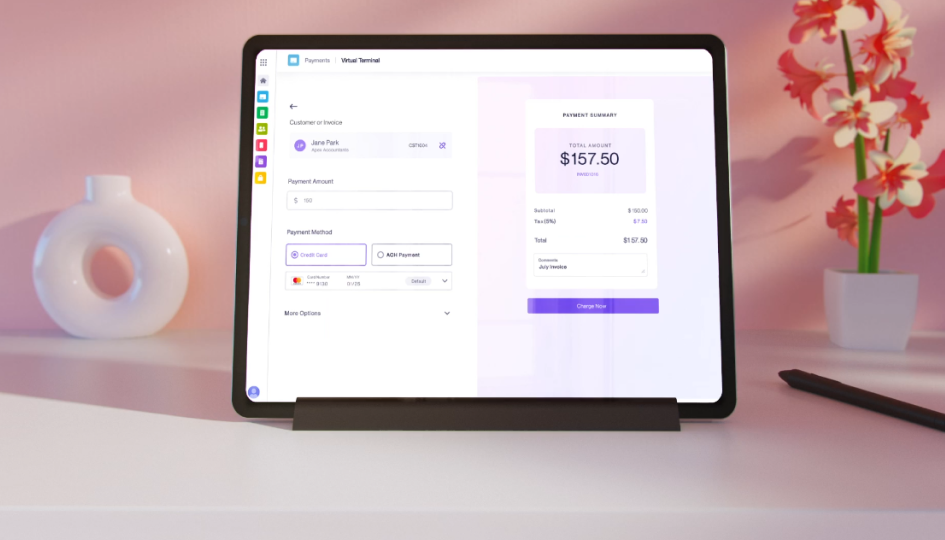
- Virtual terminal: Ideal for service businesses, offices, or anyone taking payments over the phone or by email. You can enter the customer’s payment details and process the payment on their behalf. A virtual terminal is also a great backup when your card machine isn’t working. Helcim’s Virtual Terminal also lets you collect payments by invoice, so you can handle overdue invoices or repeat payments faster.
-
Recurring payments: Ideal for gyms, clubs, rental services, or any business using subscriptions, memberships, or installment plans. For example, Helcim Recurring Payments lets you customize payment intervals, set up fees, offer free trials, and choose preferred payment methods. Once a payment is due, the system automatically collects it for you.
-
Hosted payment pages: If you want to add a checkout page to your website or create a QR payment code, this is a perfect fit. It doesn’t require any coding, so setting it up is simple.
How to choose a B2C payment gateway for your online store
It’s great if you already have a physical store that serves local customers. But if you want to scale and get more sales, opening an online store is the next big move. And to collect payments for your online store, you’ll need a payment gateway.
Online payment gateway is like the online checkout page. For example, after customers add items to their cart and click “checkout,” they’re directed to the payment gateway to complete their purchase.
Here’s what to look for when choosing a B2C payment gateway for your online store:
- Ease of integration: Make sure it works smoothly with your website platform, whether that’s Shopify, WooCommerce, Magento, or a custom site. If you have a little coding knowledge, you can even use HelcimPay.js to add your logo, adjust button text, and customize colors for an on-brand checkout experience.
- Transparent pricing: Look for clear, fair pricing without hidden fees. Some gateways charge setup fees, monthly fees, or sneaky penalties on top of transaction rates.
- Payment methods your customers use: Check that it accepts major credit cards, debit cards, and digital wallets like Apple Pay or Google Pay. The more ways to pay, the less chance of cart abandonment.
- Strong security and fraud tools: Your gateway should offer encryption, tokenization, and credit card fraud protection. For example, Helcim’s Fraud Detection tool helps you spot suspicious transactions so you can verify orders before shipping out your product.
How much does it cost to accept B2C payments?
| Category | Canada | United States |
|---|---|---|
| Payment hardware | Helcim: $129 (card reader) or $429 (payment terminal) Others: $299 (card reader) to $450 (payment terminal) | Helcim: $99 (card reader) or $349 (payment terminal) Others: $250 (card reader) to $399 (payment terminal) |
| In-person payment processing fees per transaction | Helcim average rate: Canadian EFT: 0.5% + 25¢ Mastercard, Visa, Discover: 1.67% + 8¢ American Express: 2.32% + 8¢ Others: 2.3%–2.7% | Helcim average rate: ACH: 0.5% + 25¢ Mastercard, Visa, Discover: 1.83% + 8¢ American Express: 2.61% + 8¢ Others: 2.3%–2.7% |
| Online payment processing fees per transaction | Helcim average rate: Canadian EFT: 0.5% + 25¢ Mastercard, Visa, Discover: 2.28% + 25¢ American Express: 2.75% + 25¢ Others: 2.39%–3.50% | Helcim average rate: ACH: 0.5% + 25¢ Mastercard, Visa, Discover: 2.27% + 25¢ American Express: 3.01% + 25¢ Others: 2.39%–3.50% |
| Monthly fee | Helcim: Free Others: Up to $220/month (depending on functionality) | |
| PCI compliance fees | Helcim: Free Others: Up to $300/year | |
| Chargeback fees | Helcim: $15 per chargeback (refunded if you win the dispute) Others: $15–$35 (non-refundable) | |
| ACH / Canadian EFT return fees | Helcim: $5 per return (non-refundable) Others: $15–$35 (non-refundable) | |
This is often the first question business owners ask. Here’s a quick breakdown of what you might pay to accept B2C payments with Helcim vs other payment processors:
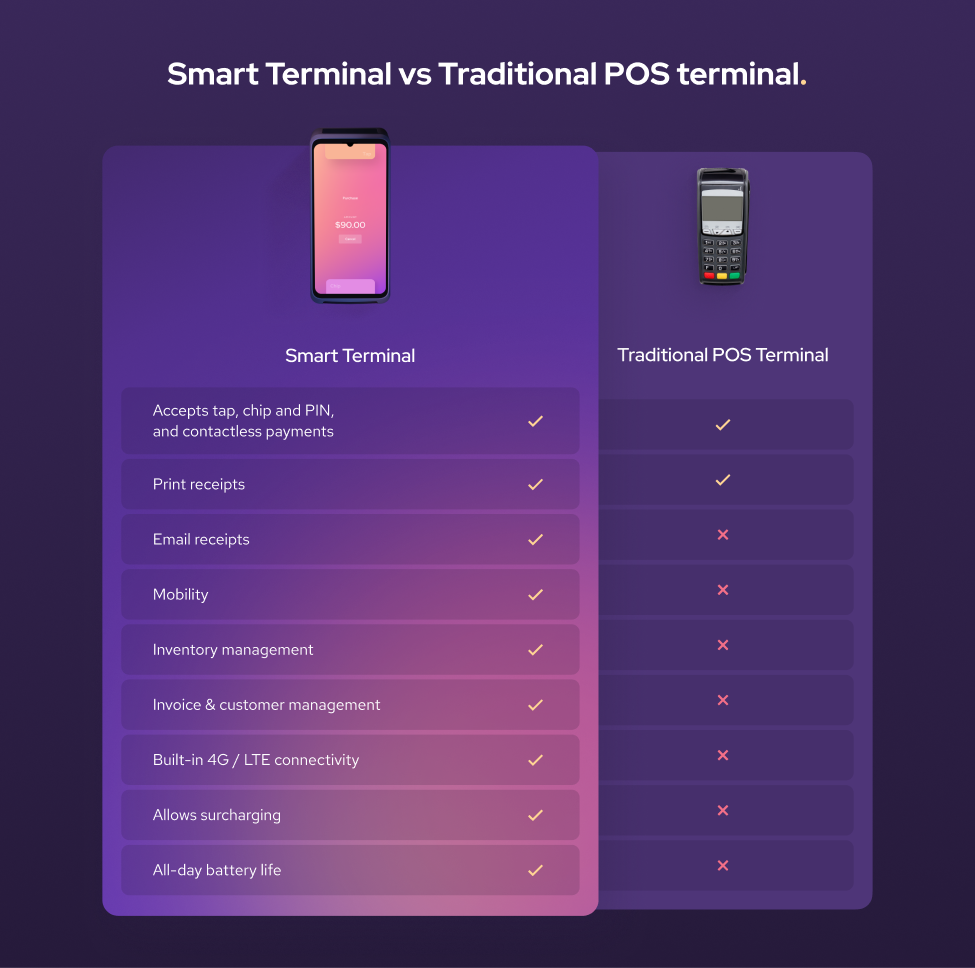
- Payment hardware: This is the upfront cost of buying the hardware you need to take in-person payments. A card reader (traditional POS terminal) is a simple handheld device that lets you take credit or debit card payments on the spot. A payment terminal (Smart Terminal) does the same thing, but with more features, such as a touchscreen, built-in receipt printer, and POS software to help you track sales, inventory, and customer data all in one place.
- Processing fees per transaction: This is the percentage you pay on each sale. With the Interchange-plus pricing model, Helcim offers the lowest credit card processing fees compared to popular payment processors.

-
Monthly fees: Some processors charge a monthly fee for using their service, no matter how much you sell. In contrast, Helcim charges no monthly fee, which is helpful if your sales are seasonal or unpredictable.
-
PCI compliance fees: This is what some providers charge to keep your business compliant with data security standards. Helcim covers this at no extra cost, while others might charge up to $300 a year.
-
Chargeback fees: If a customer disputes a charge, your processor hits you with a fee to handle it. Helcim refunds this fee if you win the credit card chargeback dispute, unlike most who keep it either way.
-
ACH/Canadian EFT return fees: If a bank transfer payment (like ACH in the US or EFT in Canada) bounces back (due to insufficient funds, fraud flags, etc.), you pay a return fee. Helcim charges a flat $5, much less than the typical $15 to $35 others charge.
What popular payment methods should businesses offer to B2C customers?
If you want more customers to complete their purchase, give them more ways to pay. It’s really that simple. In fact, surveys show that up to 9% of shoppers will abandon their carts if you don’t offer their payment choice.
Below are popular digital payment methods that your business should offer for B2C payment transactions:
- Credit and debit cards: The most common payment method for in-person and online B2C transactions.
- Bank transfer: Bank transfer is the most common payment method for recurring B2C payments like memberships, payment plans, or installments—and even for large transactions—because its low processing fees make it affordable for merchants.
- Mobile wallet: Growing payment method used by iPhone and Android mobile users.
- Buy now, pay later (BNPL): Potential payment method that helps increase basket size but has high processing fees up to 6% per transaction.
- Cash: There’s no need to explain this traditional payment method in detail. It’s a quick and free payment option, but it’s inconvenient to store and transfer.
Below is a detailed breakdown of the adoption rate of each payment method across different industries:
| Industry | ACH/EFT | Credit card | Debit card |
|---|---|---|---|
| Enterprise Utilities | 0.93% | 97.45% | 1.62% |
| Healthcare | 1.21% | 91.41% | 7.38% |
| Professional Services | 4.35% | 90.13% | 5.52% |
| Automotive | 1.07% | 89.92% | 9.01% |
| Platforms Appsand SaaS | 8.72% | 89.89% | 1.39% |
| Education | 3.43% | 89.53% | 7.05% |
| Wholesale | 1.69% | 87.95% | 10.35% |
| Contractors &Home Services | 5.66% | 85.62% | 8.72% |
| Hotels Lodging | 4.16% | 83.74% | 12.10% |
| Retail Goods | 0.40% | 83.53% | 16.08% |
| Organizationsand Associations | 7.18% | 83.33% | 9.50% |
| Charity &Non Profit | 1.16% | 81.73% | 17.11% |
| Health Beautyand Wellness | 1.07% | 80.58% | 18.35% |
| Recreation | 0.97% | 73.16% | 25.87% |
| Restaurant | 0.04% | 68.33% | 31.63% |
| Overall | 1.40% | 83.12% | 15.47% |
1. Credit and debit cards
Still the most popular way people pay, whether it’s Visa, Mastercard, or American Express. In fact, in 2024, credit cards were used in 22% of online purchases and 39% of in-person transactions. They also work smoothly for cross-border payment processing, which means you can sell to customers all around the world without added friction.
2. Bank transfer
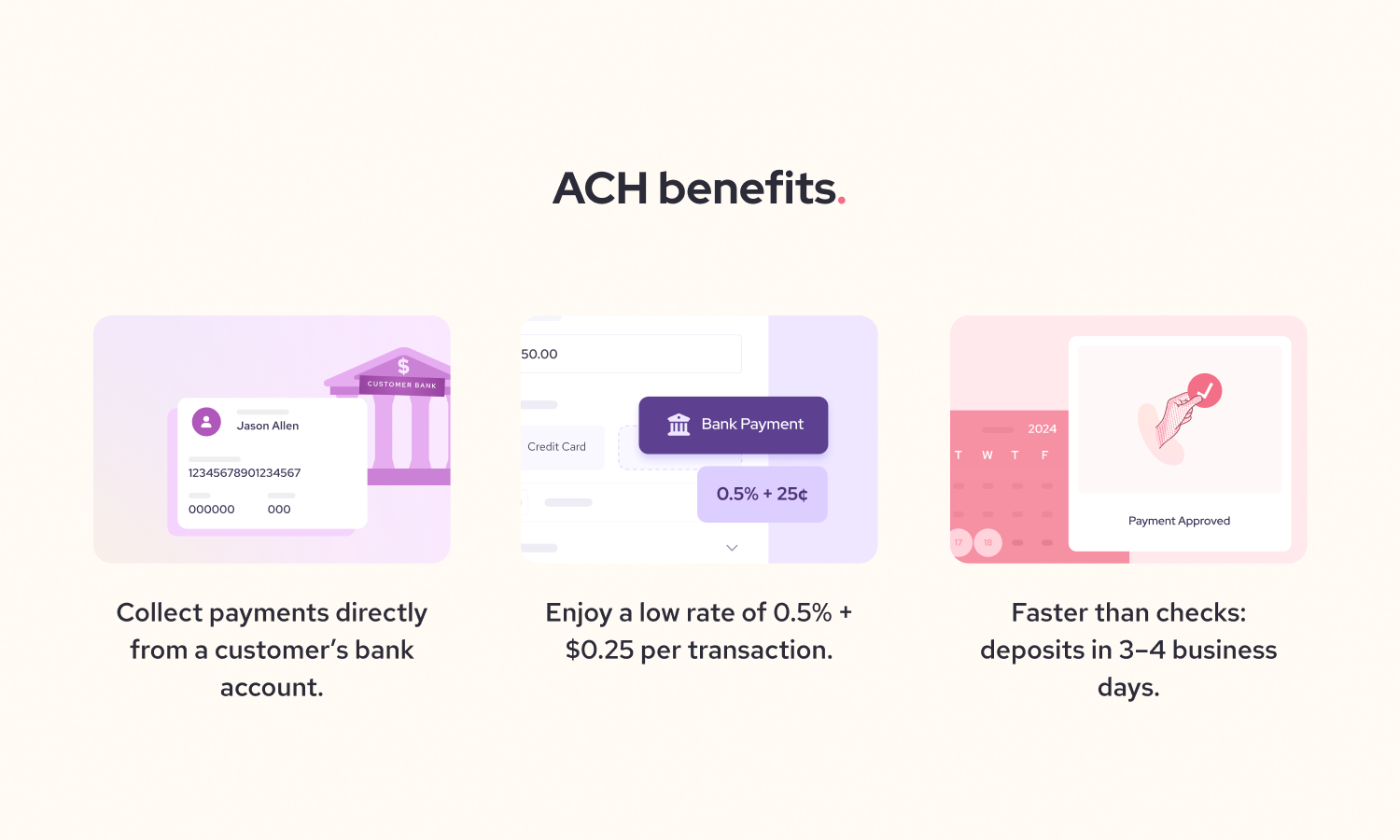
In Canada, that is Canadian EFT. In the US, it’s an ACH bank payment. These payment methods are ideal for recurring B2C payments like gym memberships, subscriptions, or installment plans. In April 2025, ACH payment volume climbed 4.2% to 8.5 billion transactions, with the total value reaching $22.1 trillion, up 6.6% from the year before. That’s a strong sign more customers and businesses trust this way to pay.
3. Mobile wallets
Apple Pay and Google Pay make checkout fast and secure, especially for customers shopping on their phones. According to Capital One, by 2024, Apple Pay accounted for 14.2% of all online consumer payments and 5.6% of in-person transactions. People don’t want to re-enter their payment details, and in fact, 30% of shoppers will leave their cart if they have to re-enter their credit card details again. Make sure your payment gateway supports mobile wallets to keep checkout smooth.
4. Buy now, pay later (BNPL)
Services like Klarna or Affirm let customers split purchases into smaller payments. The study showed BNPL increases order sizes by 10%. But be mindful: BNPL processing fees can be high, sometimes reaching up to 6% per transaction. If your payment processor also adds a processing fee on top of BNPL, total costs could climb to around 9% per sale.
What security measures should businesses use for accepting B2C payments?
Back when card payments weren’t common, people stuck to cash. They were afraid their money might disappear the moment they swiped a card or paid online. Fast forward to today: that fear isn’t as widespread, but keeping your payment systems secure is still critical.
Below are common B2C payment risks and what security measures should your business have to for accepting B2C payments:
-
Credit card skimmers: These are sneaky devices criminals attach to payment terminals to steal card data. They show up most often at gas pumps or ATMs, but any unattended terminal is at risk. As a merchant, always inspect your terminal to make sure there aren’t any skimmers attached.
-
Stolen credit card: A fraudster might buy stolen card data off the dark web or use info from a skimmer to shop on your site. If the real cardholder spots unauthorized charges and disputes them, you could lose both the product and the money. In person: Never key in a card manually if a customer asks, they might be trying to avoid using a PIN, which is a red flag. Online: Use fraud tools like Helcim’s Fraud Defender to spot suspicious details, such as mismatched billing addresses or unusually large orders.
-
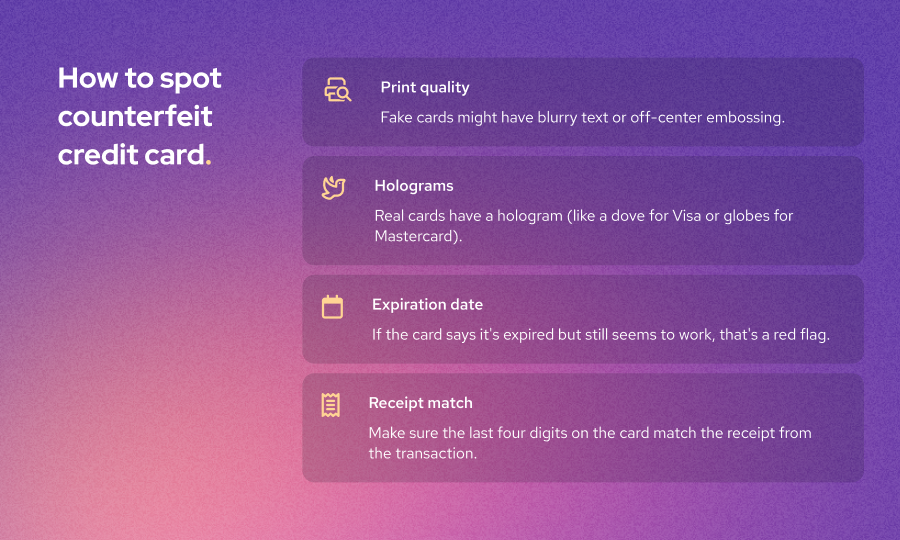
Counterfeit card: Some scammers use fake cards that look real but have altered magnetic stripes or chips. If you’re not using secure EMV or tap-to-pay systems, it’s easier for these cards to slip through. You can avoid processing counterfeit cards by looking at the print quality. Fake cards might have blurry text or off-center embossing.
- Fake refunds to steal your money: Some fraudsters know how to access your terminal’s refund menu and might try to issue a refund to their own card instead of paying. This is a bigger risk in places like restaurants, where customers often handle the terminal while staff are busy elsewhere. To avoid this, keep an eye out for customers who might be pressing more keys than usual.
Learn more about how to prevent card-present fraud here.
How to meet PCI compliance requirements for B2C payment processing
PCI DSS (Payment Card Industry Data Security Standard) is a set of security rules from major card networks like Visa and Mastercard. They’re designed to keep cardholder data safe and reduce fraud.
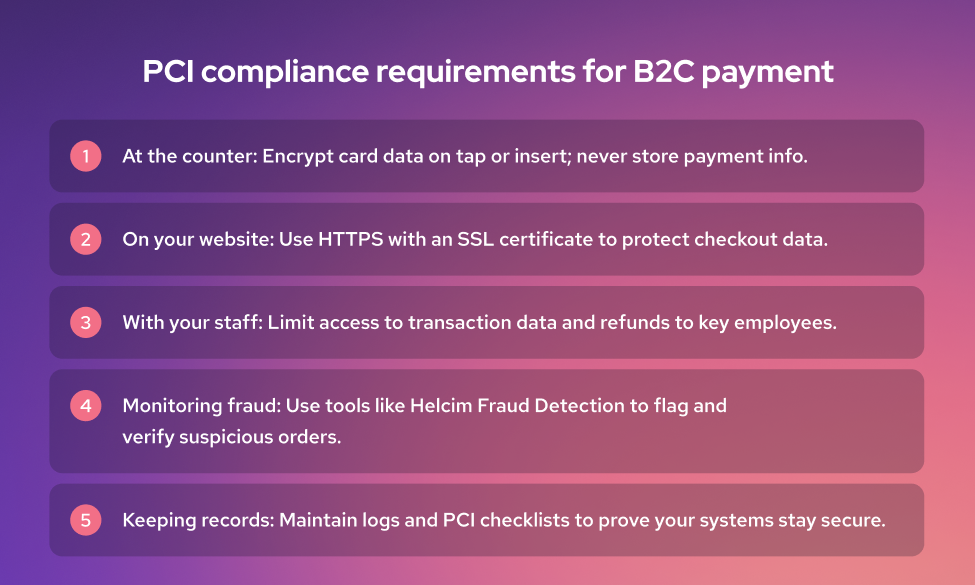
While most payment processors keep their systems compliant, you still need to take a few steps to make sure your business follows the rules too.
- At the counter: Your payment terminal should encrypt card data as soon as the customer taps or inserts their card. After the transaction, it shouldn’t store any payment data. This helps protect you from hacks.
- On your website: If you sell products online, your site needs to be HTTPS secured. To do that, get an SSL certificate from your hosting provider. This certificate enables an encrypted connection that protects your customers’ payment data during checkout.
- With your staff: If you have a team running your restaurant’s POS, only give access to transaction data or refunds to key employees like your store manager. The CVV code usually isn’t stored in your system, but limiting access still lowers your risk if something goes wrong.
- Monitoring fraud: If you’re a Helcim merchant, Helcim’s Fraud Detection tool will flag suspicious transactions. For example, it might catch a large online order from a country you’ve never shipped to. Don’t ignore these red flags. Check the reasons carefully and verify the customer’s identity before sending out orders.
- Keeping records: If a customer disputes a charge or you ever face an audit, you’ll need proof that your systems were secure. Keeping logs and PCI self-assessment checklists helps you stay protected.
Skipping PCI compliance isn’t an option. It could get your merchant account revoked or fined by the card networks. On top of that, chargebacks can pull money straight from your account. Worst of all, you could lose customer trust for good.
How to save 25% on B2C payment processing fees with Helcim
Payment processing fees can eat into your profits faster than you think. That’s why many businesses have switched to Helcim and saved 25% on their payment processing costs.
Interchange-plus pricing: This is the most affordable pricing model on the market. Helcim passes the actual cost from Visa, Mastercard, or AMEX directly to you, then adds a small, transparent markup. No hidden fees or surprise rate hikes.
No monthly fees or long-term contracts: You only pay for what you process. This is a big win if your sales vary by season or if you’re just starting out.
Automatic fee discount: The more you process, the more you save. Helcim automatically lowers your rates as you hit higher volume tiers, no awkward negotiations needed. You can focus on scaling your business while your fees drop on their own.
Want to see how much you could save? Try Helcim’s savings calculator and get a personalized estimate in seconds.
And if you’re stuck in a contract with another processor, Helcim will even give you $500 in processing fee credits to help cover cancellation fees or new equipment costs. It’s an easy way to break free from high rates and start keeping more of your money.

Break up with bad rates.
Feeling stuck with your provider? We'll waive $500 of your processing fees when you switch to Helcim.
FAQs
How do you integrate B2C payments with your website or store?
Most payment gateways offer simple plugins or APIs to connect with platforms like Shopify, WooCommerce, or Magento. This lets you add a secure checkout without heavy coding. If you have some coding knowledge, you can use Helcim API or HelcimPay.js to customize the look and feel of your checkout.
How can your business improve the B2C payment experience?
Offer multiple payment options so customers can pay how they want, whether by card, mobile wallet, or bank transfer. Use clear pricing, send detailed receipts, and add trust signals like HTTPS and PCI badges so that the customers know their payment information is secure.
How can I reduce transaction fees for B2C payments?
Choose a processor with transparent interchange-plus pricing, which often costs less than flat rates. Watch for hidden fees like monthly charges or PCI costs. Encourage customers to use lower-cost payment methods like debit cards or bank transfers. As your sales grow, processors like Helcim automatically reduce your rates, saving you even more.
Do I need PCI compliance for all B2C payments?
Yes, if you accept credit or debit cards, you’re required to follow PCI DSS rules to protect cardholder data. This applies whether you’re selling online, in person, or over the phone. Thankfully, most payment processors handle the heavy lifting. You just need to complete the PCI assessment every year so that the card network knows your business is operating securely.
What security protocols are essential for online payments?
Your website and checkout page should use HTTPS to encrypt customer data. Tokenization and encryption keep credit card numbers secure during and after transactions. You can use fraud tools like Helcim Fraud Defender to spot suspicious transactions based on AVS, transaction size, billing & shipping match, bank BIN and IP address.
Related Articles
-
What is the best portable POS system for small business?
Robert Luong | March 24, 2025
-
The best mobile pos systems for small businesses
Feyi Oladipo | March 11, 2025
-
Accept B2B payments: The ultimate guide
Robert Luong | March 3, 2025
-
Best Virtual Terminal - Online POS System
Robert Luong | September 12, 2024
-
Best 5 ACH processing companies for US businesses
May Montenegro | August 27, 2024
-
Best Wireless Credit Card Machine
Humayun Farooq | July 26, 2024
-

Best Credit Card Processor for Small Businesses
Robert Luong | June 20, 2024