
-
Content
Last Updated on October 7, 2025 by Robert Luong
Today’s customers expect to pay quickly and conveniently, whether they’re sitting at a café table, ordering at a food truck, or checking out at a retail counter. That’s why choosing the right wireless credit card machine is one of the most important decisions you’ll make for your business.
Whether you’re shopping for your first device or looking to switch providers, this guide will walk you through the main types of wireless credit card machines, the features that matter most, and how to evaluate your options. We’ll also compare popular providers like Helcim, Square, Clover, Stripe, and Toast so you can choose the machine that fits your business best.
What types of wireless credit card machines are there?
A wireless credit card machine is any device that lets you accept cards and digital wallet payments without being tied to a checkout counter. But not all machines are created equal. There’s no one-size-fits-all option—different models come with different designs, features, and price points depending on what your business needs.
In general, you’ll come across four main types of wireless credit card machines:
- Smart terminals: All-in-one devices that bundle POS software, payment processing, and a receipt printer.
- Mobile card readers: Compact readers that pair with your smartphone or tablet via Bluetooth.
- Handheld POS devices: Similar to smart terminals, but with added tools like a built-in barcode scanner.
- Tap to Pay on iPhone or Android: Lets you accept contactless payments directly on your phone with no extra hardware.
Each option has its own strengths, trade-offs, and best use cases. Below, we’ll break down how they differ and help you decide which type is the right fit for your business.
1. Smart terminals
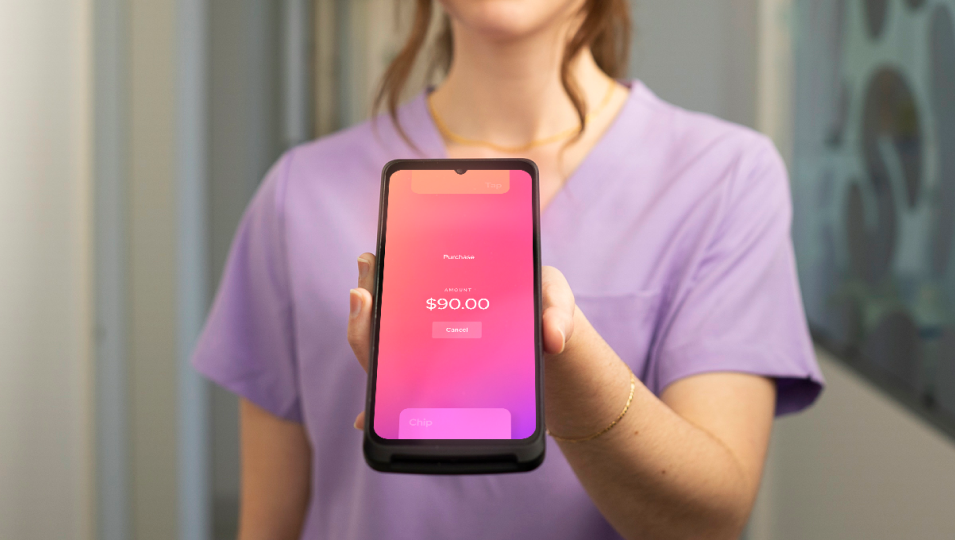
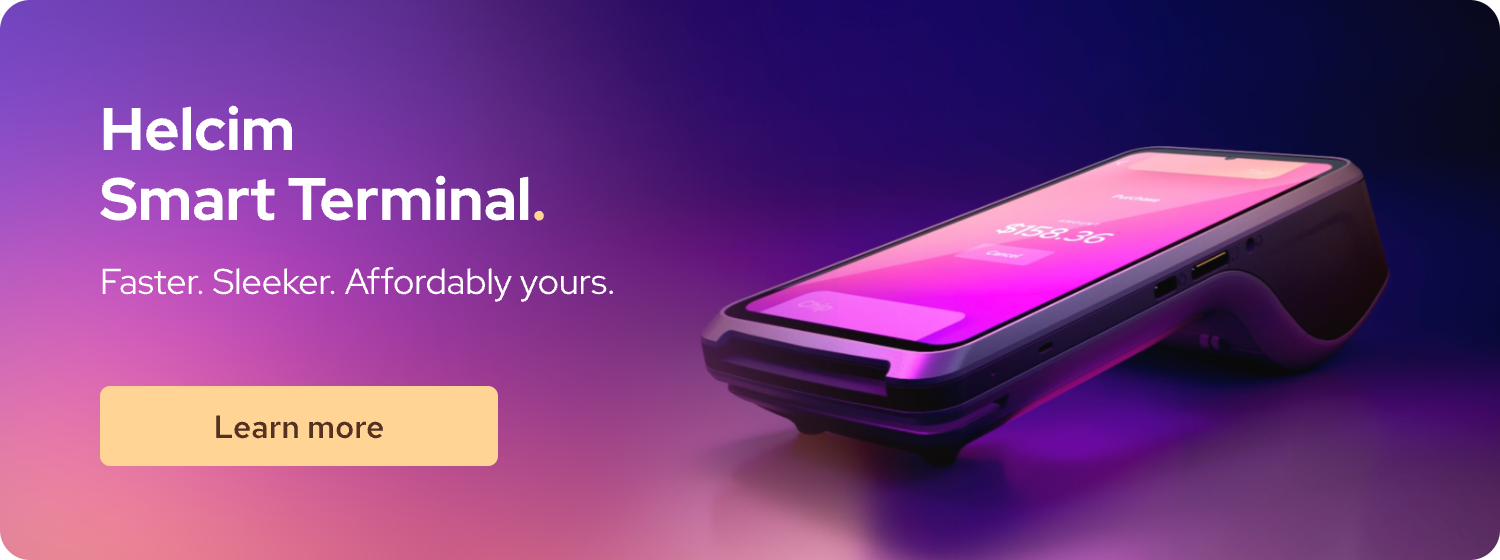
Smart terminals combine payment processing, point-of-sale (POS) software, and receipt printing in one device. You can think of them as handheld POS stations that let you take payments and manage your business in one place.
Advantages: With a smart terminal, you can view sales reports, check inventory, and manage customer details on the go. You can even print paper receipts without needing a separate printer. Most smart terminals feature touchscreens, making the experience similar to using a smartphone.
Disadvantages: Smart terminals connect over Wi-Fi or 4G/5G data, so you’ll need an internet connection to process transactions. If you’re a Helcim merchant, you can equip your smart terminal with a mobile data plan to ensure uninterrupted connectivity and operation. The Smart Terminal is also quite expensive ($300 to $500), so new business owners with tight capital may feel hesitant to adopt it.
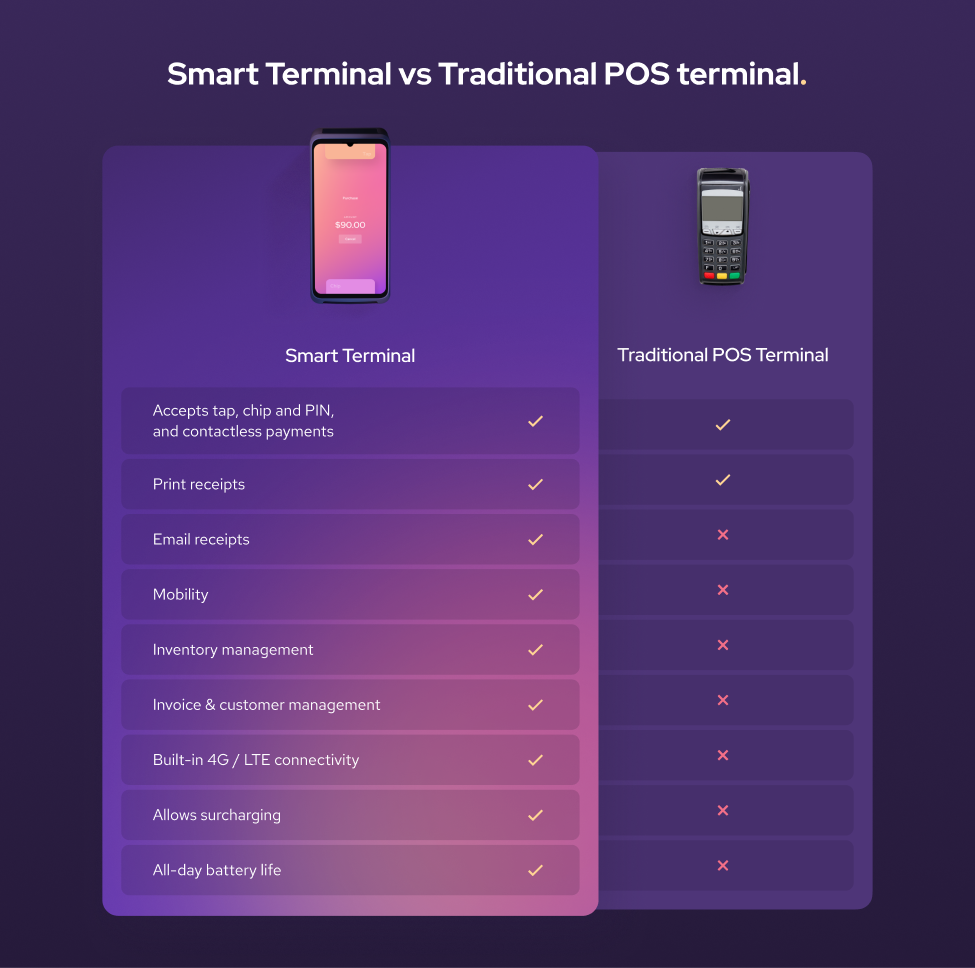
Smart terminals are best suited for businesses that want mobility without sacrificing features. For example, service professionals like plumbers can complete jobs on-site and accept payments right away, instead of sending invoices and waiting to collect later.
2. Credit card readers
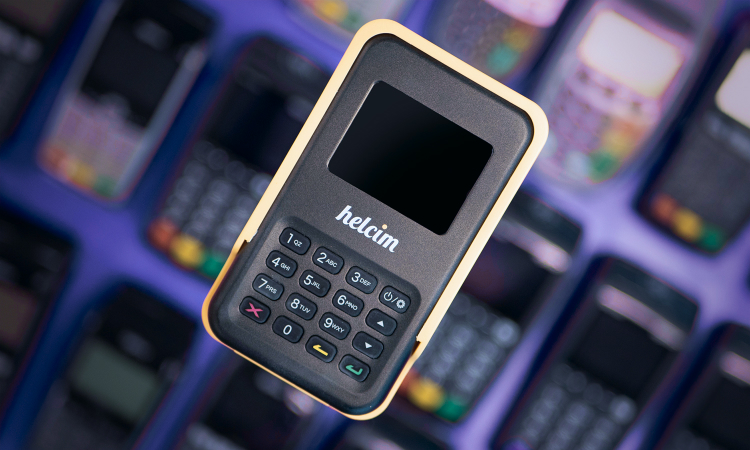
Like smart terminals, credit card readers let on-the-go businesses accept payments conveniently. However, instead of a standalone device, you need to pair these card readers with your smartphone or tablet with a POS app (mobile payment app) through Bluetooth. The reader captures the card details, while your POS app and internet connection handle the checkout process.
Advantages: Because they’re inexpensive (around $50 to $99), credit card readers are the best fit for new businesses that need an affordable solution. With the very compact design, you can fit it in your pocket or toolbelt.
Disadvantages: These devices don’t have built-in receipt printers, so you’ll need an external printer if you want to provide paper receipts, which adds extra cost ($50 to $100). They also don’t come with an installed POS app, so you must connect them to the app on your phone or tablet, which adds another device to your setup. Finally, since these readers depend on your phone or tablet for both the app and connectivity, you’ll need to keep all your devices fully charged to avoid interruptions.
In short, mobile card readers work best if you’re a solo professional or a business that values simplicity and low cost over advanced features.
3. Handheld POS devices (with barcode scanner)
Handheld POS devices sit in the middle ground between a simple credit card reader and a smart terminal.
Advantages: They are compact, include a touchscreen and a built-in POS app, so you don’t need to connect them to your phone or tablet. Many also come with an integrated barcode scanner (a feature smart terminals usually lack), which is extremely useful for staff completing checkouts anywhere on the sales floor.
Disadvantages: Handheld POS devices typically don’t have built-in receipt printers, so you’ll need to buy an external one. Like other wireless credit card machines, they rely on Wi-Fi or 4G/5G connectivity to function. They’re also the most expensive type of wireless device, often costing at least $450.
Overall, handheld POS devices are a strong choice for businesses that sell physical products and operate on large sales floors where staff move around to assist customers. If your business is mobile and you sell products with SKUs, a handheld device can also be a convenient option.
4. Tap to Pay on iPhone or Android
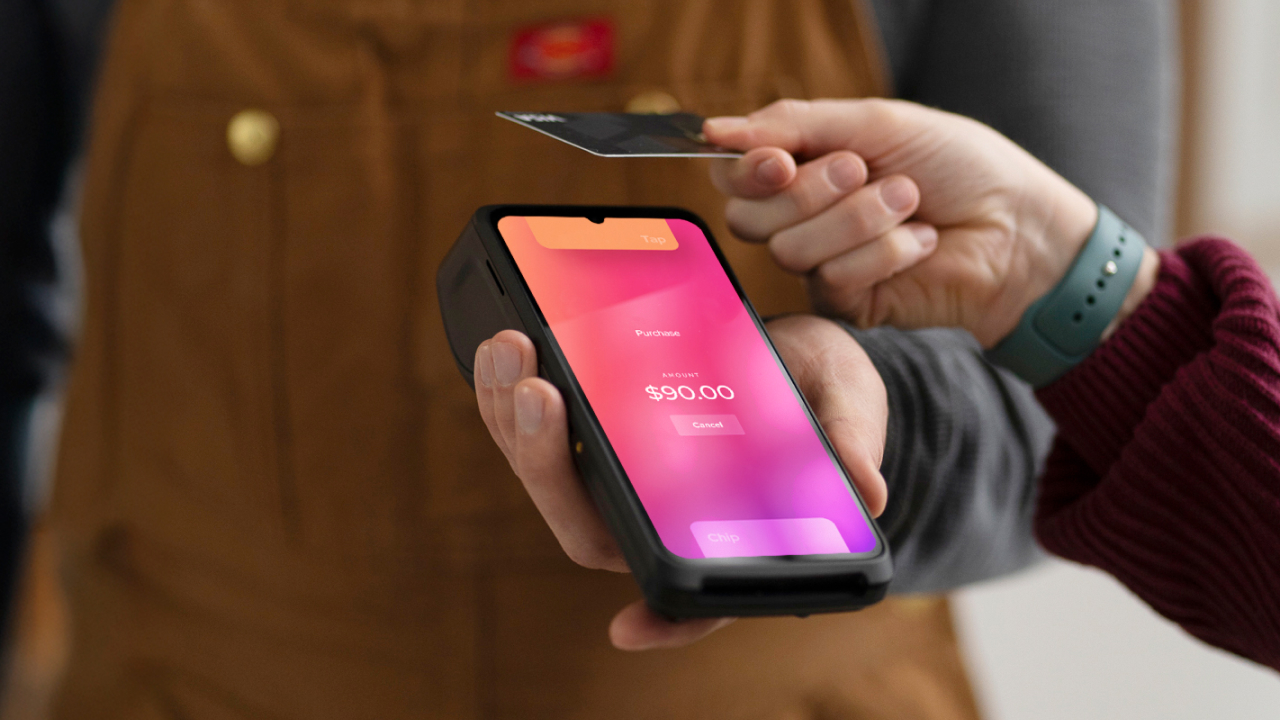
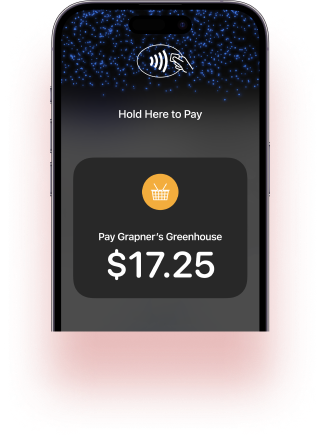
For businesses that don’t want to spend money on hardware, Tap to Pay on iPhone or Android lets you collect contactless payments directly from your phone. Simply download the Helcim POS app and enable the Tap to Pay feature to turn your smartphone into a payment terminal.
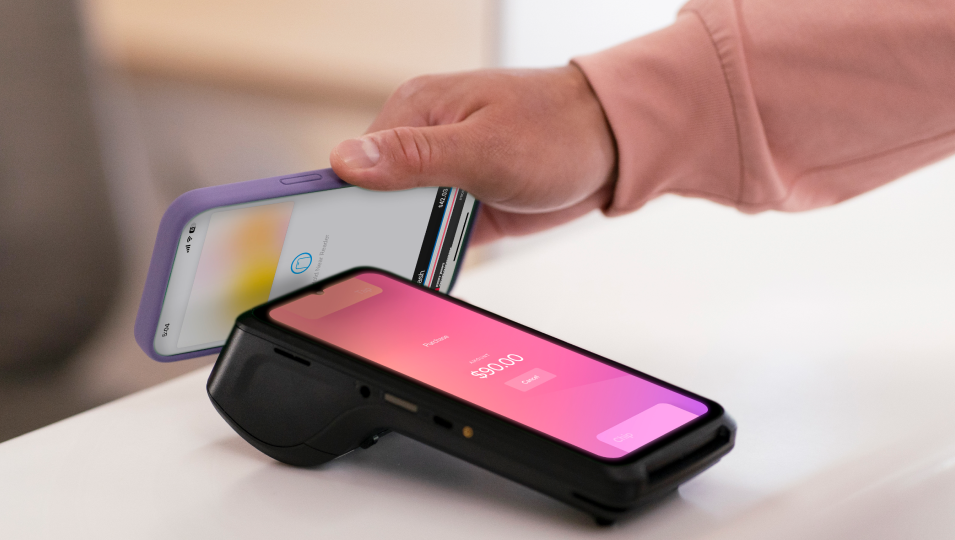
Advantages: With this feature, customers can tap their contactless credit or debit card—or use a digital wallet like Apple Pay or Google Pay—directly on your phone to complete the transaction. There’s no hardware cost, which saves you money, and you don’t have to carry a separate card reader.
Disadvantages: Tap to Pay only works on newer iPhones and Android devices that support NFC payments. It’s also limited to contactless payments, so customers can’t insert or swipe their cards. Finally, you’ll need to buy a separate printer if you want to issue paper receipts.
For many small businesses, Tap to Pay is a great entry-level solution or a handy backup. If you want the ultimate convenience and don’t need features like built-in printers or barcode scanners, accepting payments directly on your phone can be the simplest way to go wireless.
What is the best wireless credit card machine for small businesses?
There is no one-size-fits-all wireless credit card machine; the ideal one depends on your business needs. Some business owners value low, transparent pricing above all else. Others want advanced point-of-sale (POS) features. To help you weigh the options, here’s a breakdown of six well-known providers: Helcim, Square, Clover, PayAnywhere, Moneris, and Stripe, each with its own strengths and trade-offs.
1. Helcim
Helcim offers three types of wireless credit card machines:
- Helcim Smart Terminal: $429 CAD or $349 USD
- Helcim Credit Card Readers: $129 CAD or $99 USD
- Tap to Pay on iPhone: Free
The hardware isn’t the only thing that makes Helcim attractive. It’s often the go-to provider for small businesses that want to save on payment processing fees.
With the interchange-plus pricing model, Helcim passes the “wholesale” processing cost directly to you, often making it up to 25% cheaper than other POS providers. Merchants pay around 1.67% to 1.83% per Visa, Mastercard, and Discover transaction. For American Express, the processing fees are around 2.32% to 2.61%.

2. Square
When it comes to payment hardware, Square is one of the most popular names. It’s known for its vast ecosystem of devices designed for businesses. This includes several types of wireless credit card machines:
- Smart Terminal (Square Terminal): $399 CAD or $299 USD
- Credit Card Readers (Square Reader): $69 CAD or $59 USD
- Handheld POS terminal (Square Handheld): $449 CAD or $399 USD
- Tap to Pay on iPhone: Free
In addition to these core devices, Square also sells accessories such as barcode scanners and receipt printers directly on its website. These are always compatible with the Square system, making it easy to expand your setup.
The main drawback lies with the Square Credit Card Reader. This reader only supports tap-to-pay transactions—customers cannot insert or swipe their cards. Unlike the Helcim Credit Card Reader, Square’s reader also lacks a number pad. That means customers can’t enter tip amounts, and staff can’t adjust payments directly on the device. Instead, the reader relies on the connected phone or tablet to handle those functions.
Similar to Helcim, Square has multiple payment tools that let merchants accept payments online with no contract. However, Square charges a monthly fee of around $30/month for some payment features. Square also uses a flat-rate pricing model for payment processing. Merchants pay 2.5% per transaction in Canada, or 2.6% + 15¢ per transaction in the U.S.
Learn more about Helcim vs Square.
3. Clover
Clover takes wireless payments a step further by blending payment hardware with a full POS ecosystem.
- Smart Terminal (Clover Flex): $599 – $649
- Handheld POS terminal (Clover Flex Pocket): $599 – $649
For Clover Flex, it supports chip, tap, and swipe payments, and includes a built-in receipt printer, barcode scanner, and touchscreen. This makes it a strong option for restaurants, cafés, and retail shops. Clover’s payment processing fees average around 2.30% per transaction.
However, the main downside is cost. Clover devices are more expensive than other smart terminals, and to use Clover hardware, you must subscribe to a monthly software plan ($35/month to $160/month) and sign a three to five-year contract. These contracts typically include cancellation fees and strict terms.
Learn more about Helcim vs Clover.
4. Stripe
Even though Stripe is best known for its powerful integration features that let businesses embed payments into SaaS platforms and customize the checkout experience, it also offers a lineup of wireless credit card machines:
- Smart Terminal (Verifone V660p): Price isn’t publicly listed
- Handheld POS terminal (Stripe Reader S700): $449 CAD or $349 USD
- Credit Card Readers (Stripe Reader M2): $59 USD
- Tap to Pay on iPhone: Free
Stripe’s hardware lineup covers most needs. Similar to Helcim and Square, Stripe also offers online payment tools, which help merchants manage sales and accept payments across multiple channels. A standout feature of Stripe hardware is Offline Mode, which allows payments to be accepted even when the internet drops.
However, the Stripe Reader S700 connects only via Wi-Fi, which means it won’t work in areas without coverage. Stripe does offer the Reader S710 with both Wi-Fi and cellular, but it has been out of stock at the time of writing.
The Stripe Reader M2 is also limited to the U.S., and like the Square Reader, it lacks a number pad. This makes it inconvenient for staff who need to adjust amounts on the spot or for customers who can’t tap and need to insert or swipe.
Processing fees are another drawback. Stripe charges 2.9% + $0.30 per transaction for in-person payments, which is roughly 50% higher than Helcim’s interchange-plus pricing. For businesses with significant volume, that difference can add up quickly.
Learn more about Helcim vs Stripe.
5. Toast
Toast is built specifically for restaurants, cafés, and other food service businesses. Unlike general-purpose providers, it designs both its hardware and software around the unique needs of hospitality—things like table management, menu customization, and tipping workflows.
Instead of selling hardware at a fixed price, Toast typically bundles it with monthly software plans or offsets the cost through higher payment processing fees. For example:
- The Starter Kit includes $0 monthly fees and $0 upfront hardware cost, but charges 3.09% + 15¢ per transaction, roughly 80% higher than Helcim and 20% higher than many other providers.
- The Point of Sale plan starts at $69/month, but processing fees remain expensive.
The biggest advantage of Toast is its restaurant-focused ecosystem. With a Toast handheld, servers can take orders, send them directly to the kitchen, process payments at the table, and print receipts—all without walking back to a register. The software also supports staff scheduling, ingredient-level inventory tracking, online ordering, and delivery integrations, making it an end-to-end platform for busy restaurants.
What features to look for in a wireless credit card machine
Price shouldn’t be the only factor you consider when choosing a wireless credit card machine. The real value lies in how the hardware and POS software work together to support your business. The machine itself is simply the tool that transmits payment information, but it’s the POS software that powers the rest. This includes managing inventory, products, customer records, taxes, reporting, refunds, and more.
In other words, you’re not just buying a device; you’re investing in the system that keeps your business running day to day. Below are the key features you should look for when evaluating a wireless credit card machine.
1. Payment tools
The true value of a wireless credit card machine isn’t just in the hardware—it’s in the additional payment tools that come with it. For example, Helcim bundles free tools with their devices, giving small businesses access to features that once required separate subscriptions. These tools can help you get paid faster, manage customers more effectively, and expand into online sales channels.
Common Helcim payment tools include:
- Helcim Virtual Terminal: Enter payment details and process transactions from your laptop or tablet—no website or extra hardware needed.
- Helcim Invoicing: Send and manage online invoices, and handle past due invoices with ease.
- Helcim Recurring Payments: Automate billing for memberships, payment plans, or retainers.
- Helcim Payment Pages: Add secure, end-to-end payment functionality to your website without programming.
- Helcim Online Checkout: Launch an online store with a free, fully hosted, mobile-first checkout—no coding or extra costs.
- Customer information management: Store contact details and payment history to personalize service and streamline repeat sales.
- Inventory management: Add and organize products, track stock levels, and set low-stock alerts to avoid surprises.
Paying extra for each of these tools can add up quickly. If your provider includes them for free, you’re essentially getting an all-in-one payment platform without extra costs.
2. Integrations
Every transaction processed by your wireless credit card machine affects multiple parts of your business. It could reduce your inventory by one item, add new revenue to your books, or create another sale your accountant needs to reconcile.
Without integrations, you have to keep track of those changes manually. With the right integrations, your POS software can communicate directly with other systems so your business runs more smoothly. For example:
- Accounting integration: Connecting your POS system with QuickBooks or Xero automatically records sales and simplifies reconciliation.
- Ordering integration: Linking your POS with a supplier ordering system lets you reorder stock as soon as inventory levels drop.
- E-commerce integration: Syncing with platforms like WooCommerce or Shopify keeps sales data and inventory updates aligned across online and in-person channels.
Some POS providers also build their systems specifically for certain industries, with specialized features already built in. So, you don’t need to rely heavily on third-party integrations. For example, Toast is designed for restaurants. In addition to its payment terminals, it offers restaurant-focused tools like menu management, table and floor planning, staff scheduling, and kitchen display systems.
2. Built-in printers
Whether you need a built-in printer really comes down to your customers’ expectations. Most modern smart terminals and card readers can send receipts by email, which works well for many businesses. But if your customers still prefer paper receipts, choosing a smart terminal with a built-in printer can save you money and hassle compared to buying a separate printer.
Paper receipts are especially common in industries like restaurants, coffee shops (where receipts often double as order numbers), and fast-food outlets. A built-in printer also lets staff accept payments and hand over receipts right at the table, saving time and improving service.
For businesses that are always on the move, carrying a separate printer may take up too much space. In those cases, having a compact smart terminal with an integrated printer makes even more sense. On the other hand, if you rarely need to print receipts and are comfortable sending digital copies, a simple wireless card reader should be enough.
3. Free credit card processing fees
For businesses that want to pass credit card processing fees onto customers (typically 1.8% to 2.5%), having a surcharging feature built into your credit card machine is a must-have. For example, Helcim Smart Terminals let you automatically add the processing fee to the final payment amount through Helcim Fee Saver when they choose to pay with a credit card.
While this approach can protect your margins, it’s important to set clear expectations with customers. Let them know about the surcharge in advance so they can choose a lower-cost payment method, like debit, if they prefer. Transparency helps you avoid misunderstandings and maintain trust.
Overall, surcharging can work well for businesses with thin margins, but if customer experience is your main competitive advantage, absorbing the fees may be the smarter choice.
4. Wi-Fi vs 4G cellular data
How your wireless credit card machine connects matters just as much as the hardware itself. Wi-Fi–only devices work well if you operate in one location with reliable internet, such as a shop or office. But if you sell on the move—at markets, events, or client sites—you’ll want cellular connectivity (4G or 5G) built in, so you can process payments even when Wi-Fi isn’t available.
If you use a Helcim Smart Terminal, you can add a Helcim 4G/LTE Mobile Data Plan for $7 USD or $9 CAD per month. This ensures you stay connected and can process payments anywhere, regardless of Wi-Fi access.
5. Battery life
If your terminal can’t last through a full workday, it’s not truly wireless. Most wireless credit card machines are designed to run 8–12 hours on a single charge, but actual performance can vary. Always confirm battery life with your provider to make sure it meets your daily needs. And if you’re using Tap to Pay on iPhone or Android, don’t forget that your phone’s battery becomes part of the equation—plan ahead so it lasts through the day.
For smart terminals, many providers sell mini charging docks. When the device isn’t in use, you can keep it on the dock to top up the battery, then pick it up to process payments as needed.
6. Security features
Payment security is non-negotiable. A reliable wireless machine should include:
- EMV chip support to reduce fraud liability.
- Contactless (NFC) payments for tap cards and mobile wallets like Apple Pay.
- Payment encryption and tokenization ensure that sensitive card data is unreadable if intercepted.
- Payment Card Industry Data Security Standard (PCI DSS) compliance is mandatory for merchants.
Some advanced systems also allow remote management; you can push updates, disable a stolen device, or enforce software upgrades across your terminals.
The goal isn’t just compliance but trust. Customers expect you to keep their data safe. Choosing a device with strong, up-to-date security standards protects both your business and your reputation.
Get a wireless credit card machine and free payment tools with Helcim
With Helcim, you don’t just get reliable wireless credit card machines, you also unlock a full suite of payment tools at no extra cost.
You’ll never pay monthly fees, sign long-term contracts, or be surprised by hidden charges. Just transparent pricing, powerful software, and hardware that helps you accept payments wherever your customers are.
If you’re ready to get started, sign up for the Helcim merchant account, book a demo, or call +1 (877) 643-5246 to talk with our team.
Already with another provider? Switch to Helcim and we’ll waive up to $500 of your processing fees to cover your switching costs.

Break up with bad rates.
Feeling stuck with your provider? We'll waive $500 of your processing fees when you switch to Helcim.
FAQ
How long should the battery of a wireless credit card machine last?
Most wireless credit card machines are designed to last a full business day, typically 8–12 hours on a single charge. The actual battery life depends on how often you print receipts, process transactions, or keep the screen active. To avoid interruptions, many businesses use charging docks or keep backup chargers on hand. Always confirm expected battery life with your provider to ensure it matches your workday.
Will tips and surcharges work on wireless credit card machines?
Yes, most wireless credit card machines support tip entry, whether through a touchscreen or a customer-facing keypad. Surcharging is also possible on many modern devices, but it depends on your provider’s software. For example, Helcim allows merchants to surcharge through Helcim Fee Saver on Helcim Smart Terminal. But always be transparent with customers about added fees, and make sure the feature is enabled and compliant in your region.
Should you lease your credit card machine?
Leasing a credit card machine is rarely a good deal. While the monthly payment looks small, long contracts and early cancellation fees often mean you’ll pay far more than the cost of buying the device outright. For example, leasing a terminal for $30/month over four years could cost over $1,400, while buying the same machine might cost $300–$500.
Can wireless credit card machines be used offline?
Some wireless credit card machines have an offline mode that lets you accept payments when Wi-Fi or cellular service isn’t available. In offline mode, the machine stores the transaction data and submits it once it reconnects. This is useful for businesses that work at markets, remote locations, or places without internet connection. However, there is some risk; if a stored transaction is later declined, you may not get paid. Always check whether your device supports offline payments and what safeguards are included.
Do credit card machines have 4G/LTE mobile data SIM cards?
Many wireless credit card machines come with a built-in SIM card slot for 4G/LTE connectivity, or the option to add one. Some providers, like Helcim, offer their own data plan. This makes it possible to accept payments anywhere you have cell service, even without Wi-Fi. Costs for mobile data are usually low, often under $10 per month.
Related Articles
-
What is a credit card machine?
Jared Slemp | July 23, 2024
-
iPhone Credit Card Reader: Take Payments On-the-Go
Robert Luong | August 30, 2023
-
Start Taking Payments With an iPad Credit Card Reader
Labib Ahmad | August 17, 2023