






















| Device | Price | Display | Connectivity | Payment types | Receipt printer | Barcode scanner | Battery / power | POS software | Monthly fees | Contract | APIs | Best For |
|---|---|---|---|---|---|---|---|---|---|---|---|---|
 Helcim Card Reader
|
$199 USD, purchased outright | 4" color touchscreen | Wi-Fi or mobile data (no Bluetooth) | Tap/NFC, Chip & PIN, Apple Pay, Google Pay, Interac (Canada, in-person) | None — receipts sent by email/SMS or printed via a connected printer | Not available | Designed for a full business day, USB-C charging | Connect with Helcim POS app on laptop, tablet, phone or computer for full POS features | $0 monthly fees, optional $7/month Mobile Data Plan for LTE | None — month-to-month, device owned outright | Developer API + webhooks, plus HelcimPay.js for custom checkouts | Merchants who want Interac support, a customer-facing touchscreen, or are in Canada, where QuickBooks isn't an option |
|
|
$49 USD, purchased outright (not sold in Canada) | LED display | Bluetooth (mobile); USB-C wired (QuickBooks Desktop 2021+) | Tap/NFC, EMV chip, Apple Pay, Google Pay, Samsung Pay | None — receipts sent digitally | Not available | Not published | GoPayment app or QuickBooks Online mobile app, limited POS features. | A QuickBooks Online subscription (from $38/mo) is required for invoicing/accounting sync | None found on official pages — device owned outright | QuickBooks Payments API + Accounting API at developer.intuit.com | Low-volume U.S. merchants already on QuickBooks Online who want the cheapest up-front hardware |
Helcim vs. QuickBooks Payments
An honest, side-by-side comparison of pricing, software tools, hardware, and business models — so you can decide which payment processor fits your business.
Helcim vs. QuickBooks Payments business models
Helcim is a payment processor that passes through true network wholesale costs and automatically lowers your margins as your volume grows. QuickBooks Payments operates as an expensive, captive add-on service embedded within the Intuit accounting software ecosystem. QuickBooks Payments charges premium flat rates to merchants who often sacrifice cost efficiency for the convenience of single-app bookkeeping.

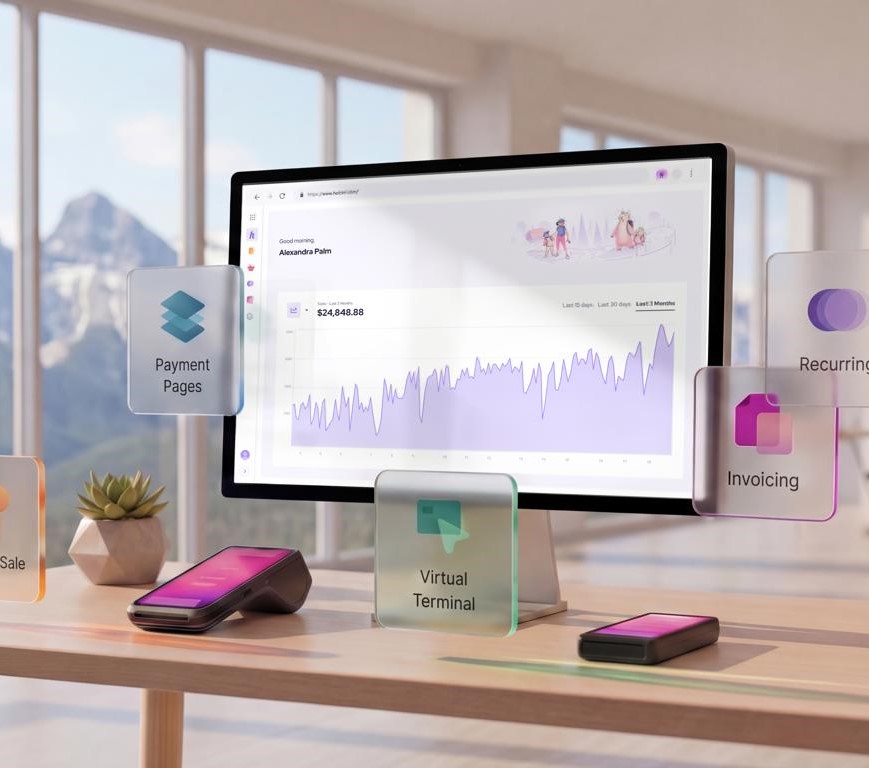
How Helcim's model works
- Helcim passes through the actual interchange and network fees that banks and card networks charge, then adds one transparent margin on top, so you can see exactly what's markup and what's the bank's cut.
- Helcim margin drops automatically as your monthly volume grows, up to a 70% discount, no negotiating, no calling in for a "special rate."
- POS, invoicing, online checkout, virtual terminal, recurring billing, a customer CRM, and inventory management are all built in at no extra monthly cost; you don't need a separate accounting subscription to unlock them.
- Helcim still connects to QuickBooks Online and Xero through native integration, so you don't have to give up accounting software to get lower processing rates.

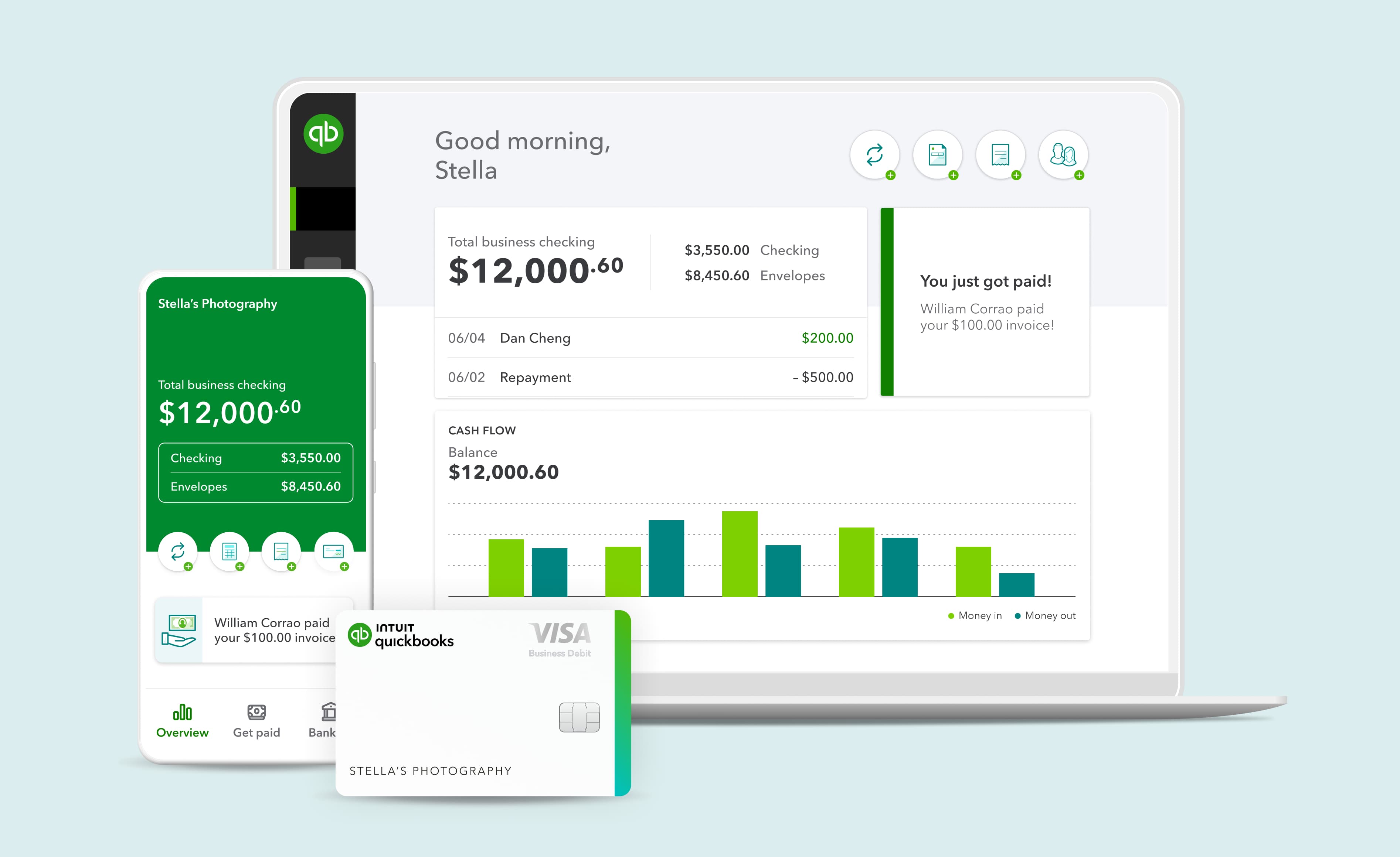
How QuickBooks Payments's model works
- Intuit makes money on two fronts: your QuickBooks Online subscription (from $38/month in the U.S. and from $22/month in Canada) and a flat percentage on every transaction you process.
- QuickBooks Payments doesn't offer automatic volume discounts like Helcim's, which makes it hard for businesses to scale and grow.
- QuickBooks Payments sync with QuickBooks Online for the optimized reconciliation process. Every payment auto-matches to your books, which is a genuine time-saver for your bookkeeper.
- In Canada, QuickBooks Payments can't be used without an active QuickBooks Online subscription, and there's no card reader hardware available at all.
Helcim vs. QuickBooks Payments pricing and fees
Helcim charges transparent wholesale interchange-plus rates with zero monthly fees and automatic volume discounts. QuickBooks Payments offers high flat rates, on top of the mandatory monthly core software subscription required to use the payment processing feature.
Pricing Model
Monthly Software Fees
In-Person Processing
Online / Invoice Processing
Virtual Terminal
US Common PIN Debit
ACH Processing
Tap to Pay on Phone
Volume Discounts
POS Software
Invoicing
Recurring Payments
Contract Terms
Hidden / Overhead Fees
Chargeback Fee
Smart Terminal
Helcim
Interchange-plus
$0 — everything included
1.79% + 8¢
Average
2.31% + 25¢
Average
2.31% + 25¢
Average
1.00% + 8¢
Average
0.5% + 25¢ (capped at $6)
10¢
Up to 70% off Helcim margin
Included free
Included free
Extra 0.4% per transaction
Month-to-month — no setup or cancellation fees
$0 — no PCI, statement, or batch fees
$15
$349 per unit
QuickBooks Payments
Flat-rate
$0 for payments (But requires paid QBO plan: $38–$275+/mo)
2.5%
2.99%
3.5%
Same as credit card flat rate — no debit routing discount
1% (Subject to plan caps)
2.5%
Only via manual custom enterprise request
Not Available (No native retail POS app)
Basic included with paid QBO account subscription
2.99% per charge (Basic recurring invoice generation only)
Month-to-month
Hidden costs tied to aggressive annual QBO software rate hikes
Varies by account terms ($25.00 common)
Not Available — No hardware supported
| Provider | Pricing Model | Monthly Software Fees | In-Person Processing | Online / Invoice Processing | Virtual Terminal | US Common PIN Debit | ACH Processing | Tap to Pay on Phone | Volume Discounts | POS Software | Invoicing | Recurring Payments | Contract Terms | Hidden / Overhead Fees | Chargeback Fee | Smart Terminal |
|---|---|---|---|---|---|---|---|---|---|---|---|---|---|---|---|---|
|
|
Interchange-plus | $0 — everything included | 1.79% + 8¢ Average | 2.31% + 25¢ Average | 2.31% + 25¢ Average | 1.00% + 8¢ Average | 0.5% + 25¢ (capped at $6) | 10¢ | Up to 70% off Helcim margin | Included free | Included free | Extra 0.4% per transaction | Month-to-month — no setup or cancellation fees | $0 — no PCI, statement, or batch fees | $15 | $349 per unit |
|
|
Flat-rate | $0 for payments (But requires paid QBO plan: $38–$275+/mo) | 2.5% | 2.99% | 3.5% | Same as credit card flat rate — no debit routing discount | 1% (Subject to plan caps) | 2.5% | Only via manual custom enterprise request | Not Available (No native retail POS app) | Basic included with paid QBO account subscription | 2.99% per charge (Basic recurring invoice generation only) | Month-to-month | Hidden costs tied to aggressive annual QBO software rate hikes | Varies by account terms ($25.00 common) | Not Available — No hardware supported |
The bottom line
Merchants have to pay high flat processing rates in exchange for QuickBooks Payments's convenience. While the automatic matching of invoices to your general ledger looks appealing upfront, QuickBooks Payments charges steep flat rates (up to 2.99% online in the US and 2.9% + 25¢ in Canada) that never decrease with volume. Helcim provides a lower, transparent interchange-plus model that scales down automatically as you grow. Best of all, thanks to Helcim's direct QuickBooks Online integration and Helcim Payment Extension, you don't have to compromise: you can keep your QBO accounting software while routing your payments through Helcim's vastly more affordable wholesale rates.
Helcim uses an interchange-plus pricing model that passes the true transaction fees charged by banks and payment networks to merchants. These true fees vary every transaction. Average fees are based on common credit cards, excluding American Express, and an average transaction amount of $300. QuickBooks Payments rates shown reflect publicly posted standard merchant documentation for QuickBooks Online. Actual rates, fees, and terms may vary based on legacy account status or custom Intuit enterprise quotes. Helcim integrations apply strictly to QuickBooks Online (QBO) and do not support QuickBooks Desktop or other variations.
Helcim vs. QuickBooks Payments software feature comparison
All Helcim software tools are available at no additional cost. QuickBooks Payments offers powerful building blocks, but many of them are separate products with their own percentage fees that stack on top of processing. Pick a tool to see the full comparison.
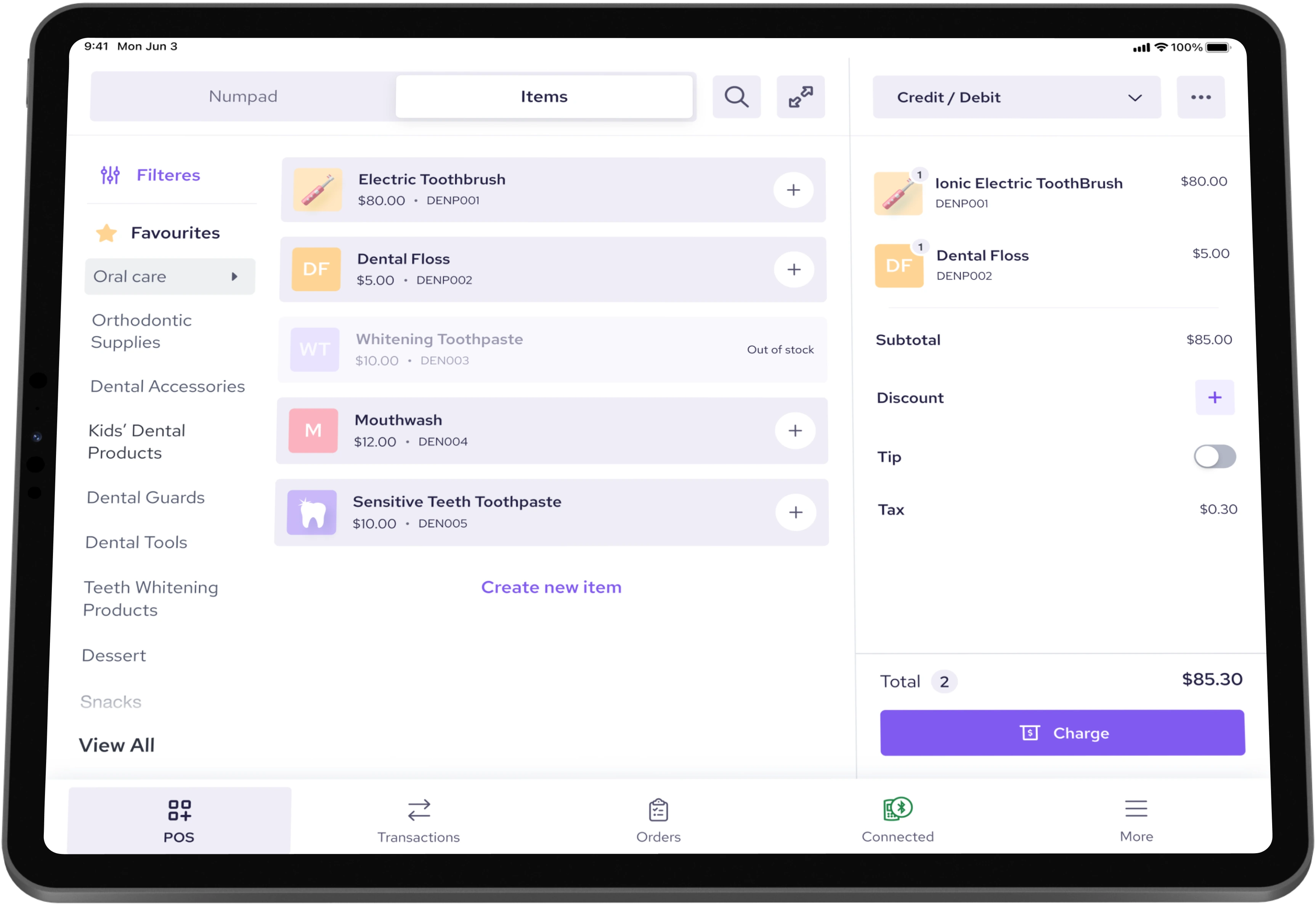
Helcim POS System
This cloud POS system turns your phone, tablet, Mac, or Windows computer into a full register. Merchants can accept tap-and-chip payments using the Helcim Smart Terminal and Helcim Card Reader.
- With this system, you can process partial or full refunds, split bills for group checkouts, capture tips, and save orders for later, all directly from the device.
- The Helcim POS system natively integrates and syncs with QuickBooks Online for seamless accounting reconciliation.
- Helcim allows you to build a product catalog with variations (such as size and color), perform bulk uploads, and track stock in real time to prevent overselling.
- U.S. businesses can accept payments directly on an iPhone using Helcim Tap to Pay on iPhone.
QuickBooks GoPayment App
This point-of-sale app is designed for collecting in-person payments without displaying your business's accounting data to staff. The QuickBooks GoPayment App is currently only available in the U.S.
- The GoPayment App is separate from the main QuickBooks Online app, employees can process sales without accessing sensitive accounting or banking information.
- The app accepts tap, chip, and Tap to Pay on iPhone directly, syncing all sales data back to QuickBooks Online.
- Similar to Helcim's offering, it allows U.S. businesses to accept payments on an iPhone using Tap to Pay on iPhone.
What both offer
Both tools let you accept in-person payments from a phone, tablet, or paired card reader, and both automatically sync every sale into QuickBooks Online (though Helcim requires a quick integration setup). Neither provider charges a separate monthly fee to use the basic checkout software; the platform cost is baked directly into your payment processing rate.
The bottom line
Choose Helcim if you want lower in-person processing fees, a more advanced POS system, and a specialized payment terminal to accept payments anywhere. Choose QuickBooks GoPayment if in-person payment processing is just a backup option for you, and you don't mind higher processing fees in exchange for a seamless, native sync with QuickBooks Online.
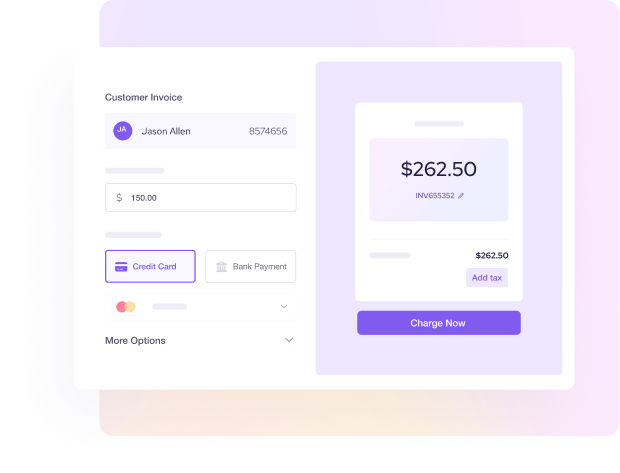
Helcim Virtual Terminal
The Helcim Virtual Terminal lets merchants key in card details and process ACH bank payments from any web browser. It is designed specifically for phone and mail orders, service businesses, remote billing, and collecting outstanding or overdue payments.
- You can choose between an immediate charge and a pre-authorization that holds funds for up to seven days, which is highly useful for variable-amount services like hotel stays or restaurant tabs.
- Collect partial payments by attaching existing invoices and charging either a specific dollar amount or a percentage as a deposit or installment.
- Charge a saved card on file or collect payment on an overdue invoice directly from a single screen.
QuickBooks manual card entry
QuickBooks lets merchants key in card details for phone or mail orders directly within your existing invoicing and payment workflows, whether through the Merchant Service Center or the GoPayment app.
- QuickBooks charges a relatively high keyed-in rate in the U.S. (3.5%), but offers a more competitive rate in Canada (2.9% + 25¢).
- It lacks a dedicated pre-authorization or "hold-and-capture" workflow comparable to Helcim's.
- This manual entry feature seamlessly ties into the same QuickBooks Online ledger and customer records as your standard invoices.
What both offer
Both platforms allow you to key in card details for phone, mail, or remote orders directly from a web browser, with absolutely no hardware required.
The bottom line
Choose Helcim if you regularly process phone or mail orders, or if you need the ability to pre-authorize and capture payments later. Helcim's interchange-plus pricing for keyed-in transactions is often significantly cheaper than QuickBooks' flat keyed-in rates (3.5% in the U.S. or 2.9% + 25¢ in Canada). Choose QuickBooks if you only occasionally key in card details and prefer the convenience of processing those payments directly within your existing invoicing screen.
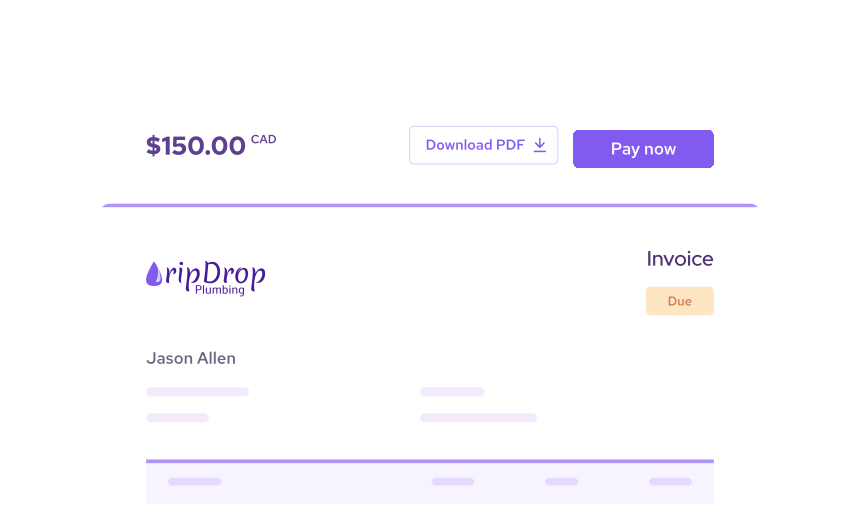
Helcim Invoicing
Helcim offers unlimited invoices on any account at no extra software cost. You can accept credit cards, Apple Pay, Google Pay, and ACH bank payments, only paying processing fees when an invoice is actually paid.
- You can easily customize templates with your logo and brand colors, choosing from eight different document types: estimates, quotes, orders, purchase orders, invoices, statements, registrations, and credits.
- HIPAA-compliant invoicing is built directly into the platform for healthcare billing, removing the need to buy a separate compliance product.
- Set up automated reminders, recurring invoices, and partial payments (such as deposits and installments) completely free of charge.
QuickBooks Invoicing
QuickBooks Invoicing allows merchants to accept credit cards, ACH, Apple Pay, Google Pay, PayPal, and Venmo. For eligible invoices between $50 and $30,000, customers can pay using Affirm's integrated buy-now-pay-later (BNPL) service.
- This BNPL option gives customers who are short on cash another way to pay. (By comparison, Helcim merchants can use partial payment features to offer alternative payment structures).
- QuickBooks allows merchants to automatically apply late fees to overdue invoices.
- Unlike Helcim, the total number of recurring transaction templates and billable users is gated by your specific subscription plan tier.
What both offer
Both Helcim and QuickBooks Payments let you send professional, branded invoices that customers can pay online via credit card or bank transfer. Both platforms also support automated late-payment reminders and requests for partial or deposit payments.
The bottom line
Choose QuickBooks if having built-in Affirm financing matters more to your business model than the baseline processing rate. Choose Helcim if you send a high volume of invoices and want your processing rates to automatically decrease as your business grows.
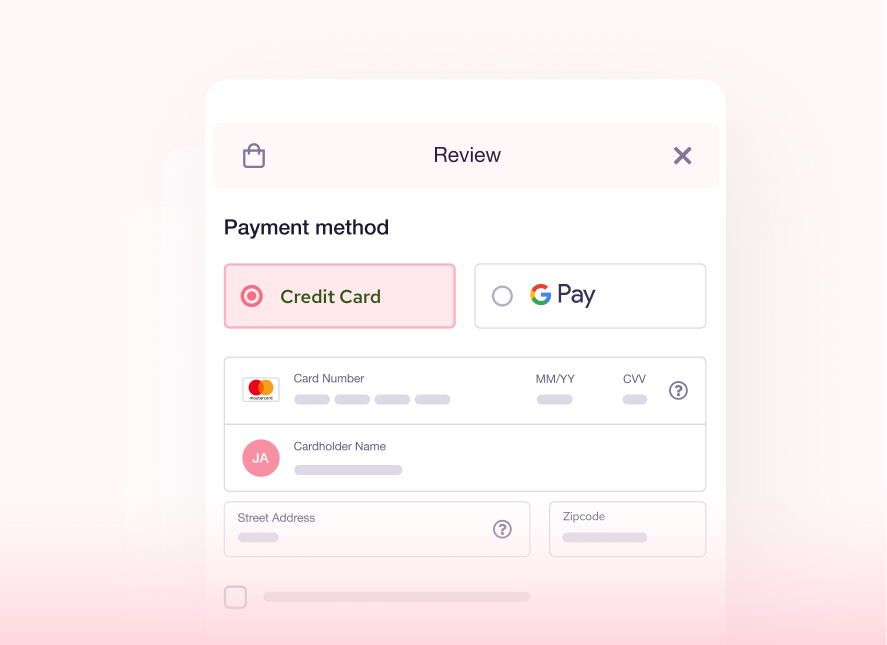
Helcim Online Checkout
A code-free solution meant to connect with your existing website. Generate secure embeddable checkout fields, standalone payment pages, and shareable checkout links effortlessly while maintaining absolute control over your web design.
- Included free — no separate digital commerce platform upcharges
- Plug-and-play buttons for quick integration on any popular site builder
- HelcimPay.js SDK available for custom developer payment pipelines
QuickBooks Online Checkout
QuickBooks does not build robust e-commerce features or native standalone online storefront builders. It provides simple payment link generation for remote requests, but complex online baskets require integrating with external e-commerce systems.
- Limited to basic standalone checkout fields and quick-payment request links
- Lacks native, specialized e-commerce conversion tools or advanced fraud scoring
- Locks online transactions into unyielding flat-rate percentage brackets
What both offer
Both provide the underlying payment processing networks required to receive digital credit card transactions securely over the internet.
The bottom line
Helcim delivers highly versatile, code-free checkout forms and web buttons at wholesale interchange-plus rates. QuickBooks Payments limits your digital storefront to basic link requests unless you pay for external software integrations.
Helcim Payment Pages
Helcim's no-code Payment Pages allow you to collect payments for reusable, fixed, or editable amounts—no website required. Merchants can easily accept credit cards and ACH bank transfers.
- You can send these payment pages to customers as a direct link, share them via a QR code, or embed them directly onto a webpage.
- Helcim Payment Pages can generate a unique QR code for in-person, contactless payments, making them highly useful for physical signage or counter displays.
- You can add a "Pay Now" button, embed HelcimPay.js into an existing website, or share standalone payment links that require no web hosting at all.
QuickBooks Payment Links
QuickBooks generates one-time and reusable payment links directly from your QuickBooks Online account, redirecting customers to a secure, hosted QuickBooks checkout page.
- These links tie directly into the same customer and invoice records used across the rest of your QuickBooks Online account.
- A separate "Buy Button" can also be generated and embedded on an existing website.
What both offer
Both platforms allow you to collect payments without a website by sharing secure links via text, email, or QR codes. Your customers pay on a secure, hosted page that you do not have to build, host, or maintain.
The bottom line
Choose Helcim if you prefer lower payment processing fees and want to benefit from automatic volume discounts as your sales grow. Choose QuickBooks if you are comfortable paying higher processing fees in exchange for the absolute convenience of automated accounting reconciliation.
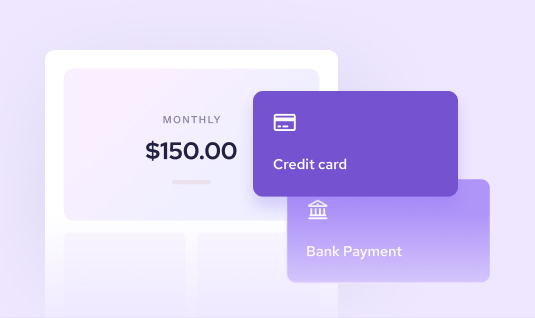
Helcim Recurring Payments
Helcim offers a robust, built-in recurring payment tool featuring flexible schedules, automatic retries on failed payments, free trials, customizable add-ons, and detailed subscriber management.
- Set daily, weekly, monthly, or yearly cycles, add free trials, one-time setup fees, and add-ons, and let customers sign up through a payment link.
- Automatically retries failed payments on configurable logic, so you chase fewer declines.
- Accepts cards and ACH/EFT, which is cost-effective for large recurring charges. Helcim adds an extra 0.4% fee per transaction.
QuickBooks Recurring Payments
Converts an existing recurring invoice template into an automatic charge against a saved payment method, on daily, weekly, monthly, or annual cycles.
- Requires first building a recurring invoice template, then converting it, a slightly more manual setup path than Helcim's dedicated plan builder.
- Ties into the same customer and subscription reporting as the rest of QuickBooks Online.
- Accumulates heavy processing expenses due to premium online flat rates applied every month.
What both offer
Both automate billing for subscriptions and repeat customers, charging a saved card or bank account on a schedule without you manually re-invoicing each cycle.
The bottom line
Choose Helcim if you run subscriptions at real volume, where your rate drops as you grow, whereas QuickBooks' flat rate does not. Choose QuickBooks if recurring billing is incidental to a business you're already running through QuickBooks invoices.
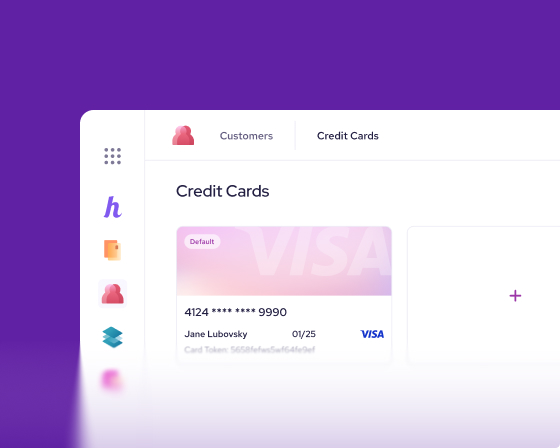
Helcim Secure Card Vault
Helcim features a PCI-compliant Customer Relationship Management (CRM) tool that seamlessly links customer profiles directly to their transaction history, invoices, subscriptions, and saved payment methods.
- The system securely stores up to 10 tokenized credit cards per profile using AES-256 encryption, alongside bank account details for ACH/EFT and pre-authorized debit (PAD) agreements.
- It includes a free, branded customer portal where clients can view their payment history, settle invoices, and update their cards on file—eliminating manual administrative work for your staff.
- Helcim supports the bulk importing and exporting of customer records and offers free card-data migration from your previous payment processor.
QuickBooks stored payment methods
Credit cards and bank accounts can be saved either by your business directly within the customer's profile, or by the customer at checkout (which requires them to create or sign in to an Intuit account).
- Similar to Helcim's Customer Portal, QuickBooks offers a secure online space for customers to manage their saved payment methods.
- Unlike Helcim's portal, which lets customers add new credit cards or bank accounts, the QuickBooks portal does not allow customers to add a new payment method.
- Similar to Helcim's offering, stored payment methods automatically carry over into invoicing and recurring payments across your QuickBooks Online account.
What both offer
Both platforms allow you to securely store customer credit cards and bank account details, linking them directly to recurring billing and invoices. Additionally, both systems provide a dedicated online customer portal where clients can securely view their billing history and manage their stored payment methods.
The bottom line
Choose Helcim if you want a more robust, flexible CRM that lets customers easily add new payment methods themselves (without forcing them to create a proprietary Intuit account). Choose QuickBooks if you are already deeply embedded in the QuickBooks Online ecosystem and want saved payment details to flow seamlessly into your books, and you don't mind the restriction that customers cannot add brand-new cards directly through their management portal.
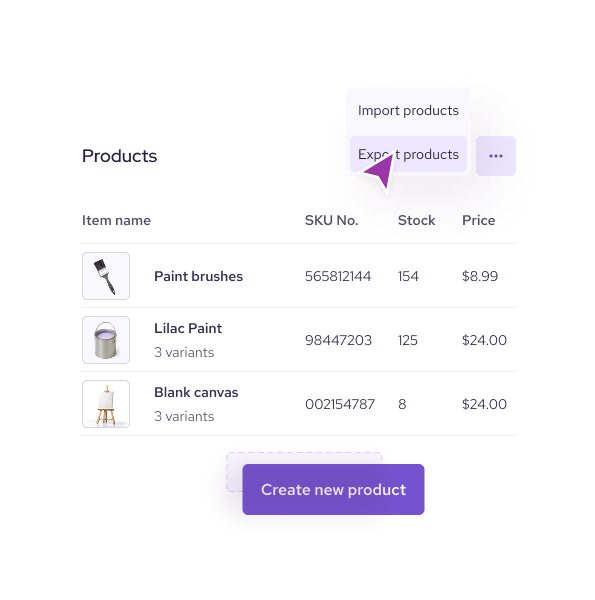
Helcim Inventory Management
Seamlessly syncs your data across your POS, invoicing, and online store at no extra cost.
- Set unique rates, such as wholesale pricing for specific customer segments, tiered volume discounts, and buy-one-get-one (BOGO) promotions.
- Create products and services with variations and add-ons, perform bulk imports via CSV files, and set automatic low-stock alerts.
- Because the system operates on a single master catalog, any sale made through any channel instantly updates inventory levels everywhere with zero per-SKU fees.
QuickBooks Inventory
Basic quantity tracking, restock alerts, purchase order tracking, and best-seller reporting, available only on the Plus and Advanced QuickBooks Online plans.
- Not available on Simple Start or Essentials, a business needs to be on at least the Plus plan ($115/mo U.S.) to get any inventory tracking at all.
- No native multi-location or multi-warehouse tracking; that requires a third-party app from the marketplace.
- Ties directly into your accounting reports (cost of goods sold, asset valuation) since it's part of the same ledger.
What both offer
Both track stock levels, sync automatically with sales across your point-of-sale and online channels, and can flag low-stock items.
The bottom line
Choose Helcim if you want inventory tools without paying for a higher software tier. Choose QuickBooks if you're already on Plus or Advanced and want inventory tied straight into your cost-of-goods-sold accounting.
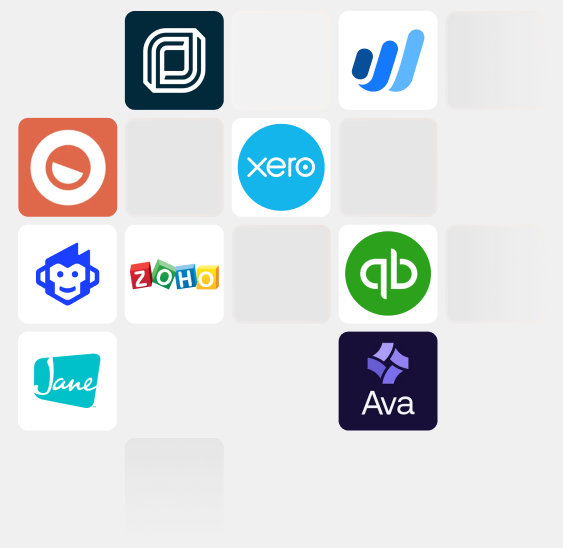
Helcim Integrations
Helcim focuses on workflow freedom, featuring a unique, no-code Chrome Payment Extension that embeds Helcim payments inside 30+ major business management tools. Crucially, Helcim provides a direct API integration into QuickBooks Online, allowing you to run your bookkeeping inside QBO while bypassing Intuit's expensive built-in processing rates.
- Direct API integration maps Helcim processing right into QuickBooks Online invoices
- Unique Chrome Payment Extension turns QBO into a virtual POS for card-present rates
- Out-of-the-box support for popular SaaS, Xero, WooCommerce, and a complete developer REST API
QuickBooks Integrations
QuickBooks boasts the largest app marketplace in the small business software world, showcasing hundreds of direct connections to payroll, CRMs, and e-commerce platforms. However, its payment processing tool is fiercely protective—it is heavily optimized to keep you locked inside Intuit's flat-rate processing network.
- Unmatched accounting marketplace with hundreds of third-party SaaS app hooks
- Deep, native sync into Intuit's secondary tools like QuickBooks Payroll and Time
- Built exclusively to support Intuit's internal high-fee merchant account
What both offer
Both provide cloud API infrastructure to link credit card processing with broader financial platforms.
The bottom line
QuickBooks has a massive accounting ecosystem, but its payment tool is designed to trap you into steep flat rates. Helcim breaks this monopoly by offering direct integrations and an extension built specifically to let you run QuickBooks Online accounting at wholesale interchange-plus processing rates.
Payment tools only one side has
Beyond the shared essentials, each platform has exclusive tools the other doesn't offer. These differences can be deciding factors depending on how your business operates.

API Direct Invoice Reconciliation (QBO)
Helcim integrates directly with QuickBooks Online. When a client pays a QBO invoice through Helcim, our system instantly pulls the invoice data, captures the payment in real-time, reconciles the ledger, and records the deposit back inside QuickBooks automatically—saving hours of manual bookkeeping at a fraction of Intuit's processing cost.
The Payment Extension for QBO
A unique, no-code Chrome extension that turns QuickBooks Online into a card-present retail point of sale. Securely connect your Helcim card reader directly to your web browser, pull up an active QBO invoice, and process an in-person tap or chip payment on the spot. You keep your accounting system but skip Intuit's high online processing fees.
Captive General Ledger Automation
Because the processing network is baked directly into the core Intuit database, payments route natively into your financial reporting charts, ledger journals, and automated tax estimate worksheets with zero external app configuration.
QuickBooks Financing & Ecosystem Banking
Built-in access to commercial capital options like QuickBooks Loans and embedded business checking accounts, allowing micro-businesses to manage their liquid capital reserves directly inside their ledger workspace.
Helcim vs. QuickBooks Payments hardware comparison
Helcim's Card Reader is a compact, mobile device owned outright with a customer-facing touchscreen and Interac support for Canadian merchants. QuickBooks offers a basic Bluetooth Card Reader that is only available in the U.S.
Head-to-head
Both readers are compact and mobile, ideal for on-the-go checkout. However, QuickBooks Card Reader is only available in the U.S. Helcim Card Reader connects and supports Interac debit for Canadian merchants.
Where each platform shines
Both Helcim and QuickBooks Payments are strong payment platforms — but they're built for different types of businesses. Here's an honest look at where each one excels.
You want to escape high flat processing fees
Helcim's transparent interchange-plus model passes the true, wholesale transaction cost directly to you, avoiding Intuit's expensive flat percentage floors.
Your business is growing and needs automatic discounts
As your monthly credit card volume rises, Helcim's markup drops by up to 70% automatically—no negotiation, no phone calls, and no plan upgrades required.
You refuse to pay for features hidden behind monthly plans
Access to our virtual terminal, invoicing tools, recurring billing suite, and customer manager is included at $0/month. QuickBooks gates core inventory tracking and operational features behind software subscriptions costing up to $275+/mo.
You accept significant B2B or invoice volume
Helcim includes low-cost wholesale bank transfer rails (ACH/EFT) natively inside your virtual terminal and invoices, protecting margins on high-ticket balances.
You want to run QuickBooks accounting with lower processing costs
Helcim's direct API integration and Chrome Payment Extension let you maintain your QuickBooks Online ledger while routing all card processing through Helcim's wholesale rates.
You value responsive, live human support
Speak directly to our in-house merchant service experts via phone, email, or chat—skipping the rigid, automated phone trees and corporate bureaucracy of Intuit.
You are a brand-new solo operator with tiny sales volume
If you process less than a few thousand dollars a month, the convenience of a single dashboard might outweigh the high flat-rate transaction costs.
Absolute single-app native reconciliation is your top priority
If you do not want to link any external APIs or browser extensions and require payments to settle directly into your general ledger out of the box.
You utilize embedded Intuit business financing
If your operational model heavily relies on QuickBooks checking services, instant merchant lending capital, or native QuickBooks cash flow advances.
You only invoice occasionally and don't track margins
If credit card transaction fees are not a primary expense category for your business and you prioritize simple flat-rate accounting entries.
When to choose Helcim vs. QuickBooks Payments
Helcim is a dedicated payment processing powerhouse offering transparent interchange-plus rates, comprehensive merchant software, and direct tools to break free from ecosystem cost traps. QuickBooks Payments is an internal accounting add-on tailored for automated bookkeeping simplicity, but it burdens expanding businesses with steep processing percentages.
You are an independent or scaling business processing meaningful monthly sales volume and want to actively slash transaction expenses. You want to leverage a full merchant ecosystem—including physical smart terminals, comprehensive client vaults, and robust subscription lifecycles—while maintaining the freedom to run QuickBooks Online bookkeeping at wholesale interchange-plus rates with zero hidden fees.
You are a small solo operator, freelancer, or micro-business just starting out who values maximum single-app convenience over transaction profit margins. It is the suitable path if you prefer to have processing tied natively into your central Intuit accounting file without managing external API configurations, and your transactional volume is small enough that flat-rate processing fees do not heavily impact your business budget.
Frequently asked questions
-
Helcim is a dedicated merchant account with interchange-plus pricing that automatically discounts as you grow, plus a full set of payment tools included at no extra monthly cost. QuickBooks Payments is the payment processor built into QuickBooks Online, with a flat rate that doesn't change with volume, designed around keeping your books automatically reconciled.
-
Yes, and the difference is massive. QuickBooks charges a fixed, flat rate of 2.5% to 3.5% that never decreases, no matter how much you process. Helcim, on the other hand, features automatic volume discounts that lower your rates as you scale. To put that into perspective, at $2 million in monthly processing volume, your total fees with QuickBooks would be roughly $50,275/month. With Helcim, you'd qualify for our lowest rate (Tier 5), bringing your cost down to about $31,000/month. That means switching to Helcim puts $19,275 a month back into your business—even after factoring in the cost of syncing your data to QuickBooks Online.
-
Helcim charges no monthly, PCI, statement, or setup fees. Helcim's add-on fees are for recurring payments (+0.4% per transaction) and a $15 chargeback fee (which is waived if you win the dispute). QuickBooks Payments does not charge a standard monthly or setup fee either, but it does charge a $25 chargeback fee (which can be waived with its optional Payment Dispute Protection add-on, starting at 0.99% per transaction) and a 1.75% Instant Deposit fee for same-day funding in the U.S.
-
Yes, particularly if your processing volume is significant or growing, Helcim's automatic volume discounts and included tools tend to save more the bigger you get. If your top priority is keeping payments auto-reconciled inside QuickBooks' books specifically, Helcim still connects to QuickBooks Online through its integration library, so you don't have to choose one or the other for your accounting.
-
Helcim offers direct phone, email, and ticketing support. QuickBooks Payments support is handled through chat or a callback request via the Merchant Service Center (Mon–Fri 6am–6pm PT, Sat 6am–3pm PT), with no phone number listed on official support pages; general QuickBooks Online support includes phone access for paid subscribers.
-
Choose QuickBooks Payments if your business runs on QuickBooks Online for its books and the convenience of native reconciliation outweighs a lower processing rate. Choose Helcim if you want your rate to fall as you grow, a full set of payment tools without an accounting subscription attached, and — if you're in Canada — you actually need in-person card hardware, which QuickBooks doesn't currently offer there.