
























Xero integration for online invoices
Accept credit card and ACH payments when you send your Xero invoices.

About integration
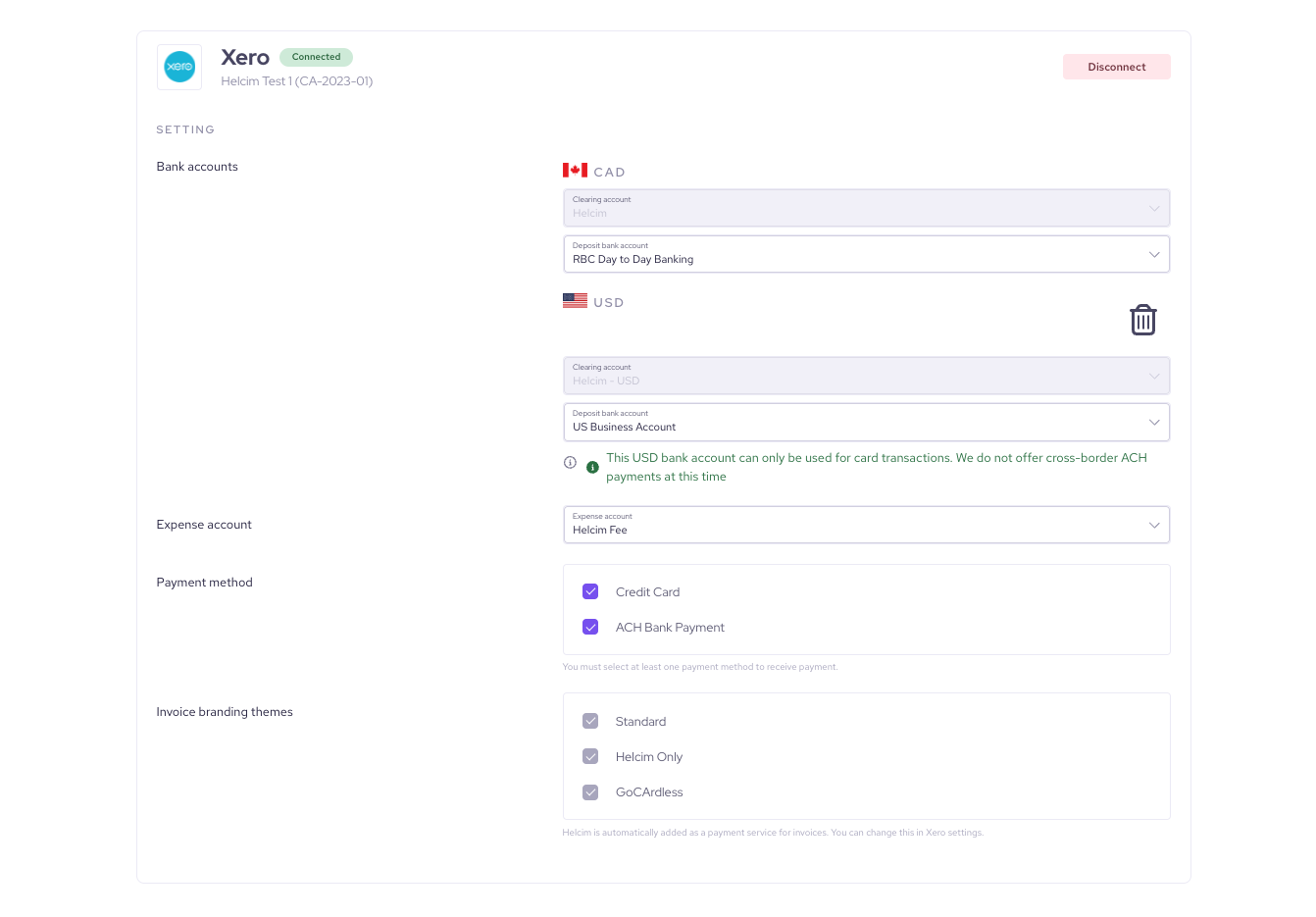
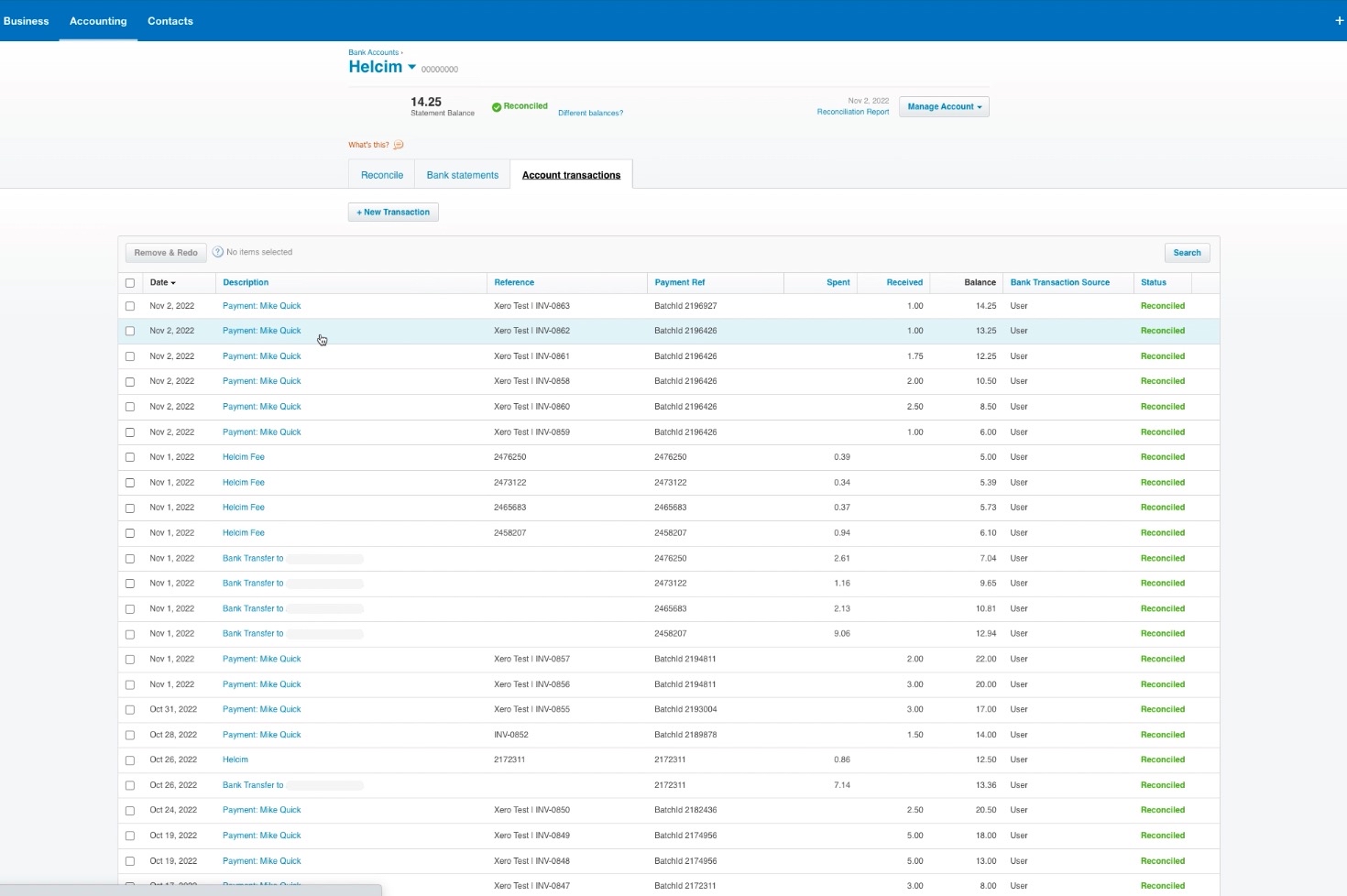
Xero is a popular cloud-based accounting software that provides small businesses with tools for managing cash flow, invoicing, and banking reconciliation. By integrating Helcim, you gain the ability to accept credit card and ACH payments directly on your Xero invoices. Helcim automatically adds a "Pay Now" button, enables auto-collection, and ensures all payment details, fees, and bank transfers are logged and reconciled in a dedicated Helcim Clearing Account within Xero.
Rate comparison

1.79% + 8¢
Average
2.31% + 25¢
Average
Rates not listed
See how it works
Sign Up
Features
Enable Auto-Collect to charge your customer's saved ACH or card automatically on the invoice due date.
Helcim securely stores customer payment info for charging them again without re-entering details.
No more juggling between different processors to provide payment methods your clients need. Helcim provides both card and ACH bank payments at an affordable rate.
Keep more of your revenue with Helcim's transparent interchange-plus pricing, a clear alternative to QuickBooks Online default processing rates.
How it works with Helcim
Helcim’s Xero integration makes it easy to get paid on your Xero invoices by automatically recording Helcim payments, fees, and deposits in your Xero clearing account. To keep everything accurate, the integration works best when payments are made directly through Xero invoices using a Helcim-enabled branding theme, and all Helcim transactions—whether taken in Xero or elsewhere—will appear in your clearing account for simple reconciliation. ACH payments may take a few days to finalize, and occasional refunds or returns may require manual review. Matching currencies between your Helcim account and Xero invoices ensures smooth payment processing, and if the connection is ever interrupted, payments can still be processed—they just may need to be manually marked in Xero.
Setup
Sign up for a free Helcim account.
On your Helcim account, click All Tools in the top-left of your Helcim dashboard, go to Accounting Center under Merchant Tools, choose Xero integrations, and hit the “Connect” button to map out your accounts.
Once the integration is set up, you can accept payments directly from your Xero invoices by creating and sending an invoice from your chosen branding theme, allowing customers to use the Pay Now button to enter their payment information and pay, after which the Xero contact is saved as a customer in Helcim with their payment details securely stored for easy one-click payments on future invoices.
FAQs
Yes — Helcim uses Interchange Plus pricing on Xero-invoice payments, which can result in lower card fees compared to many flat-rate processors.
Xero invoices, contacts (customers) and payment transactions processed via Helcim are synced into Xero’s clearing account for reconciliation.
In your Helcim dashboard go to “All Tools” → “Accounting Center” → “Xero Integration”, click “Connect” and follow the setup wizard.
No — there are no setup fees or monthly charges for Xero's integration; you only pay the usual Helcim transaction processing fees.