
























WooCommerce
Accept lower fees on your online payments in your WooCommerce store.

About integration
WooCommerce is the highly customizable, open-source e-commerce platform built on WordPress, enabling merchants to build and manage powerful online stores. The Helcim Commerce plugin connects your store to your Helcim account, allowing you to accept all major credit card payments directly on your website. The plugin uses HelcimPay.js to securely handle credit card data during checkout, which reduces your PCI compliance scope while giving you access to Helcim’s transparent Interchange Plus processing rates.
Features
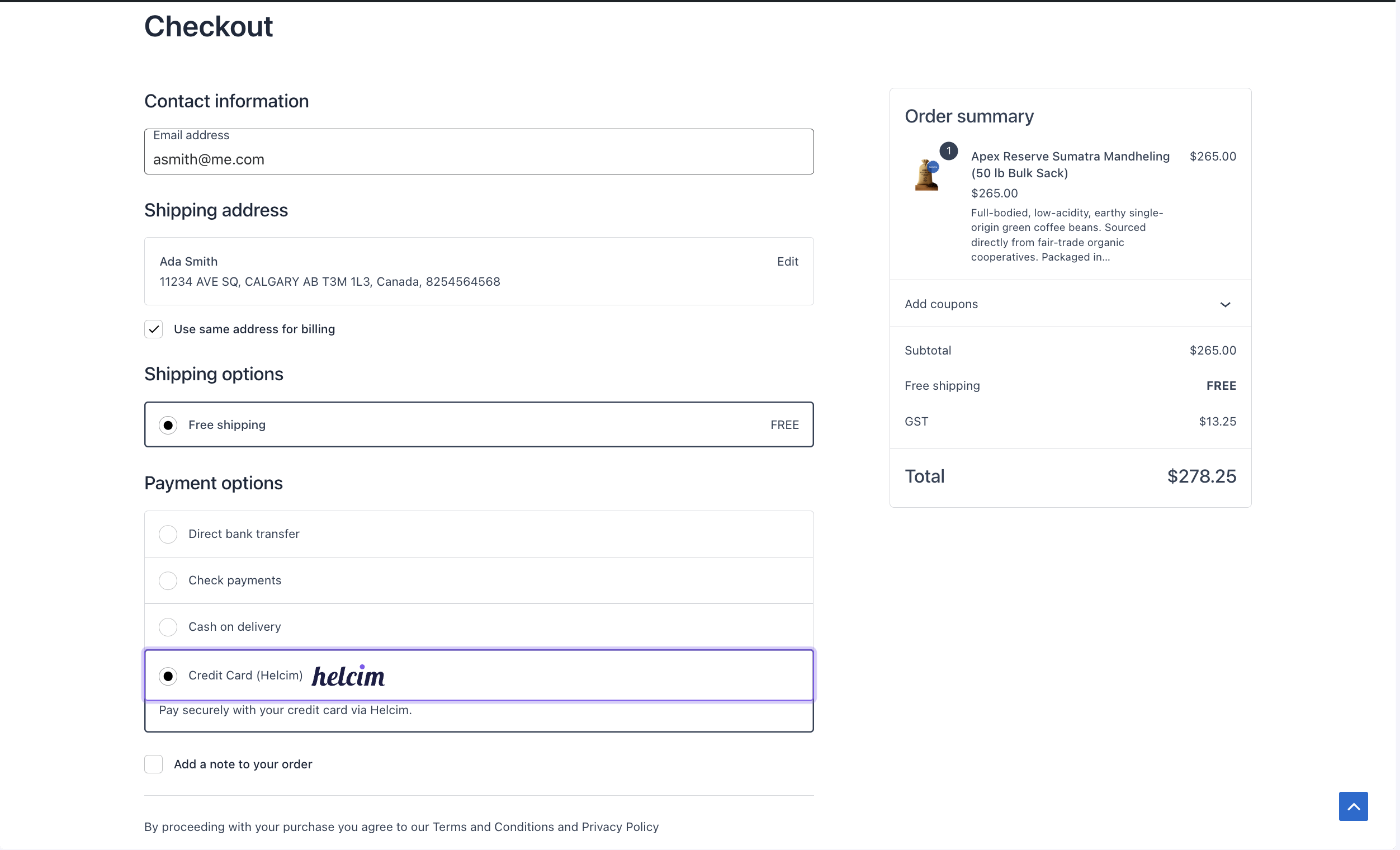
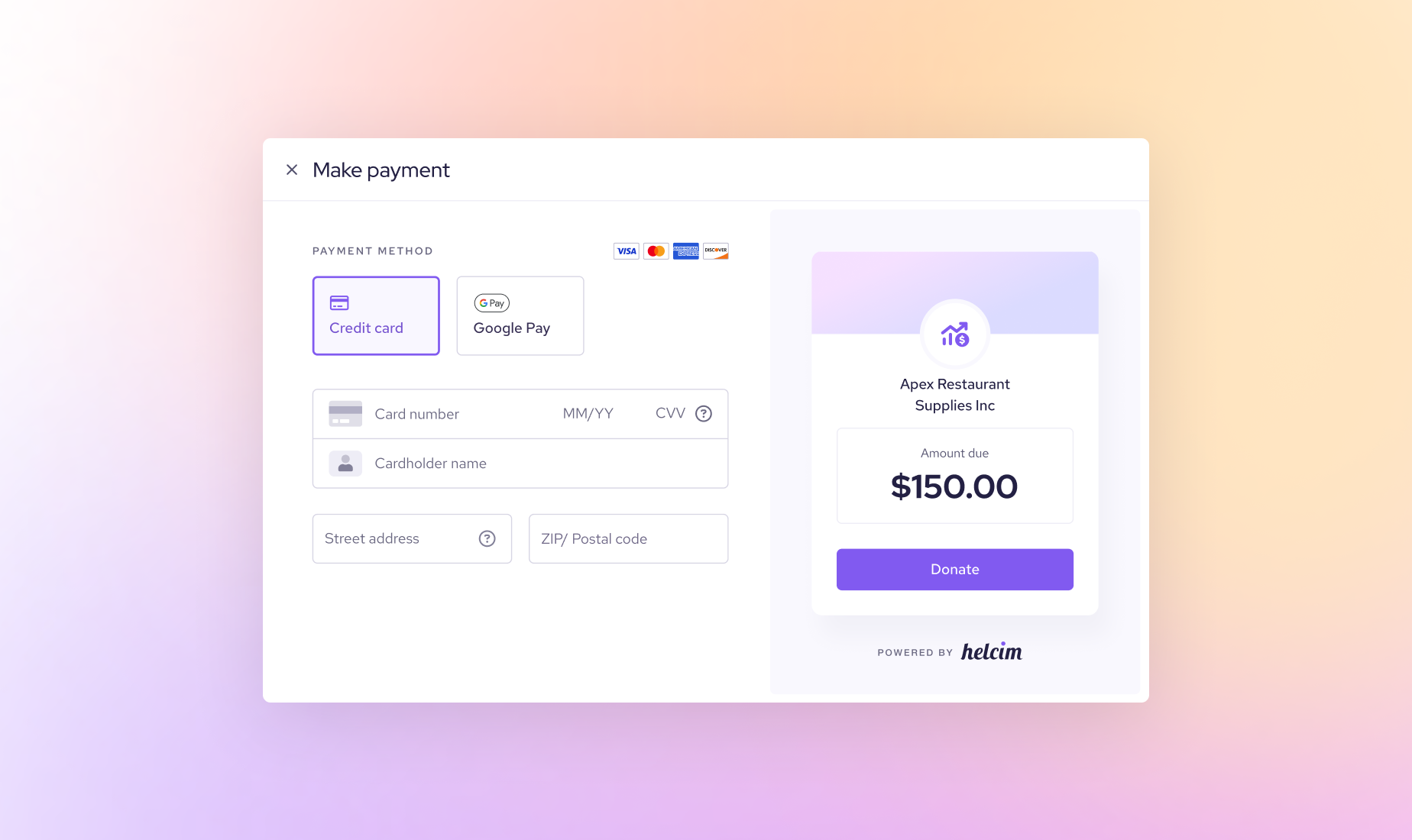
Customers can pay using Helcim’s secure hosted fields, creating a clean checkout experience that keeps your store fast and PCI-friendly. This plug is powered by HelcimPay.js, which securely handles card data during checkout, so card numbers never touch your server — meaningfully reducing PCI scope for businesses.
Reduce payment costs with Helcim’s interchange-plus pricing, a lower-cost and more transparent alternative to typical flat-rate ecommerce processors.
Helcim tokenizes payment details so returning customers can check out faster with securely saved cards.
Install the plugin, enter your Helcim API credentials, and start accepting payments within minutes—no complicated development required.
How it works with Helcim
Helcim with WooCommerce integration keeps your checkout fast, secure, and cost-effective. Payments are processed through Helcim’s PCI-compliant payment fields and flow directly into your Helcim dashboard. Only transactions processed via the WooCommerce checkout sync into Helcim, and refunds issued in WooCommerce pass through Helcim. Multi-currency stores must match the currency in your Helcim account to avoid payment errors. Because the integration is payment-focused (not full accounting sync), order management happens in WooCommerce while payment records flow through Helcim for reporting and reconciliation.
Requirements
Setup
Sign up for free in minutes — no paperwork, no commitments, no monthly fee.
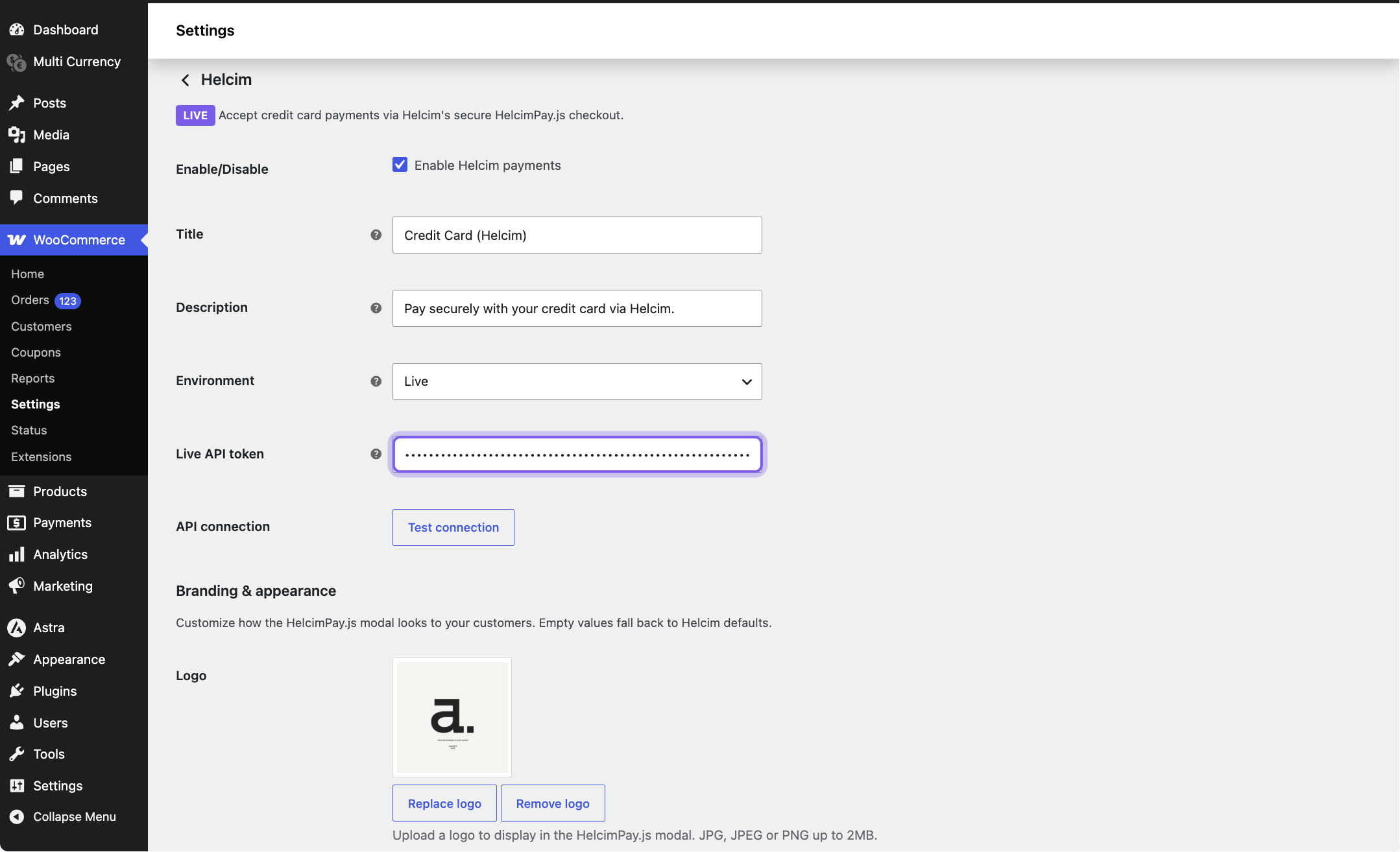
In your Helcim account, navigate to Integrations > API Configuration > Create an API token. This token will securely link your Helcim account to your WooCommerce store later. Ensure that the correct access permissions are set: General and Settings to Read and Write & Transaction Processing to Admin.
Install or download Helcim for WooCommerce (v5) on your WordPress / WooCommerce site from the WordPress plugin directory.
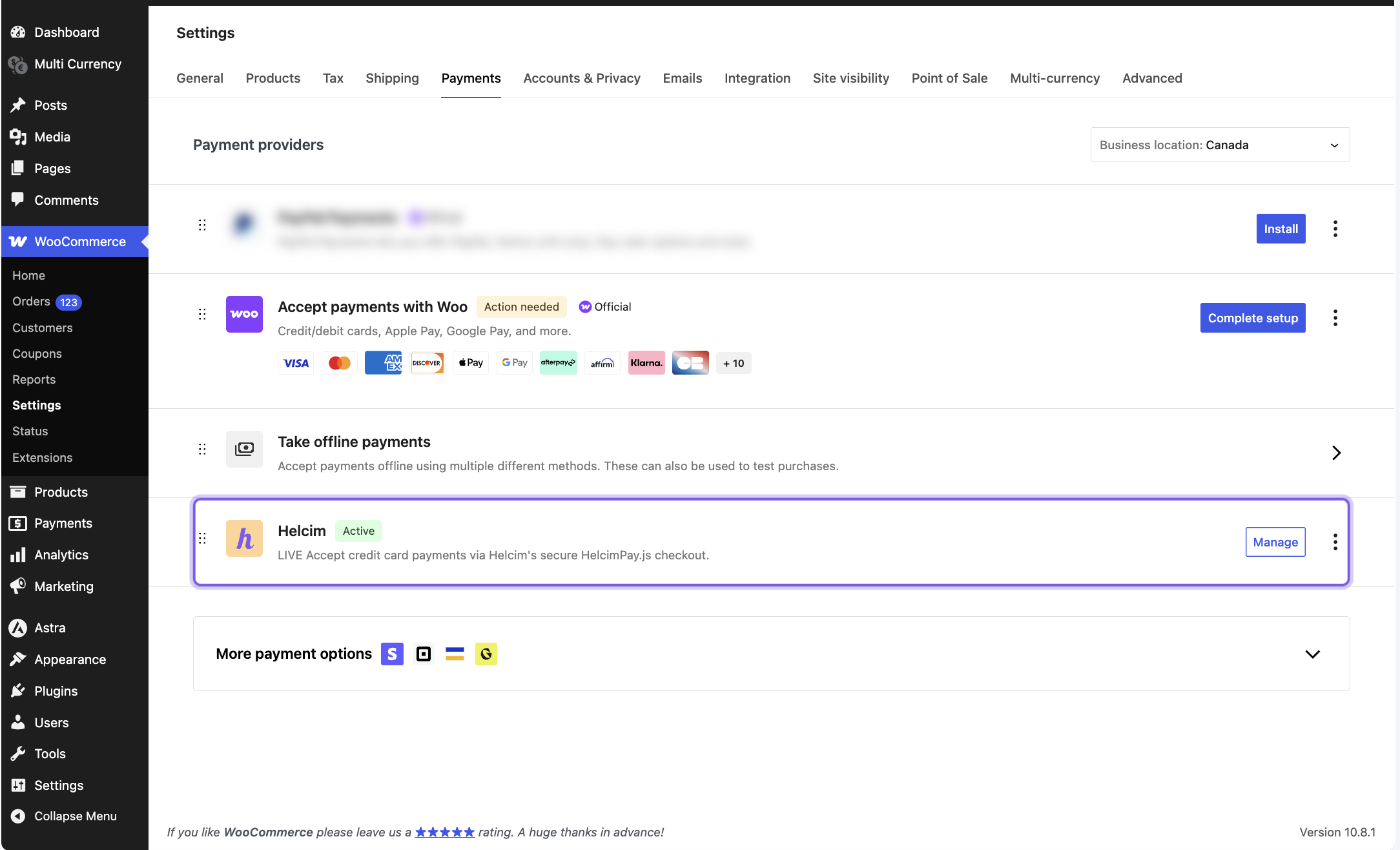
In WordPress, go to Payments › Helcim and hit Manage. Set up how you want to get paid:
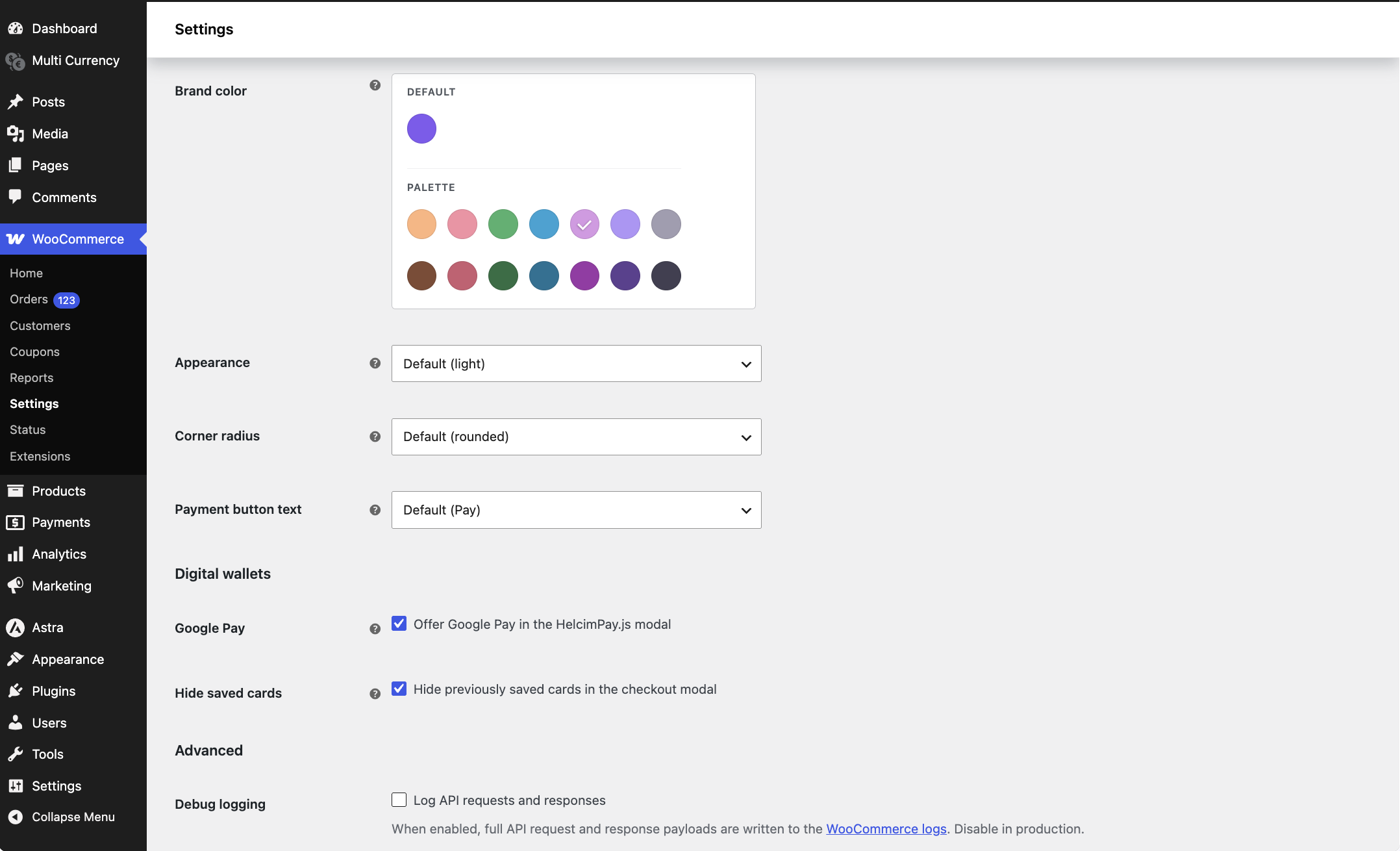
Title: The payment method name your customer sees at checkout. Description: The payment method description shown to customers at checkout. Environment: Choose where to deploy the plugin — Sandbox (testing) or Live. Live API token: The token you created, linking WooCommerce to Helcim. Branding and others: Add your logo and brand colors, enable Google Pay, and let customers securely save their card for future purchases
Run a real payment end-to-end to make sure everything's wired up correctly before you go live. Your first $5 in card transactions is fee-free — test it through and through, on us.
FAQs
Yes. Processing your WooCommerce payments through Helcim uses transparent interchange-plus pricing, which is often lower than typical flat-rate WooCommerce payment options — and the margin drops automatically as your monthly volume grows.
Yes. The plugin uses a Helcim API token to process payments and sync refunds and tokenized customer payment details through Helcim's payment system. Order management stays in WooCommerce.
Install the Helcim Commerce for WooCommerce plugin in WordPress, then connect your Helcim API credentials in your WooCommerce payment settings.
No — the plugin is free to use, and you only pay standard Helcim processing fees on your transactions.