























A patient handing you their Health Savings Account (HSA) or Flexible Spending Account (FSA) card shouldn’t be a moment of sweaty palms and suspense. The experience should behave like any other card payment of tap, approve, and done. To make that happen, your business must be properly set up to process these specific cards. HSA balances alone reached $174 billion across 41.7 million accounts by the end of 2025, up 19% in a single year. HSA and FSA cards are no longer a nice-to-accept for your practice, but a vital part of ensuring that no money gets left on the table. This guide walks through everything you need to know to start accepting HSA and FSA payments.
TLDR:
- HSAs and FSAs are tax-advantaged accounts patients use to pay for medical expenses. HSAs are individually owned and portable, while FSAs are employer-sponsored and typically operate with a use-it-or-lose-it system.
- To accept HSA and FSA payments, your practice needs to be classified under a qualifying healthcare merchant category code (MCC). HSA and FSA cards can be accepted with standard card terminals.
- Most mainstream payment processors, including Helcim, support HSA and FSA acceptance as long as your MCC is set up correctly, with no extra integration needed on your end.
What are Health Savings Accounts (HSA) and Flexible Spending Accounts (FSA)?
Health Savings Accounts (HSA) and Flexible Spending Accounts (FSA) are tax-advantaged accounts that allow you to put aside pre-tax money for medical expenses, such as doctor visits, dental care, and prescriptions. If you run a healthcare practice, you have likely had a client hand over a Visa or Mastercard branded HSA or FSA card at checkout. Functioning much like a regular debit or credit card, these cards help make the payment process quick and easy for both the practice and client, alleviating the need for clients to submit the claim for reimbursement. Though often referred to interchangeably, there are some key differences between HSAs and FSAs:
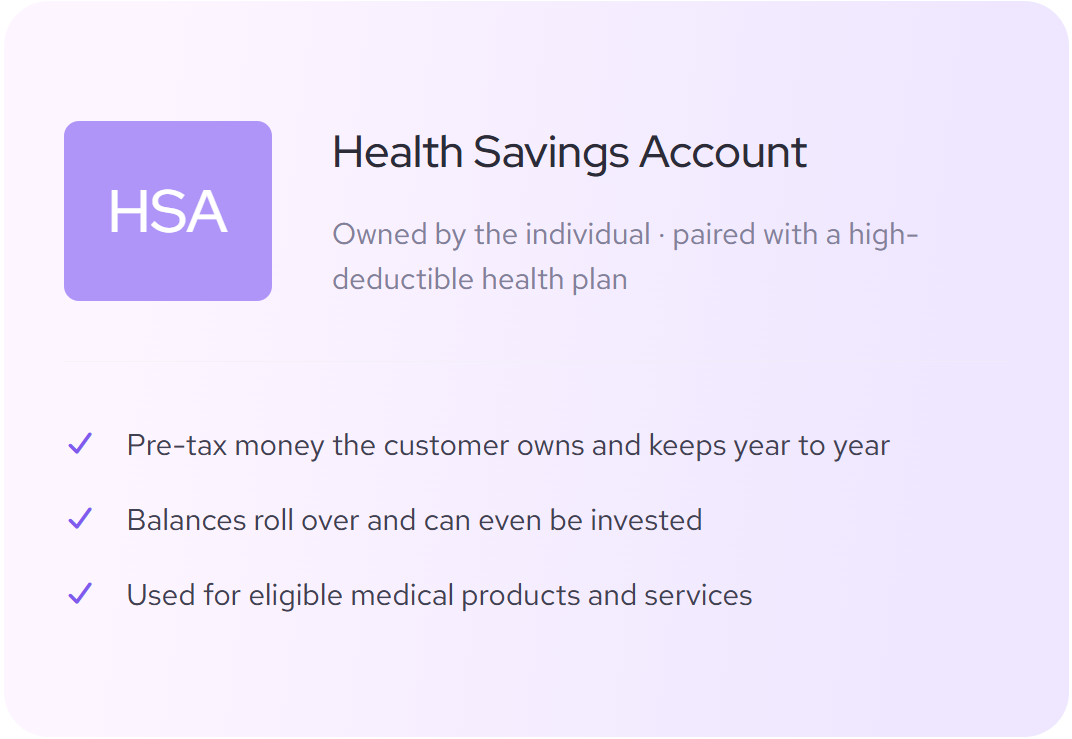
Health Spending Account (HSA)
HSAs are tax-advantaged savings accounts that are owned by the individual. To be eligible, you must be enrolled in a high-deductible health plan (HDHP), which as the name implies, has a higher deductible in exchange for lower premiums. HSA funds can be used for any qualified medical expense, including costs that count towards that deductible. A key advantage of that individual ownership is that if you change employers or their insurance company, the funds stay with you. On top of that, the funds accumulate interest and can even be invested similar to other savings accounts, and any unused portion is automatically rolled over at the end of each calendar year.
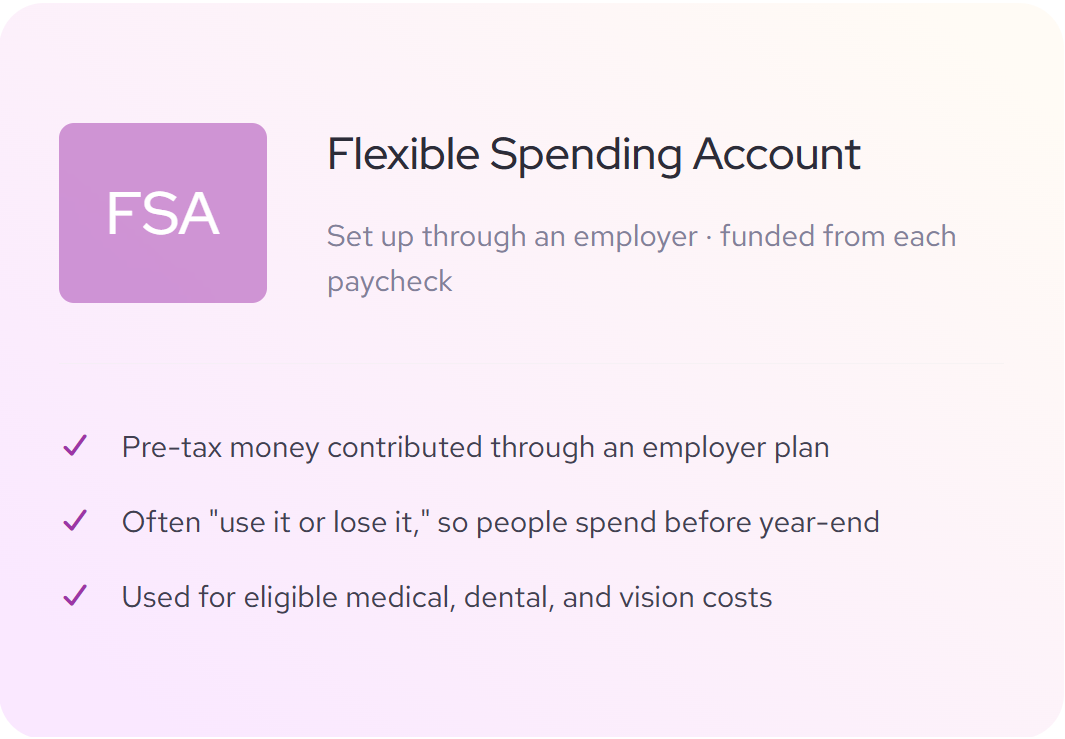
Flexible Spending Account (FSA)
FSAs are employer-sponsored accounts that are owned by the employer. You contribute pre-tax dollars to your FSA through payroll deductions. Unlike HSAs, FSAs are linked to the employer. What this means is that if the employee changes employers their funds are typically forfeited. Keep in mind, FSAs traditionally operate on a use-it-or-lose-it basis, meaning any funds not used by the end of the calendar year are lost, though some plans do offer a set carryover amount.
What is the difference between accepting HSA vs FSA payments?
Though their backend setup is quite different, the experience of accepting an HSA or FSA card is seemingly no different from accepting any other card payment. Similar to a standard credit card, most HSA and FSA cards come equipped with swipe, insert, and tap functions that will work with your existing payment hardware, and the cards can be used for online payments as well. That doesn’t mean that any card accepting business can start processing these cards too, though.
| HSA | FSA | |
|---|---|---|
| Account ownership | Owned by the individual | Owned by the employer |
| Account type | Tax-advantaged savings account | Employer-sponsored account |
| Rollover rules | Unused funds rolls over each year | Use-it or lose-it system refreshes annually |
| Accumulates interest | Yes, funds can even be invested | No |
| Eligibility requirements | Enrollment in an HDHP | Employment at an employer offering FSA |
What merchant category code (MCC) is required for HSA/FSA payments?
To accept HSA and FSA payments, your business needs to be classified under one of the qualifying healthcare merchant category codes (MCC). These are assigned by your payment provider and are based on the primary services that your business provides. HSA and FSA card issuers use these MCCs to determine if a purchase is legitimate. If a patient tries to pay at an establishment with an unqualified code, the transaction will be declined. If you’re unsure what MCC your business is listed under, reach out to your payment provider. You can find a list below of which MCCs are approved to accept HSA and FSA transactions.
MCCs that automatically qualify for HSA/FSA acceptance:
- 8011: Doctors and Physicians
- 8021: Dentists and Orthodontists
- 8031: Osteopathic Physicians
- 8041: Chiropractors
- 8042: Optometrists and Ophthalmologists
- 8043: Opticians and Optical Goods
- 8049: Chiropodists and Podiatrists
- 8050: Nursing and personal care facilities
- 8062: Hospitals
- 8071: Dental and medical laboratories
- 8099: Health Practitioners and medical services
The exception You might wonder how massive retail operations such as supermarkets or large pharmacies can accept HSA and FSA cards when their MCC reflects their main retail portion, not medical care. The IRS requires these mixed-inventory businesses to register with the Special Interest Group for IIAS Standards (SIGIS) and utilize an Inventory Information Approval System (IIAS), which ensures that only the eligible line items are payable with HSA/FSA cards.
That’s a lot of acronyms, so let’s break it down:
- MCC / Merchant Category Code: How your business is classified based on the primary service provided (eg. 8011: doctors, 8021, dentists, orthodontists). If your business is in the list of approved MCCs, you’re set to process HSA and FSA cards.
- SIGIS / Special Interest Group for IIAS Standards: governing organization that helps businesses comply with IRS regulations in accepting HSA and FSA cards. If your business’ MCC isn’t in the list of approved merchants, you’ll need to apply with SIGIS to get special approval.
- IIAS / Inventory Information Approval System: point-of-sale checkout technology that automatically identifies IRS approved medical expenses that can be paid for using HSA and FSA cards. Once you’re set with SIGIS you’ll need to implement an IIAS to make sure that only approved line items are charged on HSA and FSA cards.
What are the requirements for setting up HSA and FSA payment processing?
Now that we have a better understanding of MCCs, let’s look at the steps and requirements for your business to start processing HSA and FSA payments:
- Get a merchant account with a payment processor: You’ll need to create a merchant account with a payment processor so you can accept card payments. If you already have one, make sure that they can process HSA and FSA cards. Here's a helpful guide to shopping for a payment provider.
- Confirm your registered MCC is HSA/FSA qualified: When you’re signing up for your merchant account, make sure you select the correct MCC for your business. If your business is in one of the MCCs listed above, you’re all set to start processing HSA and FSA cards.
- If your MCC isn’t on the list, apply with SIGIS and implement an IIAS: If your business is not on the list of auto-approved MCCs, you’ll need to apply with SIGIS and use an IIAS point-of-sale system. For the IIAS, make sure that you review your products and services and correctly identify which SKUs or UPCs are accepted medical expenses.
Are there payment processing fees for HSA and FSA cards?
HSA and FSA cards use the same Visa/Mastercard payment rails and are subject to processing fees like any other card transaction. For example, on average, Helcim charges 1.71% + 7 cents per in-person transaction or 2.22% + 20¢ per online transaction for credit cards. When HSA and FSA cards are used online, they are routed over credit card networks. As a result, online transactions cost more than in-person ones. Some HSA and FSA cards actually operate as debit cards, in which then, your fees will be even lower with Helcim’s interchange-plus pricing.
Most payment processors that use a flat-rate pricing model will charge HSA and FSA cards the same set fee as their other card transactions (e.g. Stripe charges 2.9% + 30 cents per transaction). While this does take away the guesswork of knowing how much your processing fees will be, hidden behind the convenience are also your potential savings. Each card transaction has a varying wholesale cost known as the interchange rate. For example, HSA and FSA cards operate like debit cards which are much lower risk for the issuing banks as funds are drawn immediately from an existing balance instead of being lent out as with credit cards. Lower risk = lower interchange rate, but you miss out on these savings if your payment provider charges you a flat rate.
At Helcim we believe that transparency is the key to helping our merchants thrive, which is why we use interchange-plus pricing. With interchange-plus pricing, we pass the wholesale cost plus our small transparent margin directly to you. That’s how Helcim merchants in the healthcare industry save 26.48% on HSA and FSA processing fees compared to our flat-rate competitors. Explore Helcim Interchange Plus.
Helcim tip: Some processors may add additional fees to cover healthcare specific features, so best practice is to ask if processing rates are different for healthcare businesses. Helcim doesn't vary pricing by industry, so there's no healthcare markup to worry about.
Which payment processors support HSA and FSA?
Most mainstream payment processors will support HSA and FSA card processing as long as you meet the requirements discussed earlier. However, some payment providers will automatically assign businesses a default MCC to try to reduce sign up friction. While this speeds up the onboarding process, it creates an extra step for you of having to go into your merchant account to reassign your MCC in order to be eligible to accept HSA and FSA cards. The wrong MCC will result in an immediate decline, so to avoid the awkward front-desk encounter, double-check that MCC yourself rather than assuming your provider got it right.
What are compliance rules for storing HSA/FSA payment information?
Storing card information on file is an excellent way to provide a speedy and professional checkout experience, since it saves your clients from re-entering card information at every visit.
Healthcare clinics have two distinct sets of compliance rules they must follow: Payment Card Industry Data Security Standard (PCI DSS) and Health Insurance Portability and Accountability Act (HIPAA).
PCI DSS
PCI DSS is a set of security rules that all businesses accepting card payments must adhere to. It governs the way that sensitive card information is processed, transmitted, and stored. Some core requirements for PCI compliance include that businesses must process transactions on certified hardware, card information must be encrypted in transit, and full card numbers should never be written down. These rules help reduce the risk of fraud and minimize data breaches. This is especially important considering that the cost of the average healthcare data breach was $7.42M in 2025 and took 279 days to identify and contain, the longest in any industry.
HIPAA
HIPAA is a safeguard that is unique to the healthcare industry, focused on protecting personal health information (PHI). If your practice accepts HSA and FSA payments, you need to handle card information securely under PCI DSS and follow HIPAA’s rules for handling patient information like treatment plans, diagnoses, and test results.
The best practice to minimize risk is to keep your electronic health record (EHR) system and payments separate. Use your payment provider's tokenization system to securely store client card information, rather than saving raw card information on a spreadsheet or alongside your client’s medical information in your EHR.
What are common errors when processing HSA/FSA payments?
A declined HSA or FSA transaction is usually caused by one of a few common issues, and most are easy to diagnose once you know what to look for. This becomes especially important as the year winds down and FSA activity picks up. Understanding some of the common errors you may run into with HSA and FSA cards can help you diagnose the problem quickly.
Common errors when processing HSA/FSA payments are:
- Incorrect MCC: If all of your medical cards are being declined, your business has likely not been classified under an approved healthcare MCC. Check with your payment processor on what code your business is listed under.
- Insufficient funds: This is especially common for year-end transactions with FSA cards as their funds do not rollover each year unless the plan offers a carryover or grace period. Have your client check the balance of their accounts.
- Non-qualifying services and products: Some treatments such as those that are purely for cosmetic benefits, such as teeth-whitening, are not approved for HSA and FSA coverage. Review the list of qualified medical expenses and ensure you have properly defined the product or service provided.
Ready to start accepting HSA and FSA cards at your healthcare clinic?
Helcim makes accepting HSA and FSA payments easy for healthcare clinics, with no extra setup, no healthcare upcharges, and transparent Interchange Plus pricing, backed by full HIPAA and Level 1 PCI-DSS compliance, so you can trust your payments and focus on client care.
Learn more about accepting HSA & FSA cards with Helcim or sign up now to start saving on HSA and FSA payments.
Frequently asked questions
Do you need a special credit card terminal or machine to accept HSA and FSA cards?
No. You do not need a special credit card terminal or machine to accept HSA and FSA cards. They work like a regular debit card with swipe, insert, and tap functions.
Why did a patient's HSA or FSA card decline even though they have sufficient funds?
Your patient’s HSA and FSA card may decline even if they have sufficient funds if your practice isn’t classified under an accepted healthcare MCC or if the product or service provided isn’t qualified for HSA/FSA purchases.
Is it HIPAA and PCI compliant to store a patient's HSA/FSA card on file for future billing?
Yes, as long as you store the patient's card and personal information securely, following PCI and HIPAA guidelines. HSA and FSA cards are held to the same standards as any other payment card. Finding a payments provider like Helcim, that is both HIPAA and Level 1 PCI-DSS compliant, ensures that your practice’s sensitive information is handled correctly, and can even provide Business Associate Agreements (BAA) upon request.
What if I accidentally charge a non-qualified expense to an HSA/FSA card?
If you accidentally charge a non-qualified expense to an HSA/FSA card, the card issuer or plan administrator will usually flag the transaction and ask the patient to verify the purchase. If it can't be verified as a qualified expense, the patient is responsible for repaying the amount or reporting it as taxable income. Your clinic doesn't need to get involved beyond possibly providing an itemized receipt if asked, but it can be helpful to understand the process and to know that a flagged transaction doesn’t mean something went wrong on your end.
Can I charge a cancellation or no-show fee to an HSA/FSA card?
No. This is a common error that businesses make, but cancellation fees and no-show fees are not considered a qualified medical expense and could result in the patient owing tax on the amount. If your practice requires a card on file to cover these expenses, check to make sure that they’re not HSA/FSA cards so you don’t run into this issue.