

-
Content
Last Updated on November 13, 2025
If you’re still taking payments the old-fashioned way or just hunting for a smarter tool that does exactly what you need (without the extras you don’t), you’re in the right place.
Accepting payments from your computer or phone isn’t just convenient. It’s efficient. You can skip the office commute, charge a customer’s credit card without a reader or bulky POS system, and automate the tedious parts of payment collection. The result? Less manual work, faster cash flow, and happier customers.
Here are the online payment tools to help businesses adjust to the new demand for online sales and contactless payments.
7 ways to accept payments online
Whether you sell products, bill clients, or take deposits, you can mix and match these seven tools to build a system that works for you.
- Invoicing: Send digital invoices by email or SMS so customers can review, click “Pay,” and complete their transaction securely online.
- Virtual terminal: Key in a customer’s credit card or bank details directly from your computer to take payments over the phone or remotely.
- Online storefront: Create a branded ecommerce site where customers can browse products, add items to their cart, and pay anytime.
- Payment requests via SMS or email: Share a secure payment link through text or email so customers can open a checkout page and pay instantly.
- Automated billing: Automatically charge customers on a schedule for payment plans, memberships, subscriptions, or installment plans.
- QR code payments: Generate scannable codes that link to a hosted payment page so customers can scan, tap, and pay on their phones — no card reader required.
- Embedded payment pages: Add a payment form directly on your website so customers can pay without ever leaving your page.
1. Invoicing
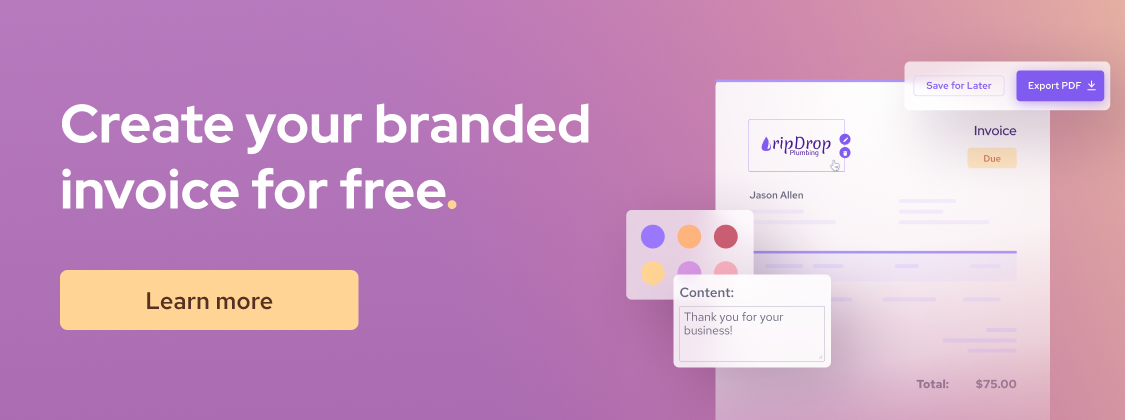
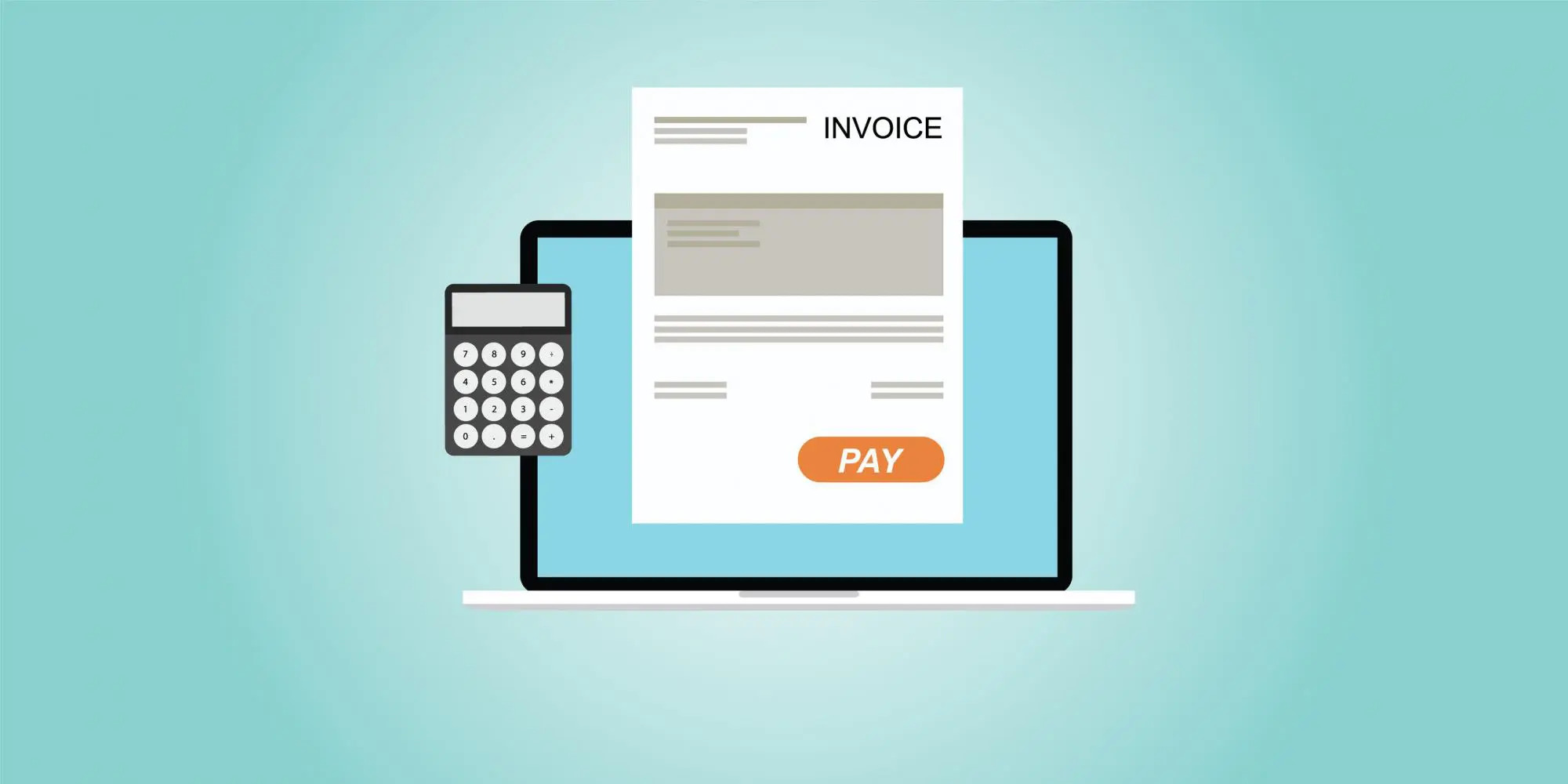
If you work in the service industry, then invoicing is probably all too familiar to you. But unlike paper invoices, digital invoicing lets you send invoices by SMS or email. Customers can click on the invoice to review the amount and line items, then tap the Pay button to open a secure payment page and complete their payment online.
Modern invoicing software also lets you customize the design to match your brand like adding your logo, brand colors, and more. You can even automate billing by scheduling recurring invoices to go out every billing cycle, along with reminders for upcoming or overdue payments.
If a customer has an outstanding invoice, you can send a Due Reminder with just one click. It’s an easier, faster way to prompt customers when payment is due.
2. Virtual terminal
A virtual terminal is an online payment tool (web page) that lets you key in a customer’s card or bank details and charge them. There is no card reader or website checkout required.
Think of it as turning your laptop or tablet into a credit card machine you can use anywhere with the internet. You'll know right away whether the transaction has been declined or approved. After the charge, you can send the customer an email receipt with all the payment details.
When should a small business use a virtual terminal for online payments?
- Phone orders and one-off payments: For example, a salon that sells take-home dye kits by phone can charge the card while the customer is on the call, then have the order prepaid for pickup.
- Service and B2B billing: For example, consultants, trades, clinics, and wholesalers can take deposits, or collect past due invoice payments without building an online store.
- Back-office or backup: For example, if your credit card reader is broken or you’re away from the office, you can still get paid.
- Split payments: You can use virtual terminals to collect deposits before meeting with clients or delivering services.
- Card on file payments: You can use Virtual Terminal to retrieve saved payment information for faster repeat online payment processing.
Learn more on how Virtual Terminal works.
3. Online storefront
An online storefront is a website (or section of your website) where customers can browse products/services, add items to a cart, and checkout with an online payment.
In the U.S., ecommerce reached about 16.3% of total retail sales in Q2 2025. In Canada, retailers recorded C$67.7B in ecommerce revenue in 2023. This makes establishing your business online become more and more important.
If your business needs to set up an online store, Helcim makes it easy. Helcim Online Checkout lets you create a fully hosted online store with your product catalog, shopping cart, and checkout page with no coding required.
Every account includes access to a fully hosted online store that can be customized to match your brand. You can display products already entered into your Helcim account in your Online Store with the click of a button, so customers can begin shopping online right away. Use the shipping and pickup customization options to control where customers can order from and when they can pick items up at your store.
4. Payment request through SMS and email
Payment requests let you text or email a secure link so customers can open a checkout page, enter their details, and pay on their own. Businesses in many different industries use Payment Requests to collect online payments, here are just a few examples of how they can be used:
- Dry Cleaners and Tailors can send payment requests when an order is ready for pickup for the customer to pay before picking up their items
- Professional Services providers such as Accountants and Lawyers can send payment requests when invoices are due
- Home Services providers like plumbers, electricians, window washers, house cleaners, etc can all use Payment Requests as an easy way to notify customers when work is done and they need to collect payment
- Mechanics can accept payment through Payment Requests for an easy contactless experience
- Florists can send Payment Requests when orders are received and once payment is submitted they can complete the delivery or let the customer know they are ready for pickup
In a lot of these cases, businesses are providing services that can be done remotely or without the customer present, but that requires an in-person interaction to accept payment. With Payment Requests, you can remove the need for physical interaction with your customer which is safer for them and for your team.
5. Automated billing
Automated billing allows businesses to collect recurring payments, monthly product delivery plans, subscriptions, payment plans, or installments automatically. Automated billing can save businesses time and boost cashflow because they don’t have to wait for the customers to manually make the payments.
Automated billing can also help businesses to better manage their cash flow and keep track of their spending. In addition, automated billing can help to improve customer satisfaction by providing a more streamlined and efficient billing experience.
6. QR code online payments
QR code payments turn any sign, menu, or receipt into a self-serve checkout. You generate a code that points to a secure payment link or checkout page, print or display it where customers interact with you. To pay, the customers scan it with their phone’s camera. The link opens on their device’s browser and they pay using a card or digital wallet. Best of all, they don't need to download any special apps to use the QR Codes, the codes can be scanned using the camera on their phone.
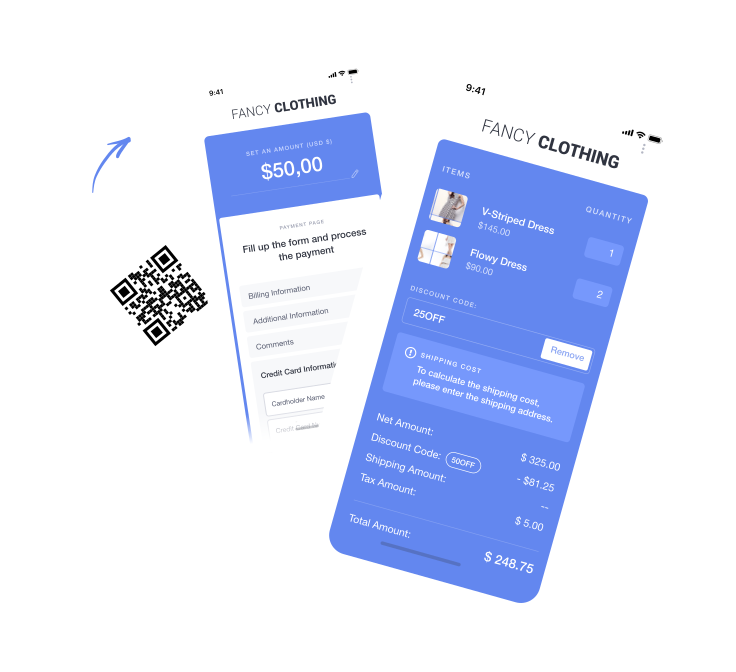
Below are different use cases of QR code online payments:
- Creating a QR code to a payment page with a blank amount to accept tips and gratuities for those in the tourism, hospitality, and restaurant industry
- Setting up a QR code that links to a donation page, you can leave the amount blank for customers to fill in or create pages with a set amount
- Using a payment page with a blank amount to register a card on file for hotel stays or rental services where you need customer payment information on file
- Creating payment pages with pre-filled items for service or products so customers can quickly pay
- Adding QR codes with drop-in, registration, and service fees to make it easy for people to pay when they arrive at a location, without having to queue at the front desk
- Using QR codes to access hosted payment pages gives you endless opportunities to replace the need for a terminal and to accept cash. You can create as many QR codes as you need to deliver a contactless payment environment that still meets your customer's needs.
7. Embedded payment pages
Embedded payment pages let you create the checkout page and embed it on your existing website or app. You can also add the pay button on your product listing page or information to direct your customers to this custom checkout page too. The key is that the customer doesn’t feel redirected to a different website because the payment interface appears as part of your site.
What online payment methods should you offer?
At a minimum, your online payment system should accept all major credit cards like Visa, Mastercard, American Express, and Discover. If you sell high-ticket items, or offer subscriptions or installment plans, add ACH/EFT transfers to save on processing fees and keep more profit. Learn more: What is ACH transfer?
For ecommerce stores, enabling digital wallet payments (Apple Pay and Google Pay) or offering Buy Now Pay Later options can further increase checkout conversion rates by making it easier and faster for customers to pay.
Here’s a breakdown of each online payment method with its advantages and drawbacks.
1. Online credit and debit card payment method
Credit and debit cards are the most common online payment method, so it’s a no-brainer to accept them. Customers simply enter their card details on the checkout page to complete the payment. After the first transaction, their payment information can be securely stored (tokenized) to make future payments faster and easier. Credit and debit cards work well for nearly all types of online payments. However, online credit card processing fees are higher than in-person transactions. Debit cards processed online usually run on the same networks as credit cards, so they carry similar fees.

2. Online ACH/EFT payment method
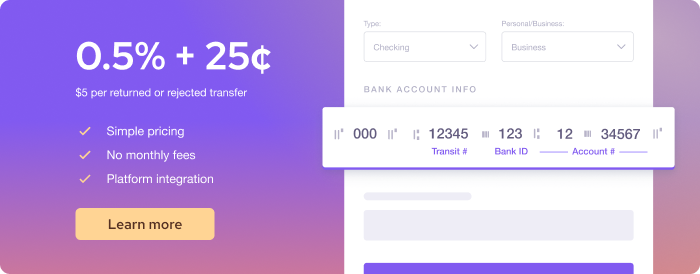
ACH transfers (U.S.) or EFT payments (Canada) are electronic bank payment methods. You’ll provide an authorization form for customers to fill in their bank routing and account numbers, which allows you to pull funds directly from their bank accounts. The biggest advantage of ACH/EFT is the lower processing cost, often around 0.5%. It’s 4-5 times cheaper than card fees. They’re great for larger transactions, but processing takes longer, typically 3–5 business days.
3. Digital wallet payment method
Digital wallet payments (Apple Pay, Google Pay, etc.) are payment methods where the customers store a customer’s card information in an app such as Apple Wallet or Google Pay. At checkout, they can pay using Face ID, a fingerprint, or a passcode. It’s a fast, frictionless checkout on mobile because there’s no need to type in card numbers. Digital wallets have become extremely common. In fact, in 2024, Capital One Shopping reported that Apple Pay accounted for 14.2% of all online consumer payments.
4. Buy Now Pay Later (BNPL) payment method
Buy Now Pay Later (BNPL) offered by Afterpay or Klarna lets businesses offer installment payment options at checkout. Many ecommerce stores use BNPL to boost conversions. About 33% of Gen X and Baby Boomers have used BNPL, making it worth considering if that’s your target audience. The downside is the high payment processing fee, around 6%, which is three to four times higher than standard online credit or debit card fees.
What are the online payment processing fees?
Online payment processing fees are the charges you pay per transaction to the payment processor and card networks. It costs around 2.3% to 3.5% per online credit card transaction, 0.5% to 1% per ACH/EFT transaction, and around 6% per Buy Now Pay Later transaction.
Below is the detailed online credit card payment processing fees comparison between different merchant service providers.
| Provider | U.S. credit card processing fees | Canada credit card processing fees |
|---|---|---|
| Helcim | Interchange + 0.50% + 25¢ 2.27% + 25¢ (Average rate) | Interchange + 0.50% + 25¢ 2.28% + 25¢ (Average rate) |
| Square | 3.3% + 30¢ (Square Free) 2.9% + 30¢ (Square Plus) 2.9% + 30¢ (Square Premium) 3.5% + 15¢ (Keyed in) | 2.8% + 30¢ (Online) 3.3% + 15¢ (Keyed) |
| Stripe | 2.9% + 30¢ | 2.9% + 30¢ |
| Clover | 3.5% + 10¢ (Starter) 3.5% + 10¢ (Essentials) 3.5% + 10¢ (Services Growth) | Not publicly listed |
| PayPal | 2.29% + 9¢ (QR transactions) 2.99% + 49¢ (Invoicing using cards and non-PayPal payments) 3.49% + 49¢ (Invoicing using PayPal payments) 3.49% + 9¢ (Keyed) | 1.9% – 2.4% + fixed fee (QR transactions) 2.7% – 3.5% (Advanced Checkout – eCommerce) 2.9% + fixed fee (Commercial Transactions) 2.9% – 3.5% (Payments Pro) |
| Shopify | 2.9% + 30¢ (Basic) 2.7% + 30¢ (Grow) 2.5% + 30¢ (Advanced) | 2.8% + 30¢ (Basic) 2.6% + 30¢ (Grow) 2.4% + 30¢ (Advanced) 3.1% – 3.5% (Virtual Terminal) |
Helcim uses an interchange-plus pricing model, which offers some of the lowest credit card processing fees in the market. This model passes through the actual interchange fee set by the card networks, plus a transparent markup. In addition, Helcim offers automatic volume discounts that lower your online payment processing fees as your credit card volume increases. No negotiation or long-term contract required. Visit Helcim’s pricing page for more details.
Below is the detailed online ACH/EFT payment processing fees comparison between different merchant service providers.
| Provider | U.S. ACH processing fees | Canada EFT processing fees |
|---|---|---|
| Helcim | 0.5% + 25¢ for transactions below $25,000 (fees capped at $6) 0.05% for every dollar exceeding $25,000 | 0.5% + 25¢ for transactions below $25,000 (fees capped at $6) 0.05% for every dollar exceeding $25,000 |
| Square | 1% (minimum $1) | Not available |
| Stripe | 0.8% (fees capped at $5) | 1% + 40¢ (fees capped at $5) |
| GoCardless | 0.5% + 5¢ (Standard plan) — fees capped at $5 0.75% + 5¢ (Advanced plan) — fees capped at $6.25 0.9% + 5¢ (Pro plan) — fees capped at $7 | 0.75% + 40¢ (Standard plan) — fees capped at $3 1% + 40¢ (Advanced plan) — fees capped at $4 |
| PaySimple | 1% + 63¢ +0.25% for transactions over $5,000 | Not available |
| Authorize.net | 0.75% | 0.75% |
How to set up online payment processing system
Here’s a step-by-step roadmap to get your business ready to take payments on your website or through the online methods we discussed:
- Choose a payment processing provider
- Sign up for a merchant account and get approved
- Set up your business profile and setting
- Add your products and set up your logistics
- Set up your payment tools or online stores
- Integrate payments into your system (optional)
- Run a test transaction
- Launch your business and monitor the performance
Step 1 - Choose a payment processing provider
For a small business just starting out, it’s best to choose a provider that doesn’t require monthly fees or long-term contracts. One of the advantages of online payments is that you don’t need to buy hardware that locks you into a single provider. This means you can sign up with multiple processors that offer free accounts and no contracts to evaluate their platform, user experience, payment tools, and customer service.
Step 2 - Sign up for a merchant account and get approved
Once you’ve chosen a provider, you’ll need to create a merchant account. Fill out an online application with your business information, such as your business name, address, industry, and expected transaction volume. It usually takes about 10–15 minutes if you have all your information ready. After you submit your application, the provider will review it to assess your risk level. If you are qualified for a merchant account, you’ll receive approval and can start accepting payments. Learn more about how to qualify for a merchant account.

Step 3 - Set up your business profile and setting
To receive funds, link your business checking account so the processor knows where to deposit your money. You can also configure settings such as your logo, business display name, tax information, user permissions, and email notification preferences.
Step 4 - Add your products and set up your logistics
Next, add your products or services to your account. For B2B payment processing, this step allows you to quickly add product line items to invoices, payment requests, or your virtual terminal. For B2C payment processing, the added products will appear on your ecommerce store. If you’re using an ecommerce platform like Shopify, you’ll also need to configure your shipping and logistics settings to ensure orders are fulfilled accurately and on time.
Step 5 - Set up your payment tools or online stores
If you’re a B2B business that relies on invoicing or payment requests, design your invoices to match your branding and set up automated reminders in case clients forget to pay. If you’re a subscription-based business, create your subscription plans, onboarding fees, setup fees, and billing frequencies. For ecommerce stores, make sure your storefront and product listings are formatted correctly and easy to navigate.
Step 6 – Integrate payments into your system (optional)
If you want to connect your online payment system with your existing business software, check the provider’s payment gateway integration or marketplace to see if a native connection is available. If not, you can use the provider’s payment API, which may require developer support. Software companies that want to embed payments directly into their platform will also need to use a payment API. Most providers offer detailed API documentation that outlines how to set up and manage these integrations.
Step 7 - Run a test transaction
Many processors offer a test mode or let you process a small $1–$5 transaction. Running test payments before going live ensures that your tax settings, product details, and payment gateways are all working properly and that there are no errors.
Step 8 - Launch your business and monitor the performance
Once testing is complete, you’re ready to start accepting real payments. Credit card transactions are usually deposited into your bank account within 1–2 business days, while ACH/EFT transfers take 3–5 business days. Most payment processors provide reporting dashboards that show the transaction status for each customer or client. Check these payment data regularly to identify any failed or declined payments so you can follow up promptly. If you use Helcim, you’ll also see the risk level of each transaction, helping you identify and avoid online fraudulent payments that could lead to credit card chargebacks.
How to secure your online payment system
Mastercard reported that the total cost of ecommerce fraud to merchants exceeded $48 billion globally in 2024. This shows how every business and every customer can become a target for online fraudsters. That’s why it’s essential to secure your payment system.
Your payment processing provider must always remain PCI compliant. PCI compliance is a set of security standards designed to ensure that credit card information is captured, stored, and transmitted safely. However, your business also needs to stay compliant by following these best practices:
- Never store customers’ credit card information (such as credit card numbers or CVV codes) in unsecured ways. Don’t write them down or save them on your computer.
- Install antivirus software on all computers used to process payments. This helps prevent hackers from accessing your merchant account and stealing customer data.
- Train your staff on how to handle sensitive information, especially when taking payment details over the phone.
- Complete your PCI compliance assessment whenever your payment processor requests it to ensure your business and customer data remain protected.
If multiple staff members have access to your merchant account, make sure they use strong passwords and have two-factor authentication (2FA) enabled. You can also use your provider’s user management settings to assign limited roles to non-managers to minimize the risk of misuse.
If you embed payments on your website or run an ecommerce store, make sure your site is served over HTTPS. This encrypts all data in transit so that sensitive information like credit card numbers cannot be intercepted. Modern browsers like Chrome will flag your site as “Not Secure” if you don’t use HTTPS, which can cause customers to abandon their checkout and lose trust in your business.
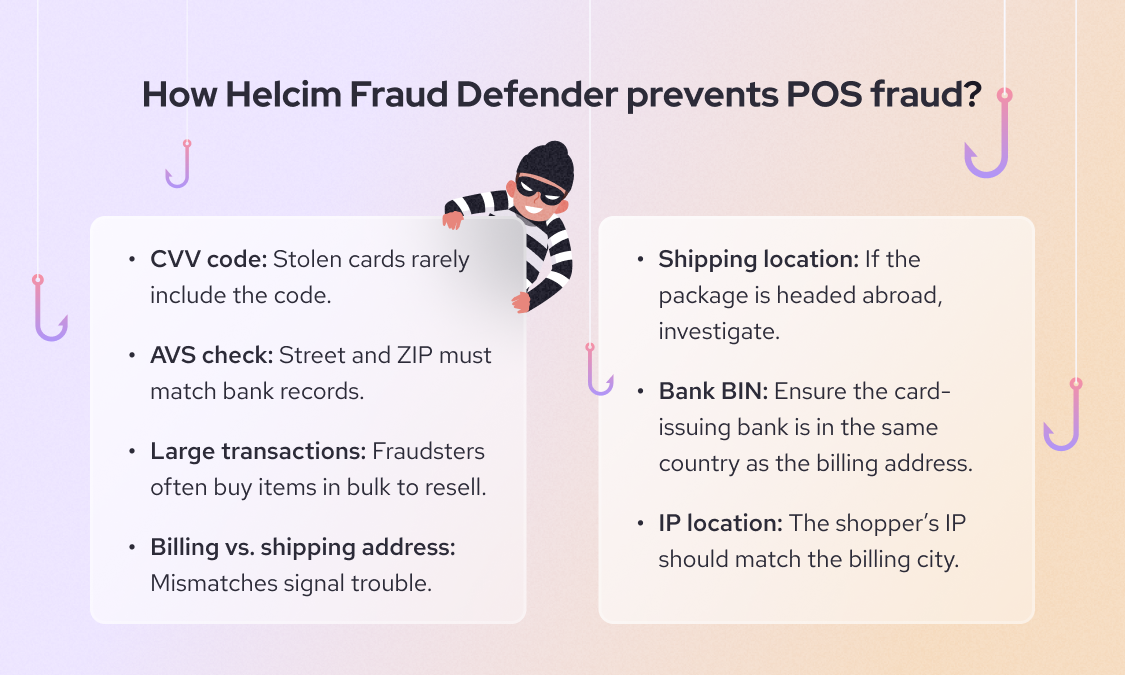
Some payment processors, such as Helcim, offer built-in fraud detection tools (like Helcim Fraud Defender) that flag suspicious or potentially fraudulent transactions. Review these alerts carefully and, when necessary, contact the customer for additional verification before shipping products or delivering services.
How to track online payment status
To stay on top of your online payments, use your provider’s transaction dashboard. It’s the central hub for tracking every payment and its current status. You can usually filter results by date, customer name, card type, or payment status, such as successful, declined, refunded, or partially paid.
For example, if you notice a pattern of failed or delayed transactions, the dashboard makes it easy to spot trends. Let’s say you see repeated declines from a specific card brand, it can flag the issue and work with its payment processor to investigate the gateway or network connection.
What compliance and policy pages do you need to accept online payments?
When you start accepting payments online, you need to have the proper policy pages on your website to let your customers know about the terms of the sale and how you handle payment data. In the US and Canada, privacy policy, terms and conditions, refund/return policy, and shipping policy are the common pages and policies you should have:
1. Privacy policy
Privacy policy explains what personal information you collect from customers and how you use, store, and protect it. Both Canada and U.S. law requires companies to have a privacy policy detailing how you handle customers’ data like name, email, address, payment details and the purposes like fulfilling orders, marketing, etc. And how users can contact you or request changes. If you use third-party processors, you can mention that (e.g. “Payments are processed by X company, which will receive your payment information”). You can put the link to the privacy policy under your website footer.
2. Terms and conditions
Terms and conditions is the agreement typically includes things like: conditions of purchase, product or service descriptions, pricing and taxes, and the customer’s rights and responsibilities. For example, you can state how order cancellations works. For digital goods or subscriptions, you can include renewal policies or license to use the digital product. Having this page can also help in credit card chargeback or ACH dispute situations. If a customer does a chargeback claiming “you don’t refund” and your terms clearly outline the refund condition, that could support your case.
3. Refund/return policy
A clear refund or return policy must be public, especially if you sell physical goods online. Even if you have a “no refunds” or “all sales final” policy, it must be clearly stated to the customer at purchase. In fact, Visa Dispute Management Guidelines stated that “As a merchant, you are responsible for establishing your merchandise return and refund or cancellation policies”. The policy should answer: under what conditions do you accept returns or issue refunds? Within what timeframe? Who pays return shipping? Or if no refunds, state that boldly. For services, your refund policy might be about cancellation fees or pro-rated refunds. For subscriptions, it should cover if you prorate on cancellation or not.
4. Shipping policy
If you sell physical products, you should have a shipping or delivery policy. This sets expectations on how long orders take to process, shipping methods and costs, and how you handle international shipping, etc.
Accept online payments with no monthly fees or contracts using Helcim
Ready to start accepting payments online? With Helcim, you can accept credit cards, ACH, and digital wallet payments with no monthly fees or long-term contracts. Besides, you can get access to a suite of payment tools to get your business up and running quickly:
- Helcim Recurring Payments: Automate billing, customize subscription plans, and grow revenue effortlessly.
- Helcim Invoicing: Send and manage online invoices, and handle late payments.
- Helcim Payment Pages: Easily add end-to-end payment functionality to your website, with no programming required.
- Helcim Online Checkout: Effortlessly bring your store online with our free, fully hosted, mobile-first solution, no coding or extra costs needed.
- Helcim Virtual Terminal: Process credit cards and ACH payments online without any hardware.
Besides, the Helcim Interchange-plus model helps you save 25% on credit card processing fees compared to other POS providers.
Book a demo, call us at +1 (877) 643-5246, or sign up today to see how Helcim can help you accept POS purchases at lower transaction fees.
If you’re currently locked into a contract with another provider, the Helcim Merchant Buyout Program will cover up to $500 of your processing fees to help offset cancellation costs.

Break up with bad rates.
Feeling stuck with your provider? We'll waive $500 of your processing fees when you switch to Helcim.
FAQ
Is online payment risky?
Online payments are generally very safe as long as you use a reputable payment processor that’s PCI compliant and uses encryption and tokenization to protect customer data. However, card-not-present transactions always carry a slightly higher fraud risk than in-person payments because you can’t verify the cardholder physically.
Why are online payment fees higher than in-person fees?
Online transactions are classified as “card-not-present” because the card isn’t physically tapped or inserted. This makes them riskier for fraud, so card networks charge higher interchange fees to cover that risk. Payment processors pass those higher costs along to you.
Can I surcharge online payments?
Yes, in both the U.S. and Canada, you can add a surcharge to recover credit card processing costs—but there are limits. In the U.S., the surcharge can’t exceed 3% of the transaction or your actual processing cost; in Canada, it’s capped at 2.4%. You must also clearly disclose the surcharge before the customer pays and exclude debit cards from surcharges. Always check your payment provider’s rules and card network policies to ensure compliance before adding any fees.
How do refunds work with online payments?
To issue a refund, simply find the transaction in your payment dashboard and select Refund. The money is then returned to the customer’s original payment method. Depending on the card network, it may take 3–7 business days for the customer to see the refund on their statement. Note that processing fees are usually non-refundable, meaning you’ll absorb those costs even after refunding the customer.
Related Articles
-
How to accept digital wallet payments
Kaitie Weaver | August 25, 2025
-

How can I accept online ACH payments?
Ryleigh Stangness | August 29, 2023
-
Credit Card Processing Fees Ultimate Guide
Ryleigh Stangness | July 1, 2022
-
What is a Virtual Terminal and How Does It Work?
Miranda Russell | November 21, 2020
-

The Ultimate Guide to Online Invoice Payment Processing
Miranda Russell | November 19, 2020
-
Online Invoice Payments: An Easy Way to Increase Cash Flow
Nic Beique | September 6, 2020
