






















TL;DR
- Healthcare clinics can accept cash, debit and credit cards, bank transfers (ACH/EFT), HSA/FSA cards and digital wallets, and each comes with different costs and considerations.
- Clinics collect payments outside of insurance for copays, deductibles and coinsurance, deposits, no-show fees, denied claims, non-covered services, self-pay patients and outstanding balances.
- HIPAA protects patient health information, including payment information tied to care, and PCI DSS protects card data. Clinics need to follow both.
- Common mistakes clinics make when collecting payments include writing card details on paper, not offering bank transfers for large balances and sticking with a default processor out of habit.
- The payment processor built into your practice management software is convenient, but it's often one of the most expensive ways to get paid.
- Helcim's Payment Extension lets clinics pay lower processing fees without leaving the software they already use.
What payment methods can healthcare clinics accept?
Healthcare clinics can accept cash, debit and credit cards, bank transfers (ACH/EFT), health savings and flexible spending account (HSA/FSA) cards, and digital wallets.
Here's what clinics should know about each payment method:
- Cash has no processing fees, which can make it appealing. But it comes with handling costs of its own: counting, depositing, reconciling and keeping it secure.
- Debit cards pull money directly from the patient's bank account and usually cost less to process than credit cards. Explore debit card fees.
- Credit cards are the most common way patients pay, and they let patients spread larger costs out on their own terms. However, for healthcare clinics, they also carry the highest processing fees and flat-rate pricing makes those fees harder to see. Helcim's interchange-plus pricing shows you the actual cost of each card plus one transparent markup, with no padding hidden inside a flat rate.
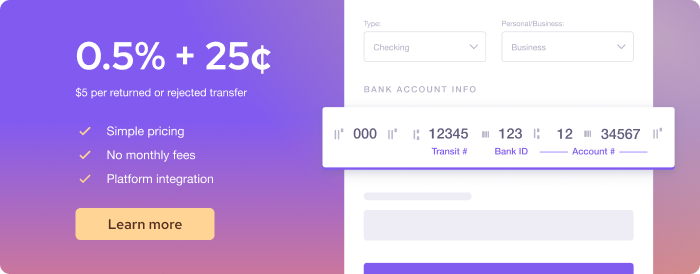
- Automated Clearing House (ACH) and electronic funds transfer (EFT) payments move money directly between bank accounts, which makes them well suited to large balances and payment plans. Helcim ACH and Helcim EFT payments cost 0.5% + 25¢, capped at $6, so a $2,000 balance only costs $6 to process. Bank payments take a few business days to clear.
- Health Savings Account (HSA) and Flexible Spending Account (FSA) cards let patients pay with pre-tax health dollars and work like debit cards at checkout. However, many HSA and FSA cards only approve payments at healthcare-coded merchants, so it's best to confirm your merchant category code (MCC) with your processor and ensure your account is set up to accept HSA and FSA cards.
- Digital wallets like Apple Pay and Google Pay let patients pay by tapping their phone instead of a card. Helcim's point-of-sale system accepts both on its card reader and Smart Terminal.
Do the payment methods you offer matter to the patient experience?
The payment experience at a healthcare clinic matters deeply to consumers, with 2025 data from J.P. Morgan showing that 72 percent of those under 35 have either switched providers or would be willing to do so, for a better payment experience.
If that makes your ears perk up, the same research shows what patients want: options. The majority of consumers surveyed prefer a digital payment solution, like e-statements and online payments.
What scenarios do healthcare clinics have to collect payments outside of insurance?
Healthcare clinics collect payments outside of insurance for no-show and late arrival fees, deposits, copays, coinsurance and deductibles, denied insurance claims, self-pay and uninsured patients, non-covered services, and outstanding balances from previous visits.
Here's what to consider for each:
1. Late arrival or no-show fees
If your policy includes fees for late arrivals or no-shows, you'll have to collect them directly from the patient, since these aren't covered by insurance. Making sure that you have a card on file for patients makes these fees much easier to collect, since no one is physically in the clinic to pay. Learn more about how to handle no-shows and late arrivals.
2. Deposits
An appointment deposit is a partial payment collected from a patient before their scheduled visit to secure their time slot. It's typically applied toward the final bill at checkout, or can be forfeited if the patient no-shows without adequate notice.
Healthcare clinics may require deposits in a variety of scenarios, from new patient appointments, to high-cost or elective procedures, all the way to making deposits mandatory for patients with a history of no-shows.
Helcim's Deposits for healthcare appointments: A guide for clinic owners walks you through typical payment structures and amounts.
3. Copays, coinsurance and deductibles
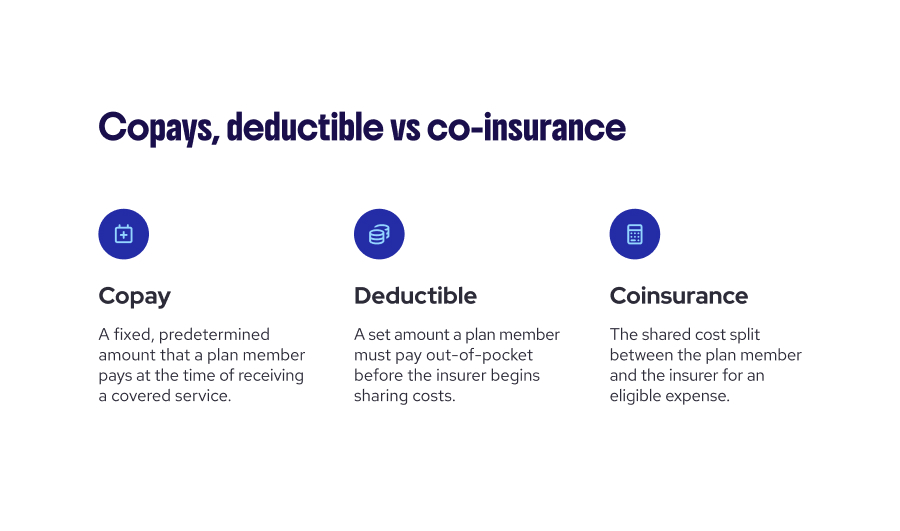
A deductible is what the patient pays before their insurer starts sharing costs, a copay is a fixed fee per visit, and coinsurance is a percentage of the allowed amount. Even when a patient's insurance covers a visit, they often owe part of the cost themselves. Verifying coverage 24 to 48 hours before the appointment can help your front desk know what to collect, ideally at check-in or check-out. For a deeper look, see Best practices for collecting copays, deductibles and coinsurance.
4. When insurance denies a claim
Insurance claim denials due to missing or incomplete coverage leave unpaid bills that must be collected from the patient out of pocket.
While no one wants to hear that insurance was denied, this scenario is increasingly common. In Experian's 2025 State of Claims survey, 54 percent of providers said denials are increasing, and 41 percent said at least one in ten of their claims is denied.
5. Self-pay and uninsured patients
Patients may either elect to self-pay or be required to do so when they don't have insurance. According to the National Center for Health Statistics, 27.2 million Americans of all ages (or 8.2%) were uninsured in 2024.
When patients do have insurance but opt to pay on their own, it's often because the service itself is elective or cosmetic (and so isn't covered), they want privacy (e.g., for mental health services), or the clinic is out of network, requiring them to pay upfront and submit for reimbursement later.
Under the No Surprises Act, both uninsured and self-pay patients are entitled to a Good Faith Estimate of their costs before their appointment, so clear pricing matters from the moment they book.
6. Non-covered services
A non-covered service is exactly what it sounds like: a service that your patient's insurance doesn't cover, so they must pay out of pocket. Healthcare.gov's glossary also calls these “excluded services.”
Examples of non-covered services may include cosmetic or elective procedures, services that are only covered up to a set number of visits, or services the patient wasn't referred for, when their plan requires a referral.
To help your patients prepare for their appointment, it's always a good practice to share your known or anticipated pricing in advance, so nobody is surprised at checkout.
7. Outstanding balances from a previous visit
An outstanding balance is when the bill from an appointment is not paid in full. There are lots of reasons why a balance may be outstanding after your patient's last visit, including when an insurance claim pays less than expected, the patient's share of coinsurance or deductible was not known until the insurer processed the claim, something was added during the visit (e.g. an extra procedure), or the patient was unable to pay in full. In these cases, understanding how to collect past-due balances can help.
Should healthcare clinics process payments with clinic management software or third-party processors?
Healthcare clinics can process payments through their clinic management software's built-in processor or through a third-party processor. However, using a third-party processor can create reconciliation problems. Here's what to consider about each path (and a third option you may be thrilled to learn about):
1. Default payment processors tend to be more expensive
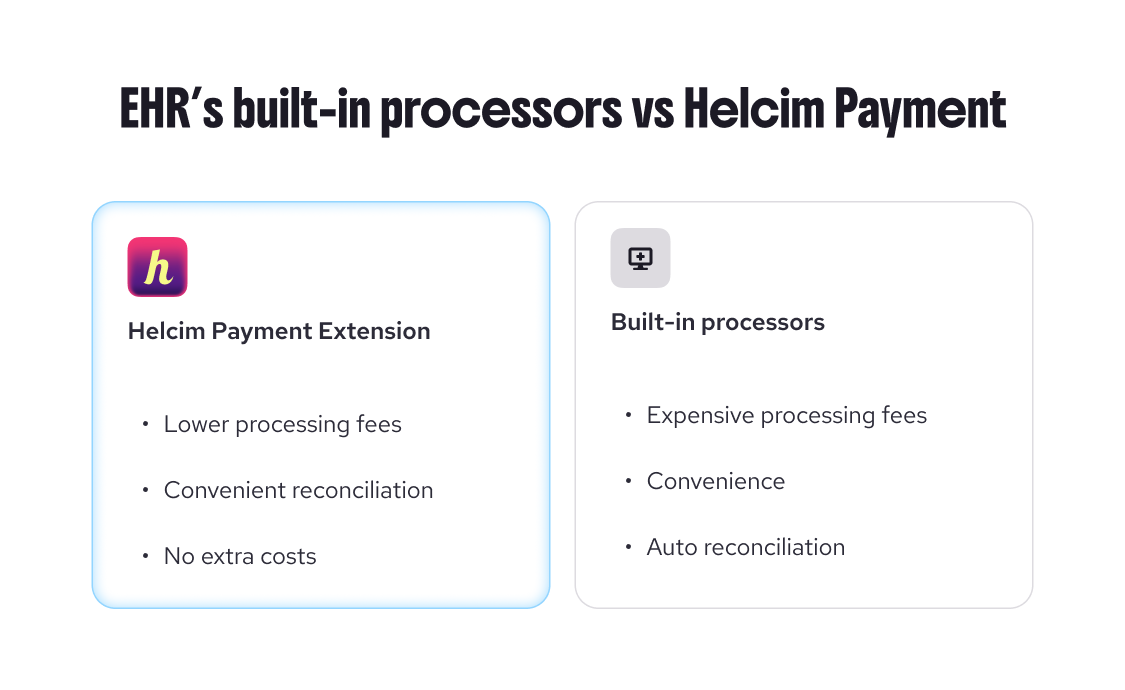
Clinic management software providers often build in a default payment processing system. This can make it easy for clinics to plug and play and comes with the convenience of knowing that as invoices are paid, they are reconciled within the same system that has scheduled them.
However, your software's processor is just the default, and defaults are expensive. Just check out this comparison of payment processor fees to see for yourself. As one example, Jane App's built-in processor charges up to 2.85% + 25¢ for online payments, while Helcim's average online rate is 2.31% + 25¢ in the U.S., and 2.38% + 25¢ in Canada.
Because the fees on these payment processors can be significantly higher than other options, many healthcare clinics source third-party payment providers for their payments instead. But that can create a different set of problems.
2. Third-party payment processors can create reconciliation problems
With a third-party payments processor, the trade-off to save money is that many clinics end up spending more time on bookkeeping. Clinic staff often have to track appointments and invoices in two separate systems, which can cause reconciliation issues and frustration. This includes entering payments twice, matching deposits against appointments at the end of the day and chasing down mismatches.
When the records don't line up, balances can get missed, patients can get billed twice and month-end bookkeeping can drag on and on.
3. Helcim’s Payment Extension: The best of both worlds
With Helcim's Payment Extension, healthcare clinics can get the best of both worlds: you get to keep your favourite software, cut your fees and maintain integrated reconciliation.
As a simple browser extension, Payment Extension installs in minutes and then runs inside your existing software. It works with 40+ platforms, including Jane App integration, SimplePractice integration, TherapyNotes integration, and Noterro integration. The extension pulls invoice and patient details from the page and sends the payment through Helcim’s Virtual Terminal or in person with Helcim Smart Terminal, so your front desk never has to switch systems.
Helcim's Payment Extension gives clinics lower fees, no double entry, no added cost and comes with added benefits, plus it’s easy to switch:
- Lower fees: Payments run on Helcim's interchange-plus pricing instead of your software's default rates. Helcim merchants save up to 25% compared to flat-rate processors.
- No double entry: Your practice management software records each payment like it always has, so there's no exporting, re-entering or end-of-day reconciliation.
- No added cost: The extension is included with your Helcim account. You only pay per transaction.
- Added benefits: Payment Extension also has all the tools, automation and compliance workflow you need to make every payment easier to manage.
- Easy switching: Helcim covers up to $500 in processing credits and transfers your card data from your previous processor for free.
What compliance rules do healthcare clinics have to follow?
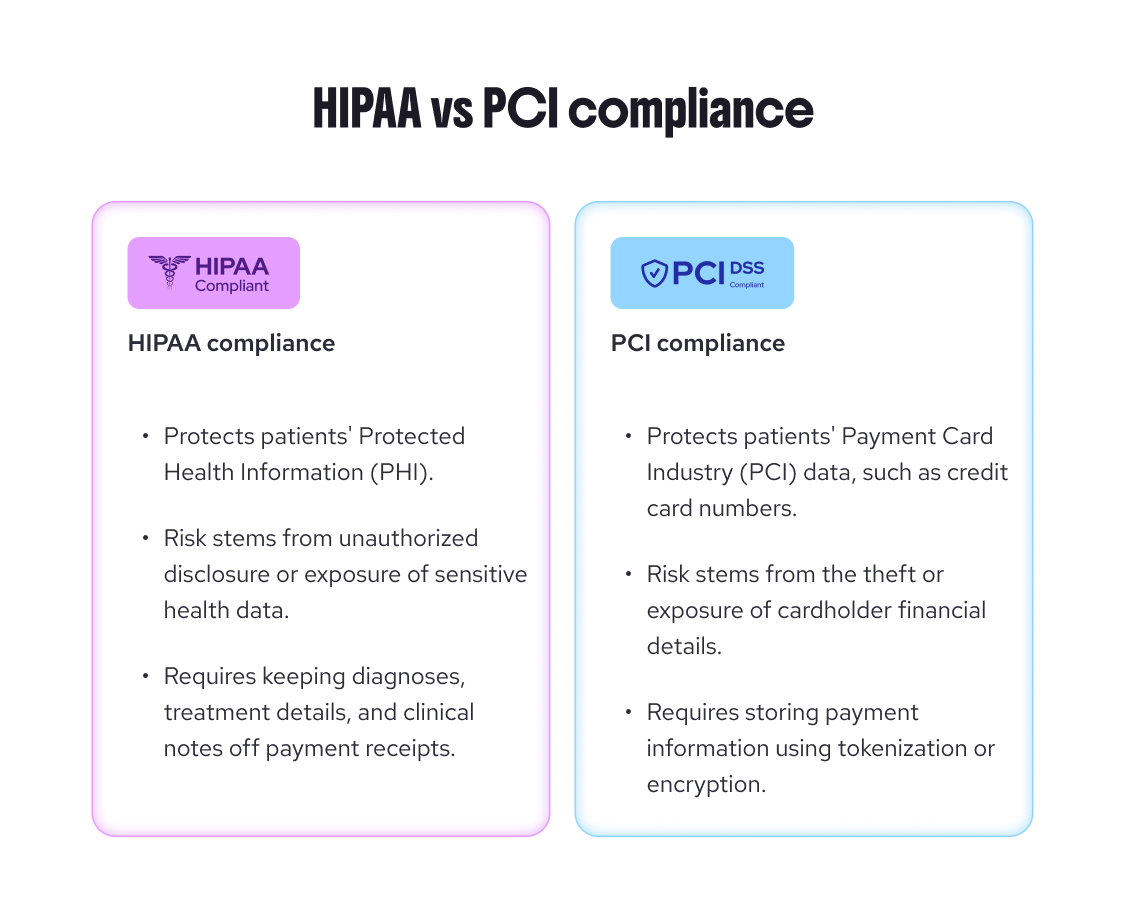
Healthcare clinics that accept payments need to follow two sets of rules: privacy laws, which protect health information and PCI DSS, which protects card data. In the U.S., the main health privacy law is HIPAA. In Canada, it’s PIPEDA or a provincial health privacy law, depending on where your clinic operates. PCI DSS applies in both countries.
Here's what each means for collecting payments:
1. HIPAA (U.S.) and PIPEDA (Canada)
The Health Insurance Portability and Accountability Act (HIPAA) protects patients' health information, including information about payment for their care.
In Canada, the Personal Information Protection and Electronic Documents Act (PIPEDA) protects personal information collected by private-sector businesses.However, some provinces have their own health privacy laws that apply instead, such as Ontario’s Personal Health Information Protection Act (PHIPA), so check which laws cover your clinic.
For payments, the risk usually lies in the health details attached to them. This is why you should always keep diagnoses and treatment details off receipts, invoices and payment descriptions, and only include what's needed to identify the charge. Learn more about creating HIPAA-compliant invoices.
2. PCI DSS
The Payment Card Industry Data Security Standard (PCI DSS) applies to any business that accepts cards and sets the rules for handling card data.
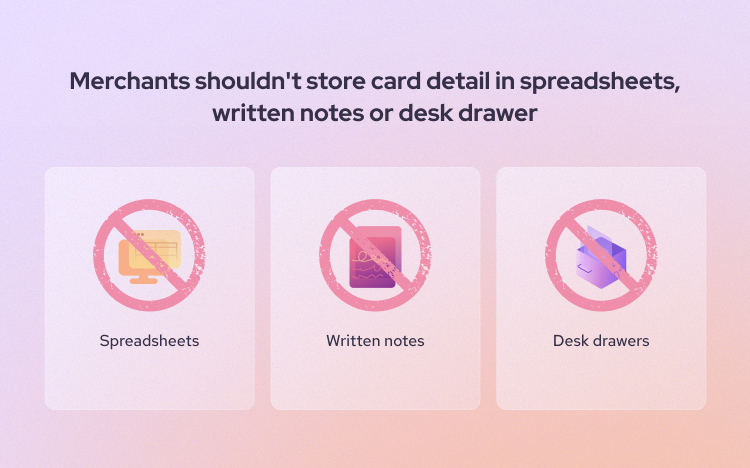
Clinics must never store card numbers themselves, whether that’s on paper, in a spreadsheet or in a patient’s chart notes. Card details have to be stored through a PCI-compliant processor that replaces them with secure tokens. Typing a card into your processor’s virtual terminal or card vault isn’t the same as storing it yourself: The processor keeps the card number in its secure system, and your clinic only holds the token. Never keep a card’s security code (CVV) after a payment, even in a secure system.
Read more about why PCI DSS compliance is important.
What are the most common payment processing mistakes healthcare clinics make?
The most common payment processing mistakes include recording card details on paper, letting ACH/EFT authorizations go out of date, not offering bank transfers (ACH/EFT) for large balances, sticking with a default processor, avoiding card-on-file policies and handling HSA and FSA payments incorrectly.
Here's how they each happen and how to avoid them:
1. Recording patients’ payment details on physical paper
Recording a patient's payment details on physical paper may feel easy at the moment, but in actuality, you're risking exposing a patient's protected health information (PHI) as well as opening up their financial information to misplacement or theft.
PCI DSS rules apply to card numbers on paper just as they do to digital files, so that sticky note or intake sheet needs the same protection as your card systems. If the security code (CVV) gets written down too, that’s a violation as soon as the payment goes through because PCI DSS never allows it to be kept after a payment is authorized.
While a card number in isolation doesn't necessarily create PHI, here's the thing: It's very unlikely that a credit card written out on paper is written in isolation. Normally, you also jot down the person's name and info on the appointment they're paying for, and putting these components together meets the definition of PHI, which explicitly includes payment information. Explore what are ePHI in payment processing.
And if you need any more reason to avoid writing card numbers out on paper, papers are easy to lose, and once the card number is gone, your billing goes with it.
The cost of getting it wrong can be steep. Card networks can fine processors for PCI non-compliance, and those fines (reported to be between $5,000 - $50,000 per month) are typically passed on to the business.
A better solution? Skip the paper entirely.
If you're taking card details over the phone, type them directly into Helcim's Virtual Terminal, or use the Payment Extension to take the payment without leaving your practice management software. Better yet, let patients enter their own details: many clinics add a Helcim payment link to their patient intake form so a card is securely on file from day one. To keep a card on file, save it to Helcim's Card Vault, which replaces the card number with a secure token, so your team never has to see or handle the full number again. Once it's saved, you can use that same card for Helcim invoices, collecting deposits, no-show fees and recurring payment plans, with no PCI fees.
2. Letting the ACH/EFT agreement expire
Automated Clearing House (ACH) and electronic funds transfer (EFT) payments are helpful for payment plans and recurring charges, or large invoice payments. These authorizations don't expire on their own, but they can become out of date when a patient changes banks, or a payment plan's amount or schedule changes. Keep each signed authorization on file, and get a new one whenever something changes.
Using an out-of-date authorization can cost you. If a debit doesn’t match what the patient agreed to, it can be returned and each return comes with a fee (Helcim charges $5 per returned ACH transaction). And patients can dispute a debit as unauthorized with their bank: for up to 60 days for ACH payments in the U.S., and up to 90 days for personal pre-authorized debits (PADs) in Canada. Too many unauthorized returns can also put your clinic’s ability to accept bank payments at risk.
3. Not offering ACH/EFT for large balances
Because credit card fees are at least four times more expensive than ACH and aren’t capped, the bigger the balance, the bigger the bite. Offering bank transfers (ACH/EFT) gives patients with large balances another convenient way to pay and it saves your clinic a lot in fees. For example, a $2,000 balance paid by credit card can cost $35 or more to process, while the same balance paid by ACH transfers or EFT payments through Helcim costs $6 (Helcim caps ACH fee at $6 for a transaction below $25,000).
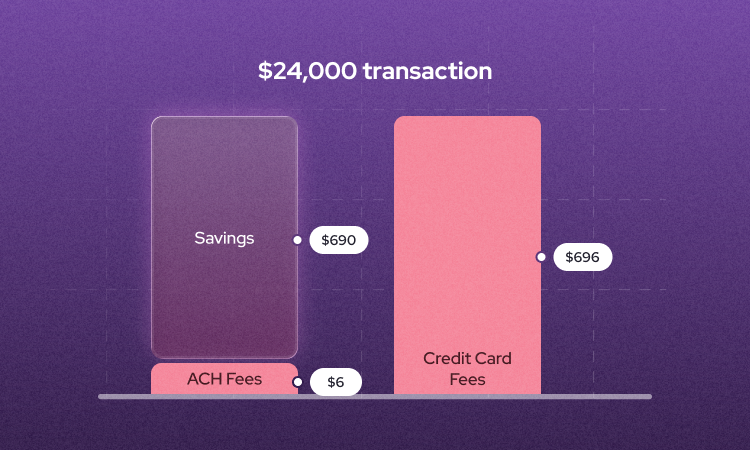
But if a patient needs to pay by credit card, you can still keep your fees in check by choosing a processor with interchange-plus pricing, so you're paying the actual cost of the card plus a transparent markup, and not a padded flat rate.
Taking the payment in person when you can helps too, since in-person rates are typically lower than keyed or online ones.
4.Sticking with a default EHR/Practice Management Software payment processor
Going with the default payment processor that comes with your scheduling software can feel like the easier route, especially when you are starting your clinic. However, this is an expensive mistake that many clinics only realize after they've been overpaying in fees for years.
That’s partly by design. Many practice management platforms earn revenue on every payment they process, so they have little reason to integrate with lower-cost processors and some add their own margin on top of the underlying processor’s fee. Many EHR payment processors try to protect these profits and avoid offering integration for third party low-cost processors.
This is why it’s worth it to shop around. Comparing what different payment processors charge you can be easily completed with payment comparison tools. In just a few minutes, you could be saving thousands of dollars.
And if you want to keep your scheduling software but save fees on processing, this is where Helcim’s Payment Extension comes in. It gives you the freedom to accept payments the way you want: keep your scheduling software and process your EHR invoices or receivables at Helcim’s lower rates.
5. Avoiding a “Card on File” policy
Some clinics avoid storing cards on file because it feels like a big compliance lift. In practice, the guardrails are simple: a written policy, patient consent (a checkbox or e-signature at intake works) and secure storage through a PCI-compliant processor.
Skipping it has its own costs. Without a card on file, every no-show fee, leftover coinsurance balance or missed copay turns into a follow-up call, an invoice and a wait. And the longer a balance sits, the less likely it is to be paid.
A strong card-on-file policy spells out which charges a card may be used for (like no-show fees or balances after insurance), lets patients know before their card is charged and explains how they can update or remove it. With Helcim's Card Vault, the storage piece is handled for you: cards are saved as secure tokens, so your team never handles the full card number. Learn more about how to store a patient’s card on file.
6. Handling HSA/FSA payments incorrectly
HSA and FSA mistakes usually come down to setup. If your merchant category code (MCC) isn't set to a healthcare category, many cards will decline. That's why it's so important to be able to call your payment processor (at Helcim, you'll talk to a human) and ensure you're set up correctly.
But it's helpful to remember that a successful payment setup doesn't guarantee that the charge will clear. For example, an HSA card can only cover what's in the account.
FAQ
How can a clinic safely store patient credit card information on file without violating PCI compliance?
Clinics can safely store cards on file by using a PCI-compliant processor that saves cards as secure tokens instead of storing card numbers themselves. Never write card details on paper or keep a card's security code (CVV) after a payment. Get documented consent from the patient, such as a checkbox or e-signature at intake, and explain when the card may be charged. Tools like Helcim's Card Vault handle the secure storage, so your team never needs to see or keep the full card number. Many clinics also add a Helcim payment link to their intake forms, next to their consent and payment policies, so patients can review the policy and save their card securely before their next visit.
Is it legal for a healthcare clinic to pass credit card processing surcharges onto the patient?
Healthcare clinics can legally pass credit card processing surcharges onto patients, but they face stricter limits than most businesses. Medicare-participating providers can't add surcharges for Medicare patients, many commercial insurance contracts restrict them, and HSA and FSA cards can't be surcharged because they're debit cards. Several states also ban or cap surcharges. Before adding one, check your payer contracts and state law, and consider lowering your processing costs instead.
Do payment processors need to comply with HIPAA?
Generally, payment processing itself falls outside HIPAA. Section 1179 of HIPAA exempts activities like authorizing, processing, settling and reconciling payments for health care, and HHS guidance confirms that processing card payments doesn't make a financial institution a business associate. That changes if a provider handles more than payments on a clinic's behalf. Clinics are still responsible for protecting patient information, and under HIPAA, that includes information about payment for a patient's care.
How can our clinic reduce the high credit card processing fees associated with large patient balances?
The most effective way to reduce fees on large balances is to offer bank transfers (ACH/EFT), which cost far less than credit cards on large amounts. With Helcim, ACH and EFT payments are capped at $6 per transaction, no matter the size of the balance. Clinics can also switch from flat-rate to interchange-plus pricing, and take card payments in person when possible, since in-person rates are lower than keyed or online rates.
The difference adds up fast on large balances. On a $1,500 payment, Helcim’s average in-person rate (1.79% + 8¢) costs about $26.93, compared with $39.10 at Jane’s in-person rate (2.6% + 10¢) and $47.55 at SimplePractice’s published rate (3.15% + 30¢).