























The best credit card processors vary depending on business needs. Sometimes, small businesses need a processor that offers affordable credit card processing fees so they can keep more profit and grow their business. Other times, they are looking for a processor that offers all the payment tools they need at affordable costs or no cost at all.
No matter what you need, in this article, we will introduce you to six different credit card processors, each with its own strengths and weaknesses. With this information, we hope small businesses can select the credit card processor that best fits their needs.
All pricing details and information come from each company's published U.S. and Canadian pricing as of November 2026.
TL;DR
- Choose Helcim if you want affordable credit card processing without giving up payment tools. Helcim credit card processing fees drop automatically as you grow. Every payment tool is included at $0 a month, with no contract.
- Choose Square or Clover if you run a restaurant or busy retail store that needs a countertop POS register, self-order kiosk or kitchen display. Both use flat rates. Square’s advanced features need a paid plan of up to $149 a month per location, and Clover requires a multi-year contract and monthly software fees.
- Choose Stripe if you’re a SaaS company or online marketplace with developers who need custom payment flows, usage-based billing or support for 135+ currencies. It has no built-in POS, and interchange-plus pricing is only for enterprises.
- Add PayPal as an extra checkout button for online shoppers who like paying with PayPal, Venmo or Pay Later. Wallet payments cost 3.49% + 49¢ in the U.S., and Canadian businesses can’t use PayPal card hardware.
Here's a comparison table of processors across key features:
| Helcim | Square | Stripe | Clover | PayPal | Authorize.net | |
|---|---|---|---|---|---|---|
| Pricing model | Interchange-plus with automatic volume discounts | Flat rate | Flat rate (interchange-plus for enterprises only) | Flat rate | Flat rate | Flat rate |
| In-person credit card | From Interchange + 0.40% + 8¢ About 1.78% + 8¢ (U.S.), about 1.72% + 8¢ (Canada) | 2.6% + 15¢ on Free plan (U.S.), 2.5% (Canada) | 2.7% + 5¢ | 2.3% to 2.6% + 10¢ (U.S.) | 2.29% + 9¢ (U.S.); no card hardware in Canada | 2.9% + 30¢ |
| Online credit card | From Interchange + 0.50% + 25¢ About 2.29% + 25¢ (U.S.), about 2.38% + 25¢ (Canada) | 3.3% + 30¢ on Free plan (U.S.), 2.8% + 30¢ (Canada) | 2.9% + 30¢ | 3.5% + 10¢ (U.S.) | 3.49% + 49¢ wallet, 2.99% + 49¢ cards (U.S.); 2.90% + 30¢ to 3.49% + 49¢ (Canada) | 2.9% + 30¢ |
| Monthly fee | $0 | $0 on Free plan; $49 to $149 per location for paid plans | $0 for payments; add-ons extra | $14.95 to $114.85+ | $0 for a standard account; some tools extra | $25 |
| Contract | None, month-to-month | None, month-to-month | None | Multi-year, $300 to $500 to cancel early | None | None, but you must formally close the account |
| Chargeback fee | $15 if you lose, $0 if you win | $0 | $15, plus $15 more if you contest | $20 to $50, not refunded | $20; up to $30 USD or $40 CAD for high dispute volume | $25, not refunded |
| Best for | Most small businesses, healthcare clinics, B2B suppliers, growing businesses | Restaurants, cafes, quick-service counters, businesses without a website | SaaS companies and online marketplaces with developers | Full-service restaurants and retailers ready to invest in a full POS | An extra online checkout option | Online stores that need shopping cart connections |
Best credit card processors for small businesses
1. Helcim
Helcim pricing model
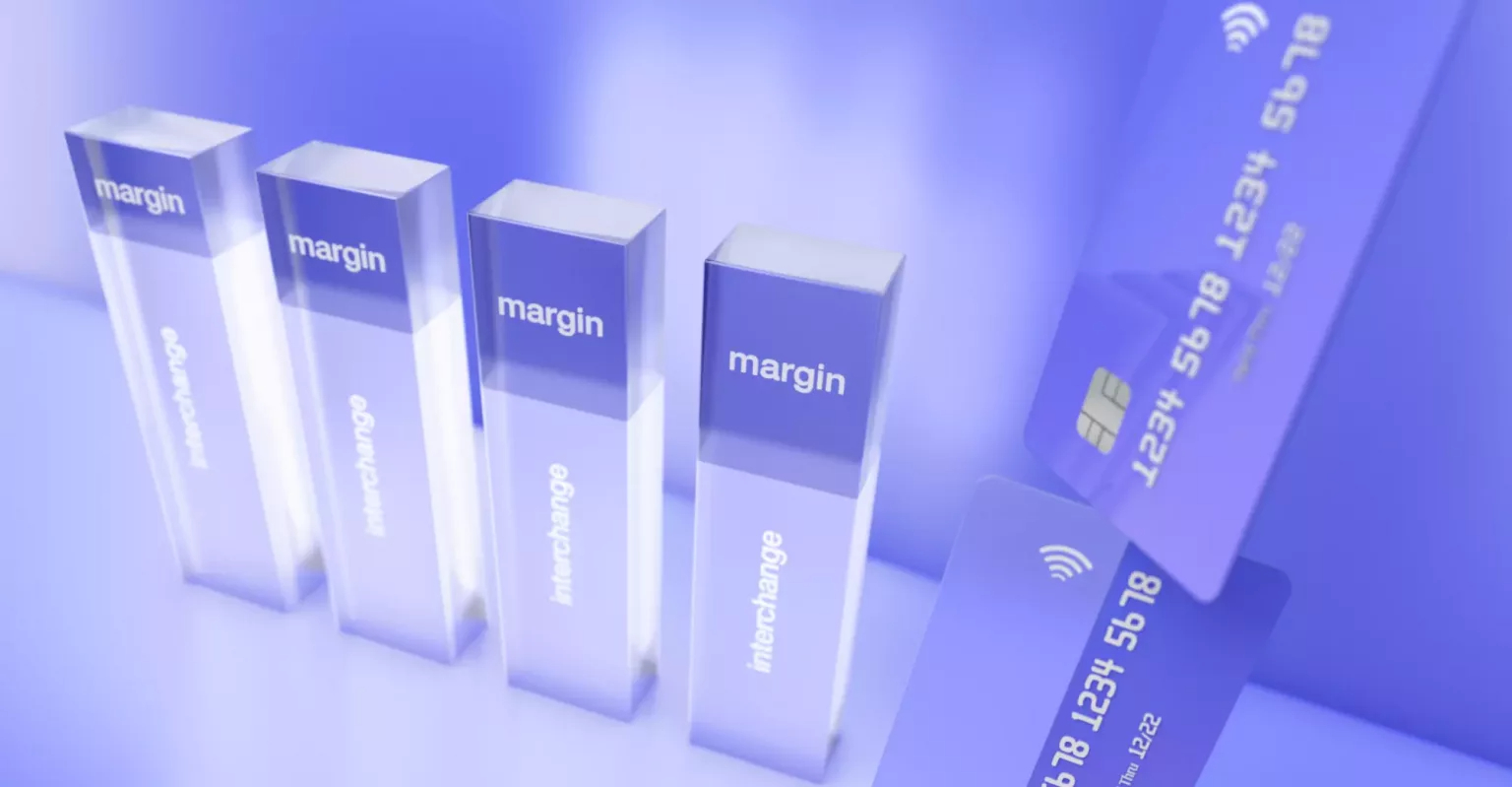
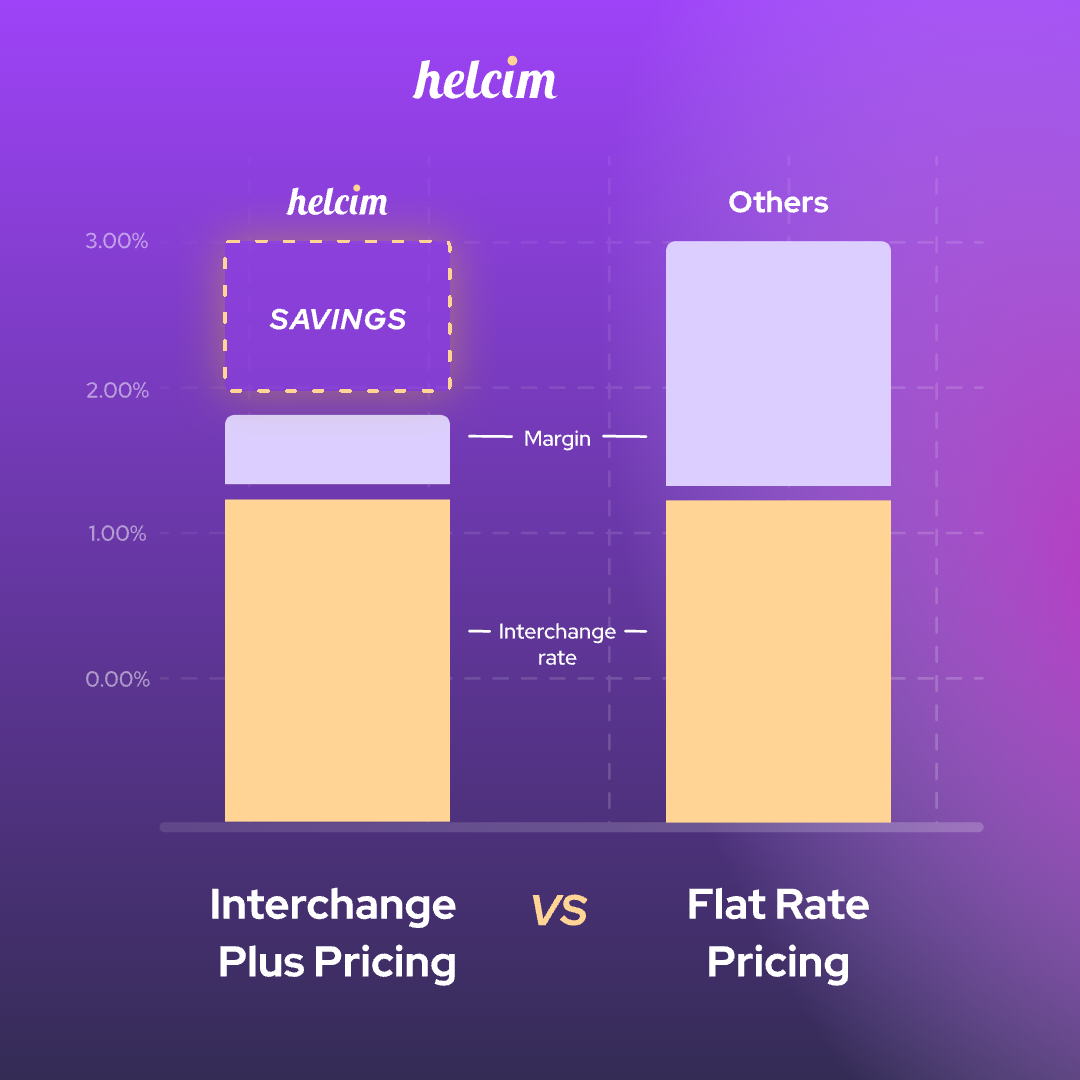
Helcim uses interchange-plus pricing, which passes exactly what the banks and credit card networks charge directly to you, then adds one small, visible margin on top. You can think of Helcim’s rates as 'wholesale' credit card processing fees coming directly from the 'suppliers'.
Helcim's margin also drops automatically as your monthly credit card sales grow. With Helcim's automatic volume discounts, small businesses don't need to negotiate, call anyone, or upgrade to a paid plan to get a lower rate.
Helcim credit card processing fees
| Monthly card processing volume | In-person card-present margin | Keyed and online card-not-present margin |
|---|---|---|
| Tier 1: $0 to $50,000 | Interchange + 0.40% + 8¢ | Interchange + 0.50% + 25¢ |
| Tier 2: $50,001 to $100,000 | Interchange + 0.35% + 7¢ | Interchange + 0.45% + 20¢ |
| Tier 3: $100,001 to $500,000 | Interchange + 0.25% + 7¢ | Interchange + 0.35% + 20¢ |
| Tier 4: $500,001 to $1,000,000 | Interchange + 0.20% + 6¢ | Interchange + 0.25% + 15¢ |
| Tier 5: $1,000,001 to $5,000,000 | Interchange + 0.15% + 6¢ | Interchange + 0.15% + 15¢ |
| Enterprise: Over $5,000,000 | Custom enterprise pricing (contact sales) | Custom enterprise pricing (contact sales) |
For businesses that have an average transaction of $300, below are the average Helcim credit card processing fees at different tiers of monthly volume for common credit cards (excluding American Express).
| Monthly card volume | U.S. in person | U.S. keyed and online | Canada in person | Canada keyed and online |
|---|---|---|---|---|
| $0 to $50K | 1.78% + 8¢ | 2.29% + 25¢ | 1.72% + 8¢ | 2.38% + 25¢ |
| $50K to $100K | 1.73% + 7¢ | 2.24% + 20¢ | 1.67% + 7¢ | 2.33% + 20¢ |
| $100K to $500K | 1.63% + 7¢ | 2.14% + 20¢ | 1.57% + 7¢ | 2.24% + 20¢ |
| $500K to $1M | 1.58% + 6¢ | 2.04% + 15¢ | 1.52% + 6¢ | 2.14% + 15¢ |
| $1M to $5M | 1.53% + 6¢ | 1.94% + 15¢ | 1.47% + 6¢ | 2.04% + 15¢ |
Other Helcim fees
| Fee | What you pay |
|---|---|
| Monthly or software fees | $0. Every software tool is included, with no per-user fees |
| PCI compliance fee | $0 |
| Chargeback fee | $15 if you lose the dispute, $0 if you win |
| Contract and cancellation | Month-to-month, $0 to cancel |
| Hardware fees after purchase | None. You own the device. An optional mobile data plan costs $7 USD or $9 CAD a month |
| Other fees to watch | +0.4% on recurring payments, +10¢ for Tap to Pay on iPhone, $5 for a returned bank payment |
Helcim hardware and online payment tools
For in-person sales, small businesses can use the Helcim Card Reader ($199 USD / $239 CAD) or the Helcim Smart Terminal ($349 USD / $429 CAD, or monthly installments). Both Helcim payment hardware devices are portable so small businesses can accept payments on the go or at job sites. The Helcim Smart Terminal also has an optional 4G/LTE card that merchants can subscribe to for $7 USD or $9 CAD a month to accept payments without Wi-Fi.
For online and remote payments, small businesses have access to all of Helcim's online tools without any monthly or hidden fees:
- Helcim Point of Sale software turns the tablet, phone, laptop or computer you already own into a checkout, so you can start taking payments quickly without buying a dedicated POS register. You can browse your product catalog or type in a custom amount, split a bill, add tips and issue refunds from the same screen.
- Helcim Virtual Terminal lets small businesses take card payments by typing in a customer's card details on a phone, laptop, desktop, or tablet. It’s also useful for setting up pre-authorized funds, accepting partial credit card payments, or collecting outstanding or past-due invoices faster.
- Helcim Invoicing allows small businesses to create, send (via SMS or email), and track unlimited professional invoices from their account at no extra cost.
- Helcim Payment Pages lets small businesses build a hosted payment form and share it with customers as a payment link or QR code, with no website required.
- Helcim Recurring Payments helps businesses set up recurring payments, subscription plans, installment plans, or any other types of recurring billing.
- Helcim Payment Extension can connect Helcim to more than 60 (and counting) external e-commerce, accounting, business management, billing, or EHR software applications so that businesses can lower credit card fees without leaving their existing software.
- Helcim Inventory Management lets businesses manage products and services with variations and add-ons easily. Helcim automatically updates the inventory across all sales channels.
- Helcim Customer Management helps you store customer contact information, saved payment methods, payment history, product preferences, buying behavior, and important documents.
- Helcim Fee Saver lets merchants in eligible regions pass credit card processing fees on to customers.
- Helcim Level 2/3 credit card optimization lets you lower credit card processing fees for qualified business and corporate cards to as low as 1.45%.

Helcim strengths
- Low credit card processing fees: Helcim passes the true credit card processing cost to you, meaning when customers pay with low-cost consumer credit cards, small businesses get the lower processing fee for those transactions.
- Low debit card processing fees: Some credit card processors, like Square, charge the same high credit card fees for debit card transactions for U.S. businesses. In contrast, Helcim charges separate, lower processing fees for debit card transactions for both U.S. and Canadian small businesses.
- Your rate falls as you grow: Once you pass $50,000 a month in credit card sales, Helcim's margin starts dropping on its own, by up to 70% at the highest tiers.
- No fixed costs: There are no monthly, PCI, setup, statement or cancellation fees, and no contract. Small businesses only pay for the sales they actually process.
- Every payment tool is included: Helcim POS, virtual terminal, invoicing, online store, recurring billing, and customer management cost $0 a month, with no per-user fees for your staff. Small businesses can set up and start processing credit cards with almost $0 startup cost.
- Built-in ways to save more: Helcim Fee Saver lets small businesses pass credit card processing fees on to customers so they can keep more profits and grow their businesses.
Helcim limitations
- U.S. and Canada only: Customers can pay from anywhere, but small businesses must be based in the U.S. or Canada to use Helcim.
- Your rate changes from sale to sale: Helcim's interchange-plus pricing passes the true cost of every transaction to small businesses. Because this rate fluctuates depending on the customer's card and industry, credit card processing costs can be harder to forecast.
- A smaller hardware lineup: Helcim doesn’t offer a built-in POS register, self-order kiosk, or kitchen display. However, small businesses can connect Helcim payment hardware to their phone, tablet, computer or laptop to start accepting payments.
What types of small businesses should use Helcim
Helcim fits most small businesses that want low, transparent credit card processing fees. Helcim is HIPAA compliant, offers a signed Business Associate Agreement (BAA), and can process HSA/FSA cards, allowing healthcare clinics to use Helcim securely. Additionally, because Helcim offers all payment tools with no monthly fees, small businesses looking to minimize startup costs will find Helcim a great fit.
For small businesses interested in zero-cost credit card processing, Helcim Fee Saver enables them to pass credit card processing fees directly to customers.
2. Square
Square pricing model
Square uses flat-rate pricing: small businesses pay the same payment processing fee on every card transaction, whether it's a basic debit card or a premium credit card. Square’s pricing model makes credit card processing costs easier to predict, but small businesses usually overpay when customers use lower-cost consumer credit cards or debit cards. In the U.S., your credit card processing rate also depends on which monthly software plan you're on (Free, Plus, or Premium). In Canada, the rate is the same across all plans.
Square credit card processing fees
| Fee | U.S. | Canada |
|---|---|---|
| In-person credit card | 2.6% + 15¢ (Free plan), 2.5% + 15¢ (Plus), 2.4% + 15¢ (Premium) | 2.5% |
| In-person debit card | Same rate as credit card | 0.75% + 7¢ (Interac) |
| Online credit card | 3.3% + 30¢ (Free plan), 2.9% + 30¢ (paid plans) | 2.8% + 30¢ |
| Keyed-in credit card | 3.5% + 15¢ | 3.3% + 15¢ |
| Volume discounts | Only by negotiation, above $250K a year in card sales | Only by negotiation, above $250K a year in card sales |
The catch with Square's U.S. plans is that you pay a monthly fee to get a slightly lower rate, and even the Premium plan’s rate of 2.4% + 15¢ is well above Helcim's average credit card processing fee without any subscription.
In the U.S., Square charges the same in-person rate for debit card transactions as it does for credit cards (2.6% + 15¢). In contrast, Helcim's average processing fee for debit cards is significantly lower.
Other Square fees
| Fee | What you pay |
|---|---|
| Monthly or software fees | $0 on the Free plan. Advanced features and lower U.S. rates need a paid plan, such as $49/mo (Plus plan) per location, or $149/mo (Premium plan) per location. |
| PCI compliance fee | $0 |
| Chargeback fee | $0 |
| Contract and cancellation | Month-to-month, $0 to cancel |
| Hardware fees after purchase | Some devices, like the Kiosk, need an add-on monthly software subscription. Square hardware only works with Square |
Square hardware and online payment tools
Square has one of the widest hardware lineups: the Square Reader ($59 / $69 CAD), Square Stand for iPad ($149 / $249 CAD), Square Terminal with a built-in printer ($299 / $399 CAD), Square Handheld with a barcode scanner ($399 / $449 CAD), Square Register with two screens ($899 / $999 CAD) and a self-order Kiosk ($1,999).
For online sales, Square offers a full website builder (Square Online), invoicing tool, a virtual terminal, payment links and developer APIs.
Square strengths
- Industry-specific software: Square has dedicated apps for restaurants (floor plans, bar tabs, kitchen displays), retail (purchase orders, barcode labels) and appointments, so small businesses can subscribe to paid plans to access these features without buying separate software.
- No credit card chargeback fees: Square doesn't charge a fee when a customer disputes a credit card payment. However, Square may hold funds if its system detects a sudden surge in credit card disputes.
- A website builder is included: Square Online offers a website and online store builder, which is useful for small businesses that don’t have an existing website.
Square limitations
- Lower rates sit behind monthly plans: In the U.S., small businesses have to pay for Plus or Premium plans that cost up to $149/month per location to get a better rate. In contrast, Helcim lowers your credit card processing fees automatically, with no subscription at all.
- Fund holds and reserves: Square's automated risk algorithms can hold funds or place a rolling reserve on your account without prior warning if your sales patterns change suddenly.
- Fewer ways to cut costs for Canadian businesses: Square Canada has no built-in credit card surcharging or Level 2/3 credit card processing for business cards. In contrast, Helcim offers surcharging and Level 2/3 processing for both U.S. and Canadian businesses.
- Payment hardware is locked to Square: Small businesses cannot use Square payment hardware with external POS software. In contrast, Helcim offers an API that lets small businesses connect the Helcim Smart Terminal with external POS systems.
What types of small businesses should use Square
Square is suitable for restaurants, cafes, and quick-service counters that need a kitchen display, self-order kiosk, or table management. Professional service businesses may also find Square useful because of its paid plans with appointment scheduling features. Additionally, small businesses without an online presence can leverage Square Online to build a simple website or store without subscribing to external tools like Shopify.
Read more about Helcim vs Square.
3. Stripe
Stripe pricing model
Similar to Square, Stripe uses a flat payment processing model, but it also offers Interchange-plus pricing and volume discount for enterprise clients as custom deals.
Stripe credit card processing fees
| Fee | U.S. | Canada |
|---|---|---|
| In-person credit card | 2.7% + 5¢ | 2.7% + 5¢ |
| In-person debit card | Same rate as credit card | $0.15 per transaction (Interac) |
| Online credit card | 2.9% + 30¢ | 2.9% + 30¢ |
| Keyed-in credit card | 3.4% + 30¢ | 3.4% + 30¢ |
Other Stripe fees
| Fee | What you pay |
|---|---|
| Monthly or software fees | $0 for payments. Billing, invoicing and fraud add-ons are priced separately. |
| PCI compliance fee | $0 |
| Chargeback fee | $15 when a dispute is filed, which you don't get back even if you win, plus another $15 if you contest it (returned if you win) |
| Contract and cancellation | None |
| Hardware fees after purchase | $10 a month per reader for cellular data |
| Other fees to watch | 1% to 1.5% for instant payouts, +1.5% on international cards (U.S.) or +0.8% (Canada), 1% (U.S.) or 2% (Canada) for currency conversion, processing fees kept on refunds |
Stripe hardware and online payment tools
Stripe Terminal readers include the Stripe Reader M2 ($59, U.S. only), the BBPOS WisePad 3 ($79,Canada only), and countertop or handheld smart payment terminals like the Stripe Reader S700 that costs $419 in Canada and $299 in the U.S. However, Stripe doesn’t offer the built-in POS system or inventory management so small businesses have to connect Stripe hardware to external POS systems or develop their own POS system.
Similar to Helcim and Square, Stripe offers different tools to accept credit card payments online, such as Stripe Checkout (for custom checkout page), Payment Links, embeddable payment forms, Stripe Billing for subscriptions, and Stripe Invoicing.
Stripe strengths
- Strong developer tools: Small businesses and SaaS startups looking to build payment processing directly into their app or software can use Stripe's APIs and SDKs to create a customized payment experience tailored to their business model.
- Built for selling worldwide: Stripe supports more than 135 currencies so international customers can pay using their preferred local payment methods.
- Strong customization for marketplaces and platforms: Small businesses operating online marketplaces or platforms can use Stripe Connect to build complex credit card processing flows and automate revenue sharing between buyers and sellers.
- Advanced and usage-based subscription billing: Beyond standard recurring billing, Stripe Billing allows businesses to set up metered or usage-based pricing. This functionality is especially valuable for SaaS companies charging based on platform consumption or credits.
Stripe limitations
- Stripe doesn’t offer a POS system: In-person businesses like retailers must connect Stripe payment hardware to third-party POS software or build a custom checkout application. In contrast, Helcim offers ready-to-use POS software so small businesses can connect a Helcim payment terminal and start accepting payments immediately without developer resources.
- Stripe’s flat credit card processing rate is expensive: On Stripe's standard plan, you pay a flat credit card rate even when a customer uses a low-cost credit card or in-person debit card (in the U.S.). In contrast, Helcim offers lower rates for debit card transactions, helping small businesses avoid overpaying for low-cost payments.
- Volume discounts and interchange-plus pricing are only available for enterprises: Unlike Helcim, which offers volume discounts and interchange-plus pricing to businesses of all sizes, Stripe reserves interchange-plus pricing for large enterprise accounts. Small businesses working with Stripe cannot access lower-cost interchange-plus rates.
- Non-refundable chargeback fees: Stripe charges a non-refundable $15 fee for every dispute filed, plus an additional $15 if you choose to dispute the chargeback. In contrast, Helcim refunds its $15 chargeback fee if the merchant successfully wins the chargeback dispute.
- No built-in surcharging tool: Stripe does not offer out-of-the-box surcharging tools for merchants to pass credit card processing fees on to customers. Small businesses must utilize custom development via Stripe's API to implement surcharging. In contrast, small businesses can activate surcharging easily in Helcim using the Helcim Fee Saver toggle.
What types of small businesses should use Stripe
While small businesses may find Stripe’s zero-monthly-fee online tools (like Invoicing or Recurring Billing) useful, Stripe is best suited for tech-focused businesses with development teams that need APIs to build custom payment flows. Companies selling internationally will also benefit from Stripe's support for local payment methods. However, for small businesses prioritizing lower processing fees, Stripe is less ideal, as its interchange-plus rates and volume discounts are reserved for high-volume enterprise clients.
Read more about Helcim vs Stripe.
4. Clover
Clover pricing model
Clover is owned by Fiserv. Merchants working with Clover directly pay a flat processing fee per transaction, alongside monthly software subscription fees that can reach over $90 per month per location depending on the plan. Additionally, merchants are typically required to sign a 3- to 5-year contract to use Clover processing services.
Clover credit card processing fees
| Fee | U.S. | Canada |
|---|---|---|
| In-person credit card | 2.3% to 2.6% + 10¢, depending on plan | Not published |
| In-person debit card | Same rate as credit card | Not published |
| Online credit card | 3.5% + 10¢ | Not published |
| Keyed-in credit card | 3.5% + 10¢ | Not published |
Other Clover fees
| Fee | What you pay |
|---|---|
| Monthly or software fees | $14.95 to $114.85+ a month, plus about $14.95 a month for each extra device, $25 a month per kitchen display and $10 to $50 a month for each App Market add-on |
| PCI compliance fee | $19.95 to $99 a month if you miss your annual PCI check |
| Chargeback fee | $20 to $50, not refunded even if you win |
| Contract and cancellation | Early contract termination can cost $300 to $500 |
| Other fees to watch | $25 to $50 monthly minimums, $5 to $15 paper statement fees, 20¢ to 30¢ batch fees from some resellers, 1.75% for Rapid Deposit |
Clover hardware and online payment tools
For in-person credit card processing, Clover offers different types of credit card terminals like pocket-sized Clover Go for $199 and the handheld payment terminal, Clover Flex, for ($749). Aside from the credit card terminal, Clover also offers different POS registers like Clover Station Solo that costs $1,799.
For online credit card processing, Clover offers a virtual terminal, invoicing with payment links, recurring billing and plugins for platforms like WooCommerce. Clover App Market also offers more than 200 add-on apps for extra functionalities that may cost $10 to $50 a month for each app.
Clover strengths
- Strong restaurant features: Clover offers table maps, course firing, bar tabs, a Kitchen Display System (KDS), and self-serve kiosks which are useful for full-service and high-volume restaurants. These features require paid software plans.
- Various payment hardware options: Similar to Square, Clover has many different hardware options like self-checkout Kiosk, POS register, kitchen printer, or barcode scanner that are useful for busy retailers or restaurants.
- A large app library: Clover offers more than 200 add-on apps in its App Market, allowing businesses to integrate accounting, scheduling, loyalty, or delivery management directly into their POS system. Each app subscription typically costs between $10 and $50 per month.
Clover limitations
- Long contracts and steep exit fees: Small businesses are required to sign multi-year contracts (typically 3 to 5 years) that include early termination fees ranging from $300 to $500. For businesses unsure if Clover is the right long-term solution, these commitments are significant financial risks.
- Expensive payment hardware and monthly fees: Clover hardware is generally more expensive than competing options from Helcim or Square. For example, the Clover Flex handheld terminal costs $749 USD. In comparison, the Helcim Smart Terminal costs $349 USD ($429 CAD) and the Square Terminal costs $299 USD ($399 CAD).
- Monthly fees on hardware you own: Clover requires an ongoing software subscription to operate its POS systems, even after purchasing hardware. Clover POS software plans range from $84.95/month for service businesses up to $129.85/month for full-service restaurants.
What types of small businesses should use Clover
Clover is not ideal for small businesses seeking to minimize startup costs or avoid recurring software fees. However, it is a strong option for full-service restaurants and busy retailers willing to invest in multi-component POS hardware setups. For smaller retailers, clinics, or service businesses primarily using a payment terminal or processing online, Helcim provides a more cost-effective alternative.
Read more about Helcim vs Clover.
5. PayPal
PayPal pricing model
PayPal uses flat-rate pricing, with varying processing rates depending on how the customer pays: via PayPal or Venmo wallet, card checkout, in-person, or over the phone.
PayPal credit card processing fees
| Fee | U.S. | Canada |
|---|---|---|
| In-person credit card | 2.29% + 9¢ | No PayPal card hardware. QR code payments cost 1.90% + 10¢ (over $10) or 2.40% + 5¢ ($10 or less) |
| In-person debit card | Same rate as credit card | No PayPal card hardware |
| Online credit card | 3.49% + 49¢ (PayPal or Venmo wallet), 2.99% + 49¢ (cards, standard checkout), 2.89% + 29¢ (cards, advanced checkout) | 2.90% + 30¢ to 3.49% + 49¢ |
| Keyed-in credit card | 3.49% + 9¢ (keyed on POS), 3.39% + 29¢ (virtual terminal) | 3.10% to 3.90% + fixed currency fee (virtual terminal) |
| Volume discounts | Custom flat rates, interchange plus pricing, and discounted rates are only available for established businesses | Custom flat rates, interchange plus pricing, and discounted rates are only available for established businesses |
Other Paypal fees
| Fee | What you pay |
|---|---|
| Monthly or software fees | $0 for a standard account. Some Paypal tools cost extra, like the Payflow Pro gateway ($25 a month), invoicing subscription ($14.99 a month) and account monitoring ($19.95 a month plus $29.95 setup) |
| PCI compliance fee | No separate fee published |
| Chargeback fee | $20 per card chargeback for both U.S. and Canada. PayPal’s credit card chargeback fees can rise up to $30 USD or $40 CAD if the businesses experience high volume disputes. |
| Contract and cancellation | None |
| Hardware fees after purchase | None. The PayPal POS Terminal includes its cellular data |
| Other fees to watch | Inactive account fee of up to $20 CAD a year (Canada), 3% to 4% currency conversion markup, +1.5% on cross-border sales (U.S.), 1.5% for instant transfers, processing fees kept on refunds |
Paypal hardware and online payment tools
In the U.S., PayPal offers a PayPal Card Reader that costs $29 for the first card reader and $79 for each additional one. The normal PayPal payment terminal costs $199 or $239 with a barcode scanner. In Canada, PayPal doesn’t support payment hardware and POS systems.
For online credit card processing, small businesses can get PayPal and Venmo checkout buttons, Buy Now Pay Later installments, invoicing, a virtual terminal, payment links and QR codes.
Paypal strengths
- A checkout customers recognize: Many online shoppers already have a PayPal account and may feel more comfortable checking out with PayPal or Venmo rather than entering credit card details on an unfamiliar site. Adding PayPal checkout buttons can help increase online conversion rates.
- Low-cost entry hardware in the U.S.: PayPal offers affordable entry-level card hardware in the U.S. For example, your first PayPal Card Reader costs just $29, making it a low-cost option for occasional in-person card acceptance.
Paypal limitations
- High online credit card processing rates: PayPal wallet payments cost 3.49% + 49¢ per transaction in the U.S., which adds up fast on small orders. In contrast, Helcim's average online rate is about 2.29% + 25¢.
- Lower-cost interchange-plus pricing is unavailable for small businesses: Similar to Stripe, PayPal only offers interchange-plus pricing for large, established businesses. In contrast, Helcim provides interchange-plus pricing and volume discounts to all businesses regardless of size.
- Limited in-person options in Canada: Canadian businesses can't use PayPal's card readers or terminals for chip, tap or Interac payments. In contrast, both Canadian and U.S. businesses can use Helcim Card Reader and Helcim Smart Terminal to process in-person credit card transactions.
- An inactivity fee for Canadian businesses: Seasonal or part-time Canadian businesses can be charged up to $20 CAD a year just for being inactive. In contrast, Helcim has no monthly or inactivity fees, so a slow season costs you nothing.
- Costly currency conversion: PayPal adds a 3% to 4% markup when it converts currencies. With Helcim, you're paid in USD or CAD and the customer's bank handles any conversion.
What types of small businesses should use PayPal
PayPal makes the most sense as a secondary online checkout option for e-commerce businesses whose customers prefer paying with PayPal, Venmo, or Pay Later installment options. However, because PayPal does not offer card reader hardware in Canada, Canadian businesses cannot use it for in-person transactions.
Read more about Helcim vs Paypal.
Authorize.net
Authorize.net pricing model
Authorize.net offers an All-in-One plan that bundles its payment gateway with a merchant account for $25 a month plus a flat fee of 2.9% + 30¢ per transaction.
Authorize.net credit card processing fees
| Fee | U.S. | Canada |
|---|---|---|
| In-person credit card | 2.9% + 30¢ | 2.9% + 30¢ |
| In-person debit card | Same rate as credit card | Same rate as credit card |
| Online credit card | 2.9% + 30¢ | 2.9% + 30¢ |
| Keyed-in credit card | 2.9% + 30¢ | 2.9% + 30¢ |
Other Authorize.net fees
| Fee | What you pay |
|---|---|
| Monthly or software fees | $25 a month |
| PCI compliance fee | Not published |
| Chargeback fee | $25, not refunded even if you win |
| Contract and cancellation | No long-term contract, but you must formally close the account to stop the monthly fee |
| Hardware fees after purchase | No Authorize.net hardware. Card readers are bought from a third-party partner |
| Other fees to watch | $20 late payment fee, $25 returned payment fee, $10 abandoned account fee, $1.20 per voice authorization, +1.5% on international cards, eCheck at 0.75% with a $10 monthly minimum and $3 returns |
Authorize.net hardware and online payment tools
Authorize.net doesn't make its own payment hardware, so small businesses have to buy external hardware like the BBPOS Chipper 3X and integrate that hardware to Authorize.net POS system to process in-person credit card transactions.
For online credit card transactions, Authorize.net offers different payment tools under the $25 monthly subscription, such as a virtual terminal, hosted payment form, invoicing, automated recurring billing, a secure customer card vault, plus connections to more than 170 shopping carts.
Authorize.net strengths
- Multiple shopping cart integrations: Authorize.net offers pre-built connections to over 170 shopping carts, including Shopify, WooCommerce, Magento, and BigCommerce, allowing e-commerce businesses to easily integrate payment processing into existing stores.
- Automatic credit card refreshing: Authorize.net Recurring Billing automatically refreshes the customers’ expired credit card on file against the Visa/Mastercard networks for a small per-update fee of $0.25 per successful update.
- Early dispute alerts: Visa's Verifi service provides a 72-hour window to refund a disputed charge before it escalates into a formal chargeback, helping merchants avoid $25 chargeback fees.
Authorize.net limitations
- Flat 2.9% + 30¢ rate on every transaction: Authorize.net applies the same 2.9% + 30¢ rate across all transaction types, including debit card payments and low-cost consumer credit cards.
- No proprietary in-person hardware: Small businesses must source card readers from third-party vendors and configure integration with Authorize.net for in-person transactions. In contrast, Helcim provides native hardware that requires no custom setup.
- Limited inventory management feature: Authorize.net mPOS/VPOS apps provide limited inventory features.
What types of small businesses should use Authorize.net
Authorize.net is best suited for established online businesses seeking reliable payment gateway integrations across various e-commerce platforms. However, it is less suitable for businesses looking to minimize card processing fees, as its flat 2.9% + 30¢ rate and $25 monthly fee make debit and lower-ticket transactions relatively expensive.
Read more about Helcim vs Authorize.net.
How to choose the best credit card processor for small businesses
Small businesses usually look for credit card processors offering affordable processing rates and low startup costs. However, overall cost is not the only important factor: businesses must also evaluate fees for software tools, hardware compatibility, POS features, and whether developer resources are required. Follow these steps to evaluate your options before committing to a provider.
Step 1: Identify how your business accepts payments: in-person (tap/chip), online (invoicing or e-commerce), and over the phone (keyed-in). Note any specialized processing requirements, such as subscription or usage-based billing.
Step 2: Document your average monthly card sales, average ticket size, and the proportion of debit versus credit payments. Reviewing your last three processing statements can help clarify these metrics.
Step 3: Understand each provider's pricing model. Most processors use flat-rate pricing, which applies a fixed rate across all cards, making costs predictable but potentially higher. Credit card processors like Helcim offer interchange-plus pricing, passing through wholesale card costs plus a fixed, transparent markup.
Step 4: Compare processing rates for each sales channel (in-person, online, and keyed-in) across all credit card processors.
Step 5: Identify auxiliary fees. Check if processors charge monthly service fees, POS software subscriptions, PCI compliance penalties, statement fees, batch fees, or chargeback fees. Confirm whether hardware requires ongoing monthly subscriptions.
Step 6: Evaluate included software tools. Features like virtual terminals, invoicing, recurring billing, and online store builders are included free with some providers (like Helcim) but require paid add-ons or premium tiers with others (like PayPal or Square).
Step 7: Review contract terms. Check whether the processor requires a multi-year commitment and review any associated early termination fees.
How to lower credit card processing fees as a small business
You can't change what banks and credit card processors charge for each credit card transaction, but you can change how much of it you pay. These steps work with most credit card processors, and several are built into Helcim.
- Switch to interchange-plus pricing: With interchange-plus pricing, you pay the real cost of each credit card transaction plus a fixed margin, so cheaper cards like debit cost you less. Helcim offers interchange-plus pricing for all businesses while other credit card processors like Stripe or Paypal only offer it for enterprises or established businesses.
- Take cards in person when possible: In-person chip and contactless tap payments carry lower processing rates than online or keyed-in transactions due to reduced fraud risk. Whenever a customer is present, process transactions via a physical card reader rather than keying card numbers manually.
- Encourage lower-cost payment methods: For large orders or B2B payments, encourage customers to pay via bank transfers (ACH or EFT), which carry significantly lower processing fees than credit cards. For example, Helcim ACH payments cost 0.5% + 25¢ (capped at $6), meaning a $5,000 invoice costs $6 to process instead of $100+ on a credit card.
- Pass credit card processing fees to customers: Businesses can use surcharging tools like Helcim Fee Saver to automatically pass credit card processing costs to customers while maintaining regulatory compliance.
- Opt into Level 2/3 credit card processing: When accepting corporate, business, or government cards, small businesses can use Helcim Level 2/3 processing to pass additional transaction data (such as tax amounts and purchase order numbers) to card networks. In exchange, interchange rates on qualified cards can drop to as low as 1.45%.
How to negotiate lower credit card processing fees as a small business
Small businesses often lack the leverage needed to negotiate custom processing rates with traditional merchant providers, as most processors reserve custom pricing tiers for large enterprises. However, Helcim includes built-in automatic volume discounts that automatically reduce processing margins by up to 70% as your sales volume grows, requiring no negotiations or manual rate reviews.
FAQ
Is Helcim the best credit card processor for small businesses?
For most small businesses in the U.S. and Canada, Helcim is one of the best credit card processors because it offers affordable interchange-plus pricing, automatic volume discounts, full access to payment tools with $0 monthly fees, low hardware costs, and no contract requirements. However, restaurants needing advanced point-of-sale setups may prefer Square or Clover, while SaaS platforms requiring custom API workflows and usage-based billing may find Stripe a better fit.
How much can small businesses save with Helcim credit card processing?
It depends on your sales volume, average sale and card mix. As an example, a U.S. business with $20,000 in monthly in-person card sales (at a $300 average sale) pays about $361 a month with Helcim, compared with about $530 at Square's standard rate, a saving of roughly $169 a month or about $2,000 a year. A Canadian business with the same sales would pay about $349 with Helcim versus about $500 at Square. For an estimate based on your own numbers, upload a recent statement to Helcim's Merchant Statement Comparison Tool.
How can small businesses save on credit card processing fees with Helcim?
Helcim charges no monthly, PCI, setup, or cancellation fees, ensuring businesses only pay for transactions they process. Businesses can further lower costs using Helcim Fee Saver to pass credit card fees to customers, offering ACH/EFT bank payments for lower rates on large invoices, or enabling Level 2/3 processing to reduce rates on corporate card transactions to as low as 1.45%.
What are the pros and cons of Helcim's interchange-plus pricing for small businesses?
With Helcim's interchange-plus pricing, businesses pay wholesale card processing rates plus a transparent margin, allowing them to pay less on lower-cost cards like debit. The main trade-off is that because wholesale interchange rates vary per transaction type, monthly costs fluctuate slightly. To manage unpredictability, businesses can review past processing statements to calculate average effective rates for financial forecasting.
Which industries should choose Helcim credit card processing?
Helcim works well for a wide range of industries. Through the Helcim Payment Extension, businesses can connect cost-effective credit card processing to third-party business platforms, EHR software, and auto repair platforms. Helcim is HIPAA compliant and processes HSA/FSA cards, making it suitable for healthcare practices. B2B businesses processing corporate cards benefit from Level 2/3 processing discounts, while rapidly growing businesses automatically unlock lower processing margins through Helcim's tiered volume discounts.